Fire Truck Flying Robot Rescue

Fire Truck Flying Robot Rescue

Simulation

| Crazy Games To Play

Play on PC with BlueStacks or from our cloud

  • Overview
  • Game Features
  • How to Play

Page Modified On: December 05, 2025

Play Fire Truck Flying Robot Rescue on PC or Mac

Join millions to experience Fire Truck Flying Robot Rescue, an exciting Simulation game from Crazy Games To Play. With BlueStacks App Player, you are always a step ahead of your opponent, ready to outplay them with faster gameplay and better control with the mouse and keyboard on your PC or Mac.

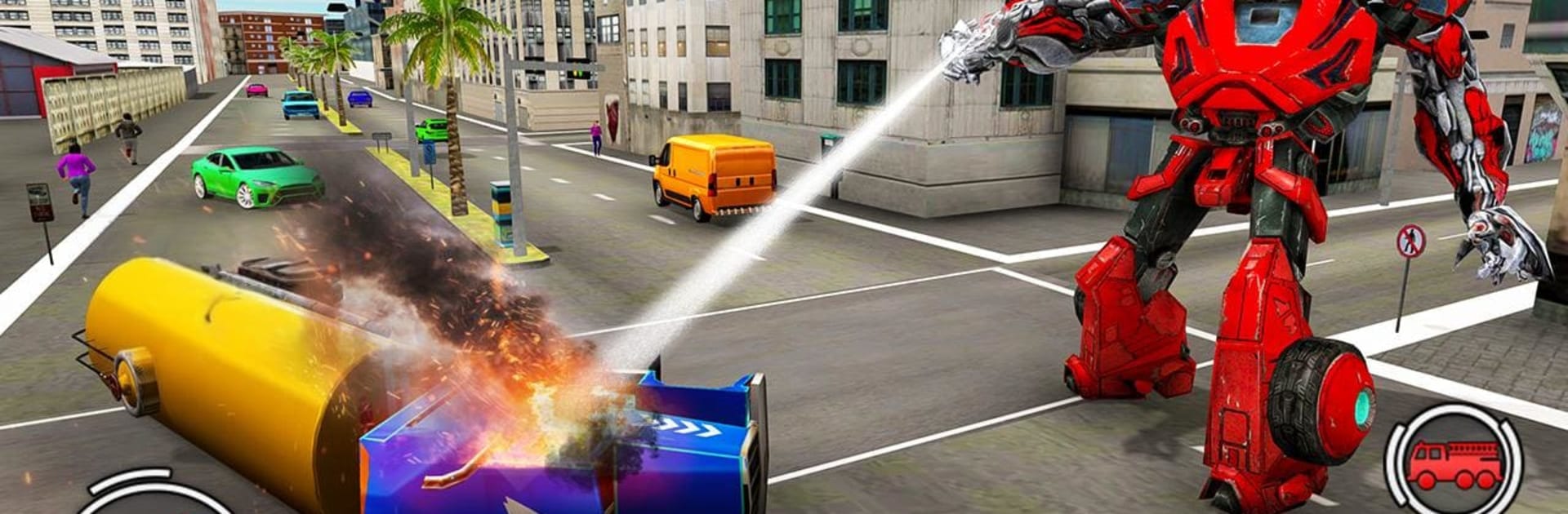
Fire Truck Flying Robot Rescue is exactly what the title says, a wild mix of firetruck sim and superhero robot action. The player starts in a modern city with buildings catching fire, traffic clogging the streets, and timers pushing quick decisions. Drive like a normal engine with sirens on, weave through cars, then flip a switch to send the truck into the air when the road is blocked. The truck can also transform into a big rescue robot that sprays water, clears wrecks, and shields civilians during airplane crash scenes or road accidents. Missions are short and punchy. Reach the hotspot, switch forms, put out flames, prevent more damage, then rush to the next alert. It feels arcadey rather than strict simulation. The physics are light, the sense of speed is decent, and watching a ladder truck lift off never stops being funny.

On PC with BlueStacks, the whole thing is easier to wrangle. Keyboard steering and a transform key make quick swaps smoother than touch, and the camera stutters less when the truck lifts off. Visuals are bright and clean, big flames, chunky robot animations, loud sirens, nothing fancy but it pops. The city looks like a simplified New York, wide roads and tall glass buildings. Expect some repetition and a bit of jank, but the mix of flying, driving, and transforming keeps it moving. Good pick for anyone who likes rescue games, flying cars, or just wants to throw a mega robot at a burning highrise for a few minutes at a time.

Start your journey now. Download the game on BlueStacks, invite your friends, and march on a new adventure.


Game Features

Enhancements

  • Macros
  • Multi Instance
  • Multi Instance Sync
  • Script
  • Enhancements
Macros

Macros

Automate the predictable in Fire Truck Flying Robot Rescue and transform your gameplay with Macros. Get access to inventive Macros in the BlueStacks Macro Community
Multi Instance

Multi Instance

Play Fire Truck Flying Robot Rescue on one window. And chat with your friend on the other. Press CTRL + Shift + 8 to open the Multi-Instance Manager. And start creating fresh instances or clone an existing one.
Multi Instance Sync

Multi Instance Sync

Play Fire Truck Flying Robot Rescue with the power of Multi-Instance Sync. Replicate what you are doing on the main instance on all other instances. Level up faster, play more.
Script

Script

Script your way to gaming glory in Fire Truck Flying Robot Rescue with BlueStacks Script. Write and run a set of commands to automate repeated tasks. Trigger the command by assigning it to any key.
Read More

How to Download and Play Fire Truck Flying Robot Rescue on PC or Mac

  • Download and install BlueStacks on your PC or Mac

  • Complete Google sign-in to access the Play Store, or do it later

  • Look for Fire Truck Flying Robot Rescue in the search bar at the top right corner

  • Click to install Fire Truck Flying Robot Rescue from the search results

  • Complete Google sign-in (if you skipped step 2) to install Fire Truck Flying Robot Rescue

  • Click the Fire Truck Flying Robot Rescue icon on the home screen to start playing

video
Watch Video

Minimum System Requirements

With BlueStacks 5, you can get started on a PC that fulfills the following requirements.

  • Operating System

    Microsoft Windows 7 or above, macOS 11 (Big Sur) or above

  • Processor

    Intel, AMD or Apple Silicon Processor

  • RAM

    at least 4GB

  • HDD

    10GB Free Disk Space

Note:

* You must be an Administrator on your PC. Up to date graphics drivers from Microsoft or the chipset vendor.

Fire Truck Flying Robot Rescue - FAQs

  • How to play Fire Truck Flying Robot Rescue on Windows PC & Mac?

    Play Fire Truck Flying Robot Rescue on your PC or Mac by following these simple steps.

    • Click on 'Play Fire Truck Flying Robot Rescue on PC’ to download BlueStacks
    • Install it and log-in to Google Play Store
    • Launch and play the game.
  • Why is BlueStacks the fastest and safest platform to play games on PC?

    BlueStacks respects your privacy and is always safe and secure to use. It does not carry any malware, spyware, or any sort of additional software that could harm your PC.

    It is engineered to optimize speed and performance for a seamless gaming experience.

  • What are Fire Truck Flying Robot Rescue PC requirements?

    Minimum requirement to run Fire Truck Flying Robot Rescue on your PC

    • OS: Microsoft Windows 7 or above MacOS 11 (Big Sur) or above
    • Processor: Intel, AMD or Apple Silicon Processor
    • RAM: Your PC must have at least 4GB of RAM. (Note that having 4GB or more disk space is not a substitute for RAM)
    • HDD: 10GB Free Disk Space.
    • You must be an Administrator on your PC.