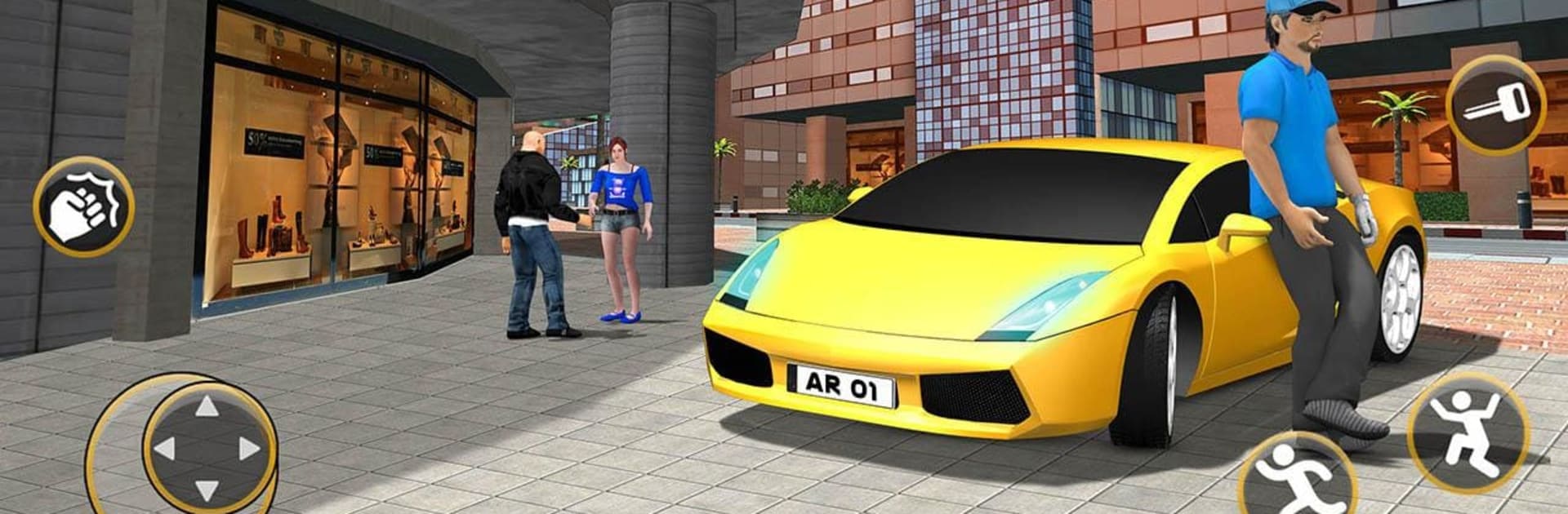
Real Gangster Crime Games 3D

Real Gangster Crime Games 3D

Simulation

| Standard Games Studios

Play on PC with BlueStacks or from our cloud

  • Overview
  • Game Features
  • How to Play

Page Modified On: December 22, 2025

Play Real Gangster Crime Games 3D on PC or Mac

From the innovators and creators at Standard Games Studios, Real Gangster Crime Games 3D is another fun addition to the World of Simulation games. Go beyond your mobile screen and play it bigger and better on your PC or Mac. An immersive experience awaits you.

Real Gangster Crime Games 3D drops a player into a big, loud city where everything is about fast cars, quick shootouts, and grabbing whatever cash or chaos the next task offers. It plays like an arcade sandbox more than a serious crime drama. The map is open enough to roam, snag a sports car or a bike, and jump into short missions that bounce between car chases, gang fights, and a bit of wild stuff like escorting hostages and other edgy objectives. The tone is blunt and over the top, so expect explosions, loud gun sounds, and lots of rival thugs spawning around corners. There is not much story holding it together, it is more a checklist of action moments.

Driving feels simple but weighty enough, with cars that crunch and flip in funny ways and a few camera options that help during high speed turns. Shooting is straight to the point, tap to aim and clear the street, with a handful of weapons that all feel punchy. The city looks bright and a little rough around the edges, which actually fits the whole B-movie gangster vibe. On PC through BlueStacks, mouse aim helps a lot and keyboard driving is smoother, so it is easier to hit headshots and take tight turns. It suits quick sessions, pick a mission, cause trouble, move on, repeat, and there is a lot of that here.

Ready to top the leaderboard? We bet you do. Let precise controls and sharp visuals optimized on BlueStacks lead you to victory.


Game Features

Enhancements

  • Macros
  • Multi Instance
  • Multi Instance Sync
  • Script
  • Enhancements
Macros

Macros

Automate the predictable in Real Gangster Crime Games 3D and transform your gameplay with Macros. Get access to inventive Macros in the BlueStacks Macro Community
Multi Instance

Multi Instance

Play Real Gangster Crime Games 3D on one window. And chat with your friend on the other. Press CTRL + Shift + 8 to open the Multi-Instance Manager. And start creating fresh instances or clone an existing one.
Multi Instance Sync

Multi Instance Sync

Play Real Gangster Crime Games 3D with the power of Multi-Instance Sync. Replicate what you are doing on the main instance on all other instances. Level up faster, play more.
Script

Script

Script your way to gaming glory in Real Gangster Crime Games 3D with BlueStacks Script. Write and run a set of commands to automate repeated tasks. Trigger the command by assigning it to any key.
Read More

How to Download and Play Real Gangster Crime Games 3D on PC or Mac

  • Download and install BlueStacks on your PC or Mac

  • Complete Google sign-in to access the Play Store, or do it later

  • Look for Real Gangster Crime Games 3D in the search bar at the top right corner

  • Click to install Real Gangster Crime Games 3D from the search results

  • Complete Google sign-in (if you skipped step 2) to install Real Gangster Crime Games 3D

  • Click the Real Gangster Crime Games 3D icon on the home screen to start playing

video
Watch Video

Minimum System Requirements

With BlueStacks 5, you can get started on a PC that fulfills the following requirements.

  • Operating System

    Microsoft Windows 7 or above, macOS 11 (Big Sur) or above

  • Processor

    Intel, AMD or Apple Silicon Processor

  • RAM

    at least 4GB

  • HDD

    10GB Free Disk Space

Note:

* You must be an Administrator on your PC. Up to date graphics drivers from Microsoft or the chipset vendor.

Real Gangster Crime Games 3D - FAQs

  • How to play Real Gangster Crime Games 3D on Windows PC & Mac?

    Play Real Gangster Crime Games 3D on your PC or Mac by following these simple steps.

    • Click on 'Play Real Gangster Crime Games 3D on PC’ to download BlueStacks
    • Install it and log-in to Google Play Store
    • Launch and play the game.
  • Why is BlueStacks the fastest and safest platform to play games on PC?

    BlueStacks respects your privacy and is always safe and secure to use. It does not carry any malware, spyware, or any sort of additional software that could harm your PC.

    It is engineered to optimize speed and performance for a seamless gaming experience.

  • What are Real Gangster Crime Games 3D PC requirements?

    Minimum requirement to run Real Gangster Crime Games 3D on your PC

    • OS: Microsoft Windows 7 or above MacOS 11 (Big Sur) or above
    • Processor: Intel, AMD or Apple Silicon Processor
    • RAM: Your PC must have at least 4GB of RAM. (Note that having 4GB or more disk space is not a substitute for RAM)
    • HDD: 10GB Free Disk Space.
    • You must be an Administrator on your PC.