
Golem Craft Survival

Golem Craft Survival

Simulation

| devs 242=2442-2=42=4

Play on PC with BlueStacks or from our cloud

  • Overview
  • Game Features
  • How to Play

Page Modified On: May 11, 2026

Play Golem Craft Survival on PC or Mac

Golem Craft Survival brings the Simulation genre to life, and throws up exciting challenges for gamers. Developed by devs 242=2442-2=42=4, this Android game is best experienced on BlueStacks, the World’s #1 app player for PC and Mac users.

About the Game

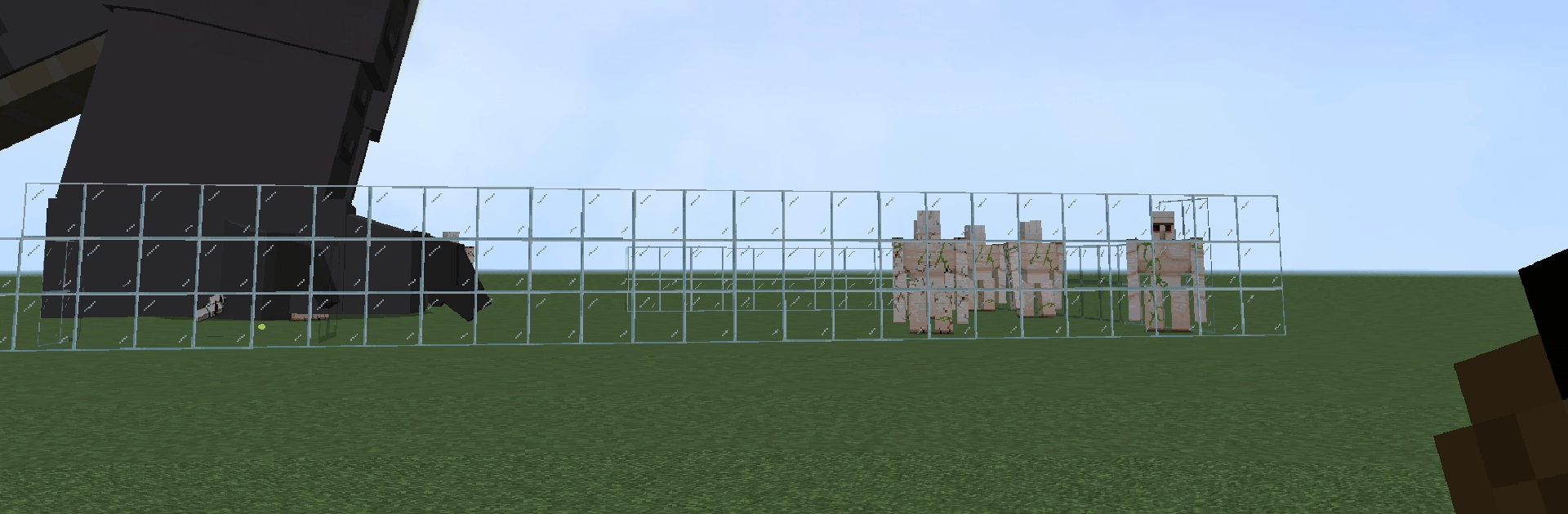
Golem Craft Survival is a chill-but-addicting Simulation from devs 242=2442-2=42=4 where you turn raw, blocky terrain into a living settlement. You’ll mine, craft, and build your own little world, then call in hulking golems to keep it safe while you expand. Start with a handful of logs and stones, end up with roads, towers, and a fortified base that actually feels like home.

Game Features

  • Open world building: Roam broad landscapes packed with forests, cliffs, and tucked-away resources, then shape them into anything from a cozy outpost to a sprawling town.
  • Crafting that matters: Gather wood, stone, and ore to make tools and materials, then use them to raise bridges, watchtowers, walls, and full-on castles.
  • Golem guardians: Summon powerful golems to patrol your streets and guard key spots so you can keep building without looking over your shoulder.
  • Fast, friendly tools: Speed up construction with quick block rotation and handy copy/duplicate options that make repeating patterns painless.
  • Grow a settlement: Lay out roads, plot neighborhoods, and stack defensive towers until your village feels organized and alive.
  • Defend your turf: Set up walls, lighting, and lookout points; assign different golems to different routes to handle threats before they reach your gates.
  • Farming and light automation: Plant crops and set up simple systems to keep supplies flowing while you focus on your next big project.
  • Smooth offline play: Build and explore at your own pace, even without a connection, with stable performance that keeps the vibe relaxed.
  • PC-friendly controls: Prefer keyboard and mouse? Playing on BlueStacks feels natural and makes large builds and quick edits easier.

Ready to top the leaderboard? We bet you do. Let precise controls and sharp visuals optimized on BlueStacks lead you to victory.


Game Features

Enhancements

  • Macros
  • Multi Instance
  • Multi Instance Sync
  • Script
  • Enhancements
Macros

Macros

Automate the predictable in Golem Craft Survival and transform your gameplay with Macros. Get access to inventive Macros in the BlueStacks Macro Community
Multi Instance

Multi Instance

Play Golem Craft Survival on one window. And chat with your friend on the other. Press CTRL + Shift + 8 to open the Multi-Instance Manager. And start creating fresh instances or clone an existing one.
Multi Instance Sync

Multi Instance Sync

Play Golem Craft Survival with the power of Multi-Instance Sync. Replicate what you are doing on the main instance on all other instances. Level up faster, play more.
Script

Script

Script your way to gaming glory in Golem Craft Survival with BlueStacks Script. Write and run a set of commands to automate repeated tasks. Trigger the command by assigning it to any key.
Read More

How to Download and Play Golem Craft Survival on PC or Mac

  • Download and install BlueStacks on your PC or Mac

  • Complete Google sign-in to access the Play Store, or do it later

  • Look for Golem Craft Survival in the search bar at the top right corner

  • Click to install Golem Craft Survival from the search results

  • Complete Google sign-in (if you skipped step 2) to install Golem Craft Survival

  • Click the Golem Craft Survival icon on the home screen to start playing

video
Watch Video

Minimum System Requirements

With BlueStacks 5, you can get started on a PC that fulfills the following requirements.

  • Operating System

    Microsoft Windows 7 or above, macOS 11 (Big Sur) or above

  • Processor

    Intel, AMD or Apple Silicon Processor

  • RAM

    at least 4GB

  • HDD

    10GB Free Disk Space

Note:

* You must be an Administrator on your PC. Up to date graphics drivers from Microsoft or the chipset vendor.

Golem Craft Survival - FAQs

  • How to play Golem Craft Survival on Windows PC & Mac?

    Play Golem Craft Survival on your PC or Mac by following these simple steps.

    • Click on 'Play Golem Craft Survival on PC’ to download BlueStacks
    • Install it and log-in to Google Play Store
    • Launch and play the game.
  • Why is BlueStacks the fastest and safest platform to play games on PC?

    BlueStacks respects your privacy and is always safe and secure to use. It does not carry any malware, spyware, or any sort of additional software that could harm your PC.

    It is engineered to optimize speed and performance for a seamless gaming experience.

  • What are Golem Craft Survival PC requirements?

    Minimum requirement to run Golem Craft Survival on your PC

    • OS: Microsoft Windows 7 or above MacOS 11 (Big Sur) or above
    • Processor: Intel, AMD or Apple Silicon Processor
    • RAM: Your PC must have at least 4GB of RAM. (Note that having 4GB or more disk space is not a substitute for RAM)
    • HDD: 10GB Free Disk Space.
    • You must be an Administrator on your PC.







