Idle Boxer
Idle Boxer

Idle Boxer

Simulation

| Tap Nine

Play on PC with BlueStacks or from our cloud

  • Overview
  • Game Features
  • How to Play

Page Modified On: May 11, 2026

Play Idle Boxer on PC or Mac

Step into the World of Idle Boxer, a thrilling Simulation game from the house of Tap Nine. Play this Android game on BlueStacks App Player and experience immersive gaming on PC or Mac.

About the Game

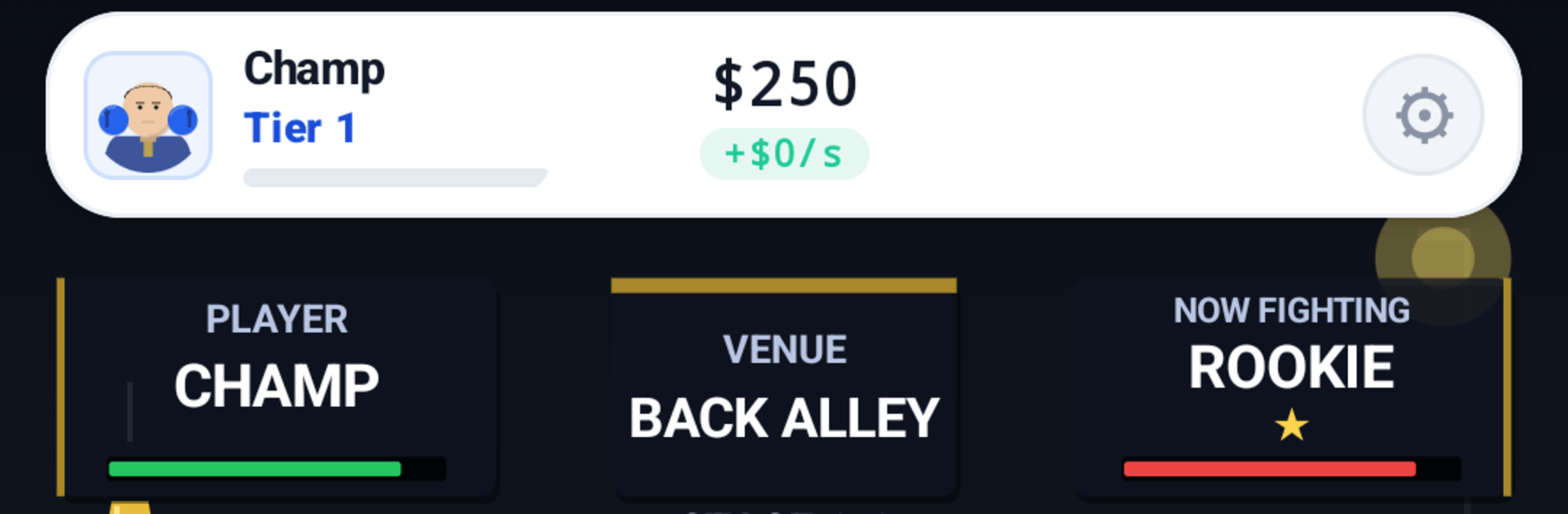
Idle Boxer is a punchy Simulation from Tap Nine where you guide a scrappy newcomer into a feared ring king. It blends quick taps with satisfying long-term planning: train, gear up, and watch your fighter rack up wins—even when you’re not playing. Prefer a bigger screen? It also feels right at home on PC with BlueStacks.

Game Features

  • From Rookie to Ring Star: Start small and build momentum. Train consistently, make smart upgrades, and see real power gains with every bout.
  • Gear That Hits Hard: Swap in better gloves, boots, and accessories to boost your stats. The right setup can turn a close fight into a clean win.
  • Skills and Combos: Unlock unique moves that change how you approach each round. Time your upgrades and chain abilities to outthink tough rivals.
  • Idle Progress That Matters: Step away and keep earning. Come back to a stash of cash and resources ready to invest in training or equipment.
  • Climb the Leagues: Face stronger opponents as you rise through competitive brackets. Each tier ups the challenge—and the bragging rights.
  • Supportive Bonuses: Win fame, meet girlfriends, and gain handy perks that help your boxer train faster and earn more.
  • Snappy Play, Deep Decisions: Tap to train, upgrade when it counts, and fine-tune your build. It’s easy to pick up, with plenty of room to experiment.
  • Play Anywhere: Quick sessions on your phone or relaxed play on BlueStacks—either way, your boxer keeps progressing toward champion status.

Make your gaming sessions memorable with precise controls that give you an edge in close combats and visuals that pop up, bringing every character to life.


Game Features

Enhancements

  • Macros
  • Multi Instance
  • Multi Instance Sync
  • Script
  • Enhancements
Macros

Macros

Automate the predictable in Idle Boxer and transform your gameplay with Macros. Get access to inventive Macros in the BlueStacks Macro Community
Multi Instance

Multi Instance

Play Idle Boxer on one window. And chat with your friend on the other. Press CTRL + Shift + 8 to open the Multi-Instance Manager. And start creating fresh instances or clone an existing one.
Multi Instance Sync

Multi Instance Sync

Play Idle Boxer with the power of Multi-Instance Sync. Replicate what you are doing on the main instance on all other instances. Level up faster, play more.
Script

Script

Script your way to gaming glory in Idle Boxer with BlueStacks Script. Write and run a set of commands to automate repeated tasks. Trigger the command by assigning it to any key.
Read More

How to Download and Play Idle Boxer on PC or Mac

  • Download and install BlueStacks on your PC or Mac

  • Complete Google sign-in to access the Play Store, or do it later

  • Look for Idle Boxer in the search bar at the top right corner

  • Click to install Idle Boxer from the search results

  • Complete Google sign-in (if you skipped step 2) to install Idle Boxer

  • Click the Idle Boxer icon on the home screen to start playing

video
Watch Video

Minimum System Requirements

With BlueStacks 5, you can get started on a PC that fulfills the following requirements.

  • Operating System

    Microsoft Windows 7 or above, macOS 11 (Big Sur) or above

  • Processor

    Intel, AMD or Apple Silicon Processor

  • RAM

    at least 4GB

  • HDD

    10GB Free Disk Space

Note:

* You must be an Administrator on your PC. Up to date graphics drivers from Microsoft or the chipset vendor.

Idle Boxer - FAQs

  • How to play Idle Boxer on Windows PC & Mac?

    Play Idle Boxer on your PC or Mac by following these simple steps.

    • Click on 'Play Idle Boxer on PC’ to download BlueStacks
    • Install it and log-in to Google Play Store
    • Launch and play the game.
  • Why is BlueStacks the fastest and safest platform to play games on PC?

    BlueStacks respects your privacy and is always safe and secure to use. It does not carry any malware, spyware, or any sort of additional software that could harm your PC.

    It is engineered to optimize speed and performance for a seamless gaming experience.

  • What are Idle Boxer PC requirements?

    Minimum requirement to run Idle Boxer on your PC

    • OS: Microsoft Windows 7 or above MacOS 11 (Big Sur) or above
    • Processor: Intel, AMD or Apple Silicon Processor
    • RAM: Your PC must have at least 4GB of RAM. (Note that having 4GB or more disk space is not a substitute for RAM)
    • HDD: 10GB Free Disk Space.
    • You must be an Administrator on your PC.