Iron Craft: Hero Legend

Iron Craft: Hero Legend

Simulation

| CO Studio App&Game

Play on PC with BlueStacks or from our cloud

  • Overview
  • Game Features
  • How to Play

Page Modified On: August 29, 2025

Play Iron Craft: Hero Legend on PC or Mac

Step into the World of Iron Craft: Hero Legend, a thrilling Simulation game from the house of CO Studio App&Game. Play this Android game on BlueStacks App Player and experience immersive gaming on PC or Mac.

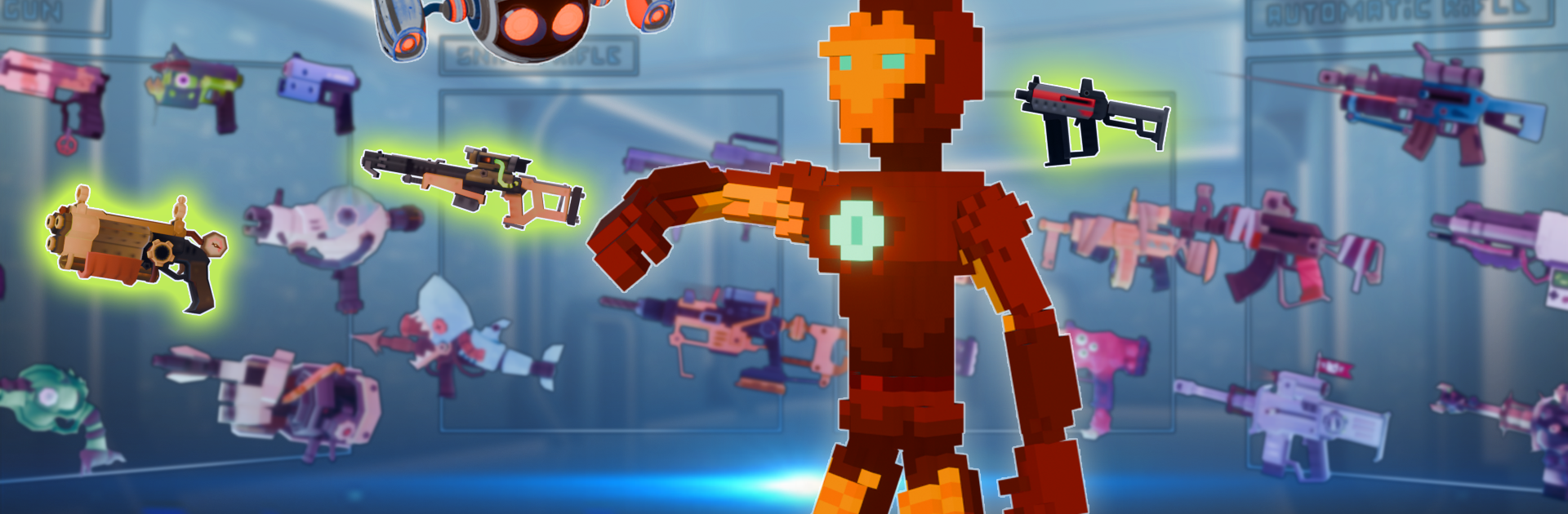
Iron Craft: Hero Legend plays like a blocky survival builder mixed with chunky hero combat. The loop is simple to grasp but satisfying. Run around wide, square worlds gathering wood, stone, and ore, bring it back to a base, and turn those stacks into better weapons and heavier armor. Then head out again to test the new kit against bigger enemies. There is a nice sense of weight to the gear, and every upgrade actually changes how safe the player feels outside the walls. Do you push for a stronger chestplate first, or rush a new weapon and risk getting caught with weak protection. That kind of choice shows up a lot, and it keeps progress feeling earned.

Fights land on the arcade side. It is quick to swap tools, swing, back off, and go in again, especially once a few skills are unlocked. Those skills and the hero customization are where the playstyle bends. Go tanky and turtle behind solid armor, or chase damage and end battles faster. Building is clean and does not get in the way of the action, and the world drops enough resources to keep crafting moving without a grind wall. On PC with BlueStacks, mouse aiming and hotkey swapping make placing blocks and managing the hotbar way easier, and the bigger screen helps spot ore veins and mobs at a distance. If someone enjoys gathering, planning upgrades, and turning materials into a fortress and a legend suit, this hits that itch without getting overly complex.

Slay your opponents with your epic moves. Play it your way on BlueStacks and dominate the battlefield.


Game Features

Enhancements

  • Macros
  • Multi Instance
  • Multi Instance Sync
  • Script
  • Enhancements
Macros

Macros

Automate the predictable in Iron Craft: Hero Legend and transform your gameplay with Macros. Get access to inventive Macros in the BlueStacks Macro Community
Multi Instance

Multi Instance

Play Iron Craft: Hero Legend on one window. And chat with your friend on the other. Press CTRL + Shift + 8 to open the Multi-Instance Manager. And start creating fresh instances or clone an existing one.
Multi Instance Sync

Multi Instance Sync

Play Iron Craft: Hero Legend with the power of Multi-Instance Sync. Replicate what you are doing on the main instance on all other instances. Level up faster, play more.
Script

Script

Script your way to gaming glory in Iron Craft: Hero Legend with BlueStacks Script. Write and run a set of commands to automate repeated tasks. Trigger the command by assigning it to any key.
Read More

How to Download and Play Iron Craft: Hero Legend on PC or Mac

  • Download and install BlueStacks on your PC or Mac

  • Complete Google sign-in to access the Play Store, or do it later

  • Look for Iron Craft: Hero Legend in the search bar at the top right corner

  • Click to install Iron Craft: Hero Legend from the search results

  • Complete Google sign-in (if you skipped step 2) to install Iron Craft: Hero Legend

  • Click the Iron Craft: Hero Legend icon on the home screen to start playing

video
Watch Video

Minimum System Requirements

With BlueStacks 5, you can get started on a PC that fulfills the following requirements.

  • Operating System

    Microsoft Windows 7 or above, macOS 11 (Big Sur) or above

  • Processor

    Intel, AMD or Apple Silicon Processor

  • RAM

    at least 4GB

  • HDD

    10GB Free Disk Space

Note:

* You must be an Administrator on your PC. Up to date graphics drivers from Microsoft or the chipset vendor.

Iron Craft: Hero Legend - FAQs

  • How to play Iron Craft: Hero Legend on Windows PC & Mac?

    Play Iron Craft: Hero Legend on your PC or Mac by following these simple steps.

    • Click on 'Play Iron Craft: Hero Legend on PC’ to download BlueStacks
    • Install it and log-in to Google Play Store
    • Launch and play the game.
  • Why is BlueStacks the fastest and safest platform to play games on PC?

    BlueStacks respects your privacy and is always safe and secure to use. It does not carry any malware, spyware, or any sort of additional software that could harm your PC.

    It is engineered to optimize speed and performance for a seamless gaming experience.

  • What are Iron Craft: Hero Legend PC requirements?

    Minimum requirement to run Iron Craft: Hero Legend on your PC

    • OS: Microsoft Windows 7 or above MacOS 11 (Big Sur) or above
    • Processor: Intel, AMD or Apple Silicon Processor
    • RAM: Your PC must have at least 4GB of RAM. (Note that having 4GB or more disk space is not a substitute for RAM)
    • HDD: 10GB Free Disk Space.
    • You must be an Administrator on your PC.