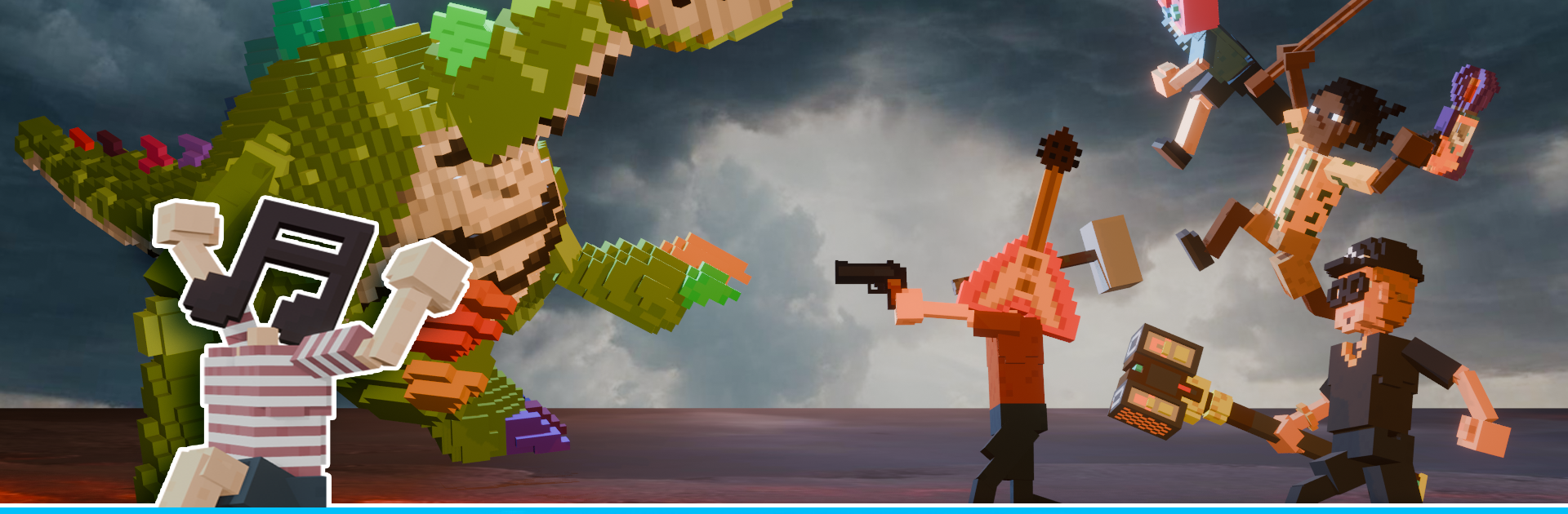
Craft World: Piano Monster

Craft World: Piano Monster

Casual

| CO Studio App&Game

Play on PC with BlueStacks or from our cloud

  • Overview
  • Game Features
  • How to Play

Page Modified On: August 29, 2025

Play Craft World: Piano Monster on PC or Mac

Join millions to experience Craft World: Piano Monster, an exciting Casual game from CO Studio App&Game. With BlueStacks App Player, you are always a step ahead of your opponent, ready to outplay them with faster gameplay and better control with the mouse and keyboard on your PC or Mac.

About the Game

Craft World: Piano Monster is a Casual sandbox from CO Studio App&Game that mixes building with music in a surprisingly charming way. You’re dropped into a bright, blocky world where your creations don’t just look good—they can sound good, too. Explore at your own pace, tinker with musical blocks, and hang out with quirky Piano Monsters that react to the tunes you create. Prefer a bigger canvas? It plays nicely on BlueStacks as well.

Game Features

  • Build Your World: Shape the terrain, place blocks, and design cozy homes or sprawling cities. The tools are straightforward, so ideas turn into structures fast.
  • Make Music, Literally: Use interactive pieces to trigger notes, rhythms, and light patterns. Set up simple loops or chain together playful sequences that bring your builds to life.
  • Explore Hidden Biomes: Wander through varied regions packed with resources and new sights. Each area adds fresh materials and sounds to experiment with.
  • Meet the Piano Monsters: These adorable creatures respond to your creations—tap, play, and watch them bounce, chime, or hum along as you interact.
  • Gather and Craft with Ease: Mine, chop, and collect what you need, then craft blocks and musical components without a fuss. It’s casual, not complicated.
  • Create Atmosphere: Sync lights with beats, add gentle ambience, or go bold with rhythmic effects. Your town can feel calm, energetic, or somewhere in between.
  • Play How You Like: Build for hours, explore in short bursts, or just noodle around with melodies. Touch controls are smooth on mobile, and BlueStacks makes big-screen building comfy.

Make your gaming sessions memorable with precise controls that give you an edge in close combats and visuals that pop up, bringing every character to life.


Game Features

Enhancements

  • Macros
  • Multi Instance
  • Script
  • Repeated Tap
  • Enhancements
Macros

Macros

Automate the predictable in Craft World: Piano Monster and transform your gameplay with Macros. Get access to inventive Macros in the BlueStacks Macro Community
Multi Instance

Multi Instance

Play Craft World: Piano Monster on one window. And chat with your friend on the other. Press CTRL + Shift + 8 to open the Multi-Instance Manager. And start creating fresh instances or clone an existing one.
Script

Script

Script your way to gaming glory in Craft World: Piano Monster with BlueStacks Script. Write and run a set of commands to automate repeated tasks. Trigger the command by assigning it to any key.
Repeated Tap

Repeated Tap

BlueStacks lets you master Craft World: Piano Monster with useful features like the Repeated Tap. Now you do not have to press the same key repeatedly to initiate an action. Just assign it to one key and you are good to go.
Read More

How to Download and Play Craft World: Piano Monster on PC or Mac

  • Download and install BlueStacks on your PC or Mac

  • Complete Google sign-in to access the Play Store, or do it later

  • Look for Craft World: Piano Monster in the search bar at the top right corner

  • Click to install Craft World: Piano Monster from the search results

  • Complete Google sign-in (if you skipped step 2) to install Craft World: Piano Monster

  • Click the Craft World: Piano Monster icon on the home screen to start playing

video
Watch Video

Minimum System Requirements

With BlueStacks 5, you can get started on a PC that fulfills the following requirements.

  • Operating System

    Microsoft Windows 7 or above, macOS 11 (Big Sur) or above

  • Processor

    Intel, AMD or Apple Silicon Processor

  • RAM

    at least 4GB

  • HDD

    10GB Free Disk Space

Note:

* You must be an Administrator on your PC. Up to date graphics drivers from Microsoft or the chipset vendor.

Craft World: Piano Monster - FAQs

  • How to play Craft World: Piano Monster on Windows PC & Mac?

    Play Craft World: Piano Monster on your PC or Mac by following these simple steps.

    • Click on 'Play Craft World: Piano Monster on PC’ to download BlueStacks
    • Install it and log-in to Google Play Store
    • Launch and play the game.
  • Why is BlueStacks the fastest and safest platform to play games on PC?

    BlueStacks respects your privacy and is always safe and secure to use. It does not carry any malware, spyware, or any sort of additional software that could harm your PC.

    It is engineered to optimize speed and performance for a seamless gaming experience.

  • What are Craft World: Piano Monster PC requirements?

    Minimum requirement to run Craft World: Piano Monster on your PC

    • OS: Microsoft Windows 7 or above MacOS 11 (Big Sur) or above
    • Processor: Intel, AMD or Apple Silicon Processor
    • RAM: Your PC must have at least 4GB of RAM. (Note that having 4GB or more disk space is not a substitute for RAM)
    • HDD: 10GB Free Disk Space.
    • You must be an Administrator on your PC.