
ムゲン・フォレスト~妖精の牧場~
ムゲン・フォレスト~妖精の牧場~

ムゲン・フォレスト~妖精の牧場~

Simulation

| 株式会社ダッシュスタジオ

Play on PC with BlueStacks or from our cloud

  • Overview
  • Game Features
  • How to Play

Page Modified On: August 26, 2025

Play ムゲン・フォレスト~妖精の牧場~ on PC or Mac

Bring your A-game to ムゲン・フォレスト~妖精の牧場~, the Simulation game sensation from 株式会社ダッシュスタジオ. Give your gameplay the much-needed boost with precise game controls, high FPS graphics, and top-tier features on your PC or Mac with BlueStacks.

About the Game

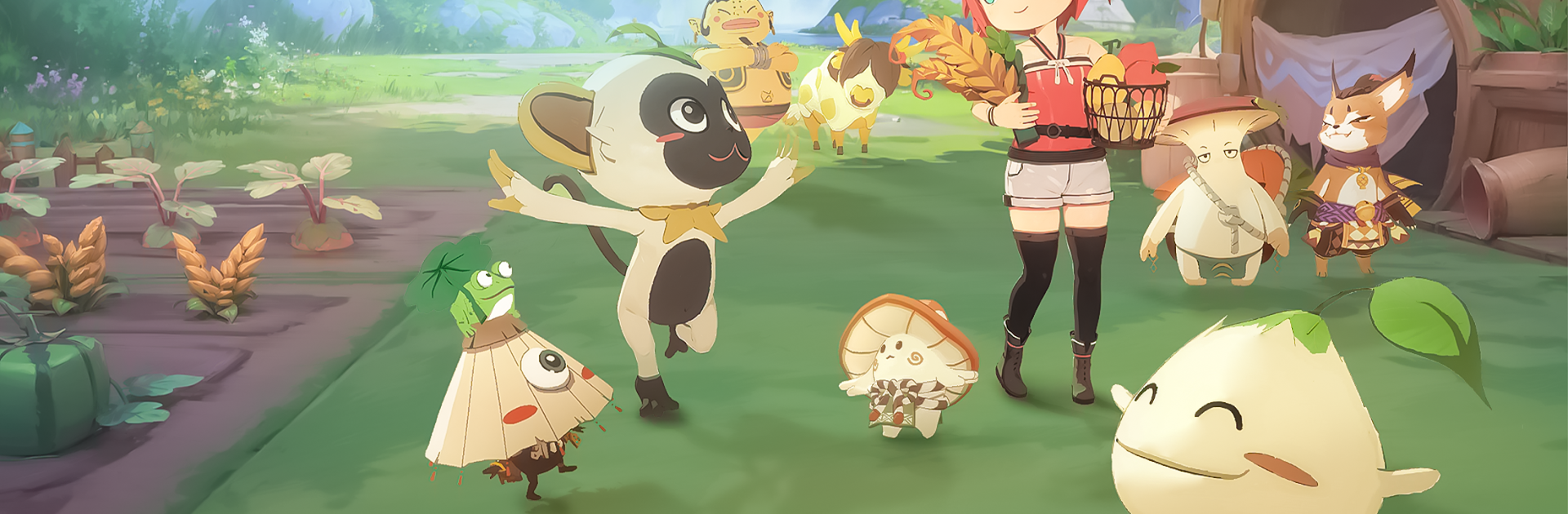
ムゲン・フォレスト~妖精の牧場~ is a cozy, slow-paced Simulation where you build a little farm and watch it come to life with magical helpers. You’ll arrange gardens, grow crops, and get to know a quirky cast of fairies who lend a hand (and a spell) as you develop your space. The tone is peaceful and social — perfect for days when you just want to tinker, decorate, and hang out with friends.

Game Features

  • Fairy Companions — Cute fairies act as your crew, using different magic to help plant, grow, and harvest crops under your direction.
  • Creative Decorating — Choose from hundreds of furniture pieces and objects to design gardens and layouts that reflect your taste.
  • Character Variety — Pick and personalize your look with over 100 avatar options so your farmer feels like yours.
  • Social Play — Visit friends’ farms, swap produce, chat under the trees, and collaborate on shared goals with pals.
  • Cooperative Trading — Join to form a trading company with others, develop special items together, and run limited-time projects.
  • Activities Galore — Beyond farming, there’s fishing, trading trips, and other relaxed pastimes to break up the routine.
  • Automation & Growth — Evolve your farm’s systems so some tasks run on their own, leaving you free to explore or fish at leisure.
  • PC Support — If you prefer playing on a bigger screen, the title works with BlueStacks for running the game on a computer.

Make your gaming sessions memorable with precise controls that give you an edge in close combats and visuals that pop up, bringing every character to life.


Game Features

Enhancements

  • Macros
  • Multi Instance
  • Multi Instance Sync
  • Script
  • Enhancements
Macros

Macros

Automate the predictable in ムゲン・フォレスト~妖精の牧場~ and transform your gameplay with Macros. Get access to inventive Macros in the BlueStacks Macro Community
Multi Instance

Multi Instance

Play ムゲン・フォレスト~妖精の牧場~ on one window. And chat with your friend on the other. Press CTRL + Shift + 8 to open the Multi-Instance Manager. And start creating fresh instances or clone an existing one.
Multi Instance Sync

Multi Instance Sync

Play ムゲン・フォレスト~妖精の牧場~ with the power of Multi-Instance Sync. Replicate what you are doing on the main instance on all other instances. Level up faster, play more.
Script

Script

Script your way to gaming glory in ムゲン・フォレスト~妖精の牧場~ with BlueStacks Script. Write and run a set of commands to automate repeated tasks. Trigger the command by assigning it to any key.
Read More

How to Download and Play ムゲン・フォレスト~妖精の牧場~ on PC or Mac

  • Download and install BlueStacks on your PC or Mac

  • Complete Google sign-in to access the Play Store, or do it later

  • Look for ムゲン・フォレスト~妖精の牧場~ in the search bar at the top right corner

  • Click to install ムゲン・フォレスト~妖精の牧場~ from the search results

  • Complete Google sign-in (if you skipped step 2) to install ムゲン・フォレスト~妖精の牧場~

  • Click the ムゲン・フォレスト~妖精の牧場~ icon on the home screen to start playing

video
Watch Video

Minimum System Requirements

With BlueStacks 5, you can get started on a PC that fulfills the following requirements.

  • Operating System

    Microsoft Windows 7 or above, macOS 11 (Big Sur) or above

  • Processor

    Intel, AMD or Apple Silicon Processor

  • RAM

    at least 4GB

  • HDD

    10GB Free Disk Space

Note:

* You must be an Administrator on your PC. Up to date graphics drivers from Microsoft or the chipset vendor.

ムゲン・フォレスト~妖精の牧場~ - FAQs

  • How to play ムゲン・フォレスト~妖精の牧場~ on Windows PC & Mac?

    Play ムゲン・フォレスト~妖精の牧場~ on your PC or Mac by following these simple steps.

    • Click on 'Play ムゲン・フォレスト~妖精の牧場~ on PC’ to download BlueStacks
    • Install it and log-in to Google Play Store
    • Launch and play the game.
  • Why is BlueStacks the fastest and safest platform to play games on PC?

    BlueStacks respects your privacy and is always safe and secure to use. It does not carry any malware, spyware, or any sort of additional software that could harm your PC.

    It is engineered to optimize speed and performance for a seamless gaming experience.

  • What are ムゲン・フォレスト~妖精の牧場~ PC requirements?

    Minimum requirement to run ムゲン・フォレスト~妖精の牧場~ on your PC

    • OS: Microsoft Windows 7 or above MacOS 11 (Big Sur) or above
    • Processor: Intel, AMD or Apple Silicon Processor
    • RAM: Your PC must have at least 4GB of RAM. (Note that having 4GB or more disk space is not a substitute for RAM)
    • HDD: 10GB Free Disk Space.
    • You must be an Administrator on your PC.







