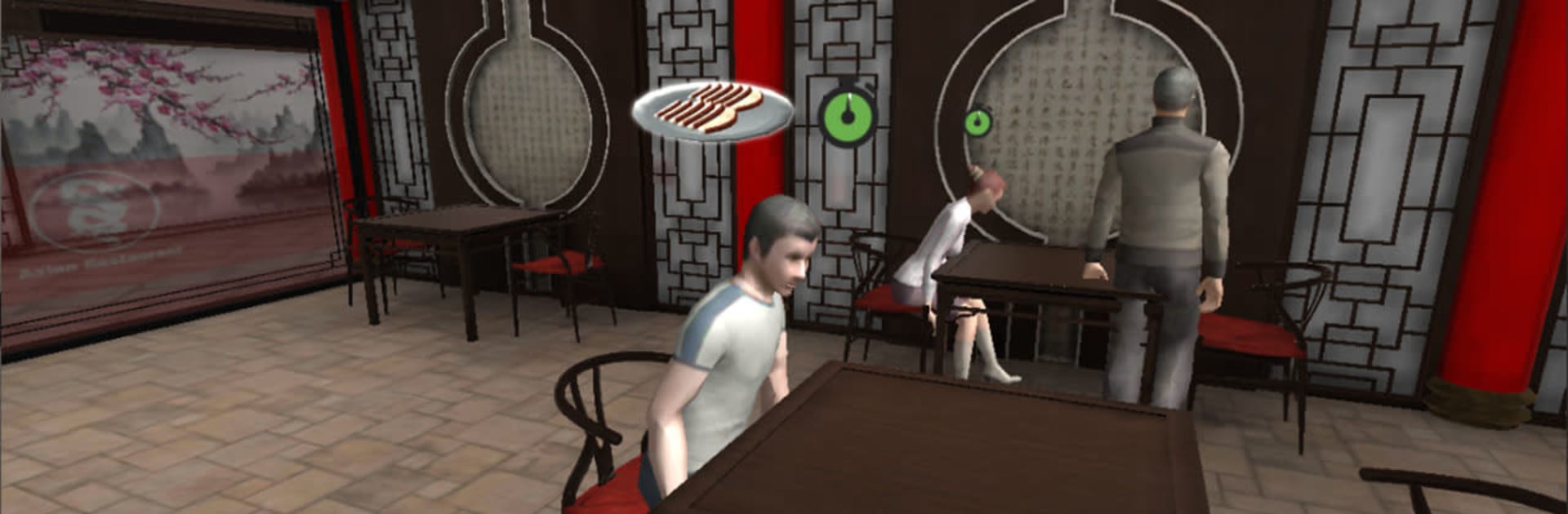
Restaurant Cooking Simulator

Restaurant Cooking Simulator

Simulation

| HGames-ArtWorks

Play on PC with BlueStacks or from our cloud

  • Overview
  • Game Features
  • How to Play

Page Modified On: January 13, 2026

Play Restaurant Cooking Simulator on PC or Mac

Restaurant Cooking Simulator brings the Simulation genre to life, and throws up exciting challenges for gamers. Developed by HGames-ArtWorks, this Android game is best experienced on BlueStacks, the World’s #1 app player for PC and Mac users.

Restaurant Cooking Simulator is a straightforward cooking and serving loop where the player runs a fancy spot and does both jobs at once. Orders come in, the player walks to the table to check what people want, then hustles back to the kitchen to prep everything step by step. The kitchen part is the main hook. It is all about following the right sequence and not messing it up. Chop and slice, then fry or grill or bake, pull shots of coffee, plate desserts, that sort of rhythm. Menus bounce from breakfast plates to seafood, sushi, burgers, pizza, and sweeter treats, so it never sticks to one cuisine. There are three different restaurants, each with its own set of quests to clear, and money from each served dish chips away at those goals. Happy customers mean progress keeps moving.

It plays like a time management game more than a hardcore simulator, which is nice if someone wants quick sessions that still feel busy. The challenge is in staying organized, since the kitchen asks for specific steps and it punishes sloppy timing. Some recipes are simple, others stack multiple actions, and learning the flow is satisfying when it clicks. Running it on PC through BlueStacks helps a lot because the mouse makes all those little prep actions quicker and less fumbly. Anyone who enjoys checking off orders, unlocking new recipes, and feeling that small rush of a perfect plate will get what this is about.

Ready to top the leaderboard? We bet you do. Let precise controls and sharp visuals optimized on BlueStacks lead you to victory.


Game Features

Enhancements

  • Macros
  • Multi Instance
  • Multi Instance Sync
  • Script
  • Enhancements
Macros

Macros

Automate the predictable in Restaurant Cooking Simulator and transform your gameplay with Macros. Get access to inventive Macros in the BlueStacks Macro Community
Multi Instance

Multi Instance

Play Restaurant Cooking Simulator on one window. And chat with your friend on the other. Press CTRL + Shift + 8 to open the Multi-Instance Manager. And start creating fresh instances or clone an existing one.
Multi Instance Sync

Multi Instance Sync

Play Restaurant Cooking Simulator with the power of Multi-Instance Sync. Replicate what you are doing on the main instance on all other instances. Level up faster, play more.
Script

Script

Script your way to gaming glory in Restaurant Cooking Simulator with BlueStacks Script. Write and run a set of commands to automate repeated tasks. Trigger the command by assigning it to any key.
Read More

How to Download and Play Restaurant Cooking Simulator on PC or Mac

  • Download and install BlueStacks on your PC or Mac

  • Complete Google sign-in to access the Play Store, or do it later

  • Look for Restaurant Cooking Simulator in the search bar at the top right corner

  • Click to install Restaurant Cooking Simulator from the search results

  • Complete Google sign-in (if you skipped step 2) to install Restaurant Cooking Simulator

  • Click the Restaurant Cooking Simulator icon on the home screen to start playing

video
Watch Video

Minimum System Requirements

With BlueStacks 5, you can get started on a PC that fulfills the following requirements.

  • Operating System

    Microsoft Windows 7 or above, macOS 11 (Big Sur) or above

  • Processor

    Intel, AMD or Apple Silicon Processor

  • RAM

    at least 4GB

  • HDD

    10GB Free Disk Space

Note:

* You must be an Administrator on your PC. Up to date graphics drivers from Microsoft or the chipset vendor.

Restaurant Cooking Simulator - FAQs

  • How to play Restaurant Cooking Simulator on Windows PC & Mac?

    Play Restaurant Cooking Simulator on your PC or Mac by following these simple steps.

    • Click on 'Play Restaurant Cooking Simulator on PC’ to download BlueStacks
    • Install it and log-in to Google Play Store
    • Launch and play the game.
  • Why is BlueStacks the fastest and safest platform to play games on PC?

    BlueStacks respects your privacy and is always safe and secure to use. It does not carry any malware, spyware, or any sort of additional software that could harm your PC.

    It is engineered to optimize speed and performance for a seamless gaming experience.

  • What are Restaurant Cooking Simulator PC requirements?

    Minimum requirement to run Restaurant Cooking Simulator on your PC

    • OS: Microsoft Windows 7 or above MacOS 11 (Big Sur) or above
    • Processor: Intel, AMD or Apple Silicon Processor
    • RAM: Your PC must have at least 4GB of RAM. (Note that having 4GB or more disk space is not a substitute for RAM)
    • HDD: 10GB Free Disk Space.
    • You must be an Administrator on your PC.