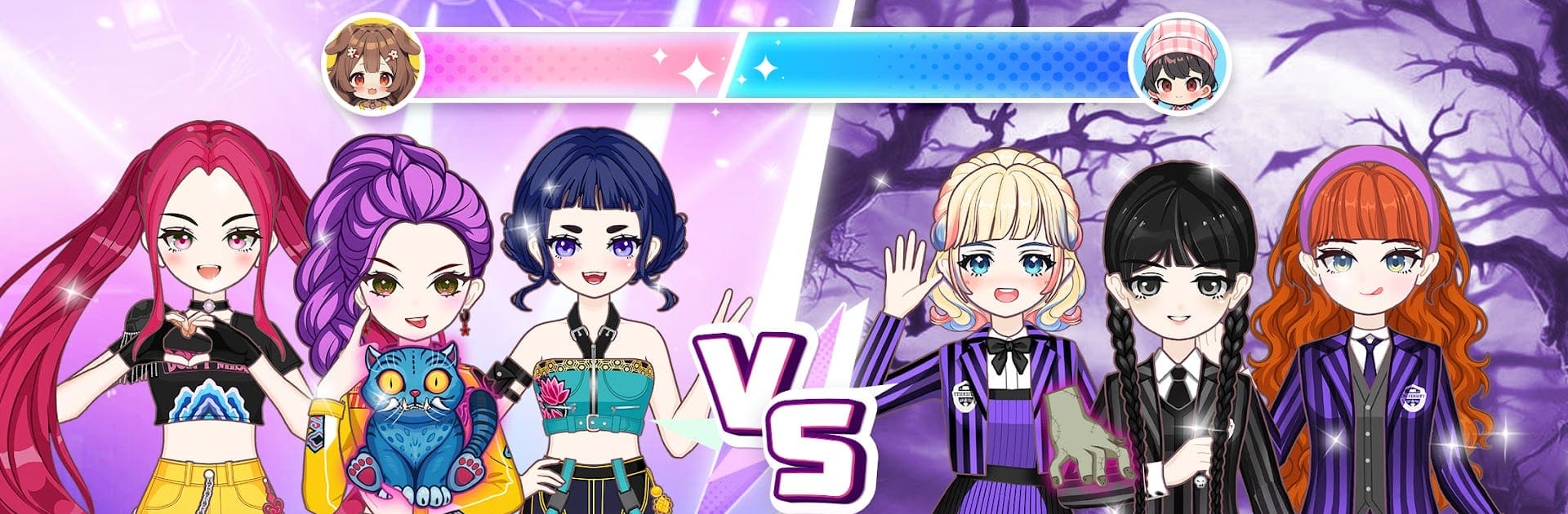
Star Idol: Anime Doll Dress Up

Star Idol: Anime Doll Dress Up

Simulation

| Dress Up Games for Girls

Play on PC with BlueStacks or from our cloud

  • Overview
  • Game Features
  • How to Play

Page Modified On: June 17, 2026

Play Star Idol: Anime Doll Dress Up on PC or Mac

Star Idol: Anime Doll Dress Up by Dress Up Games for Girls has plenty to keep you busy. BlueStacks lets you play it on PC or Mac with more screen space, better control, and fewer mobile limits.

About the Game

Star Idol: Anime Doll Dress Up is a Simulation playground for anyone who loves building cute anime avatars and styling them from head to toe. You’ll experiment with outfits, makeup, and accessories, then show off your creations in fashion showdowns and idol-style performances. Want a bigger canvas for those looks? It runs smoothly on BlueStacks, too.

Game Features

  • Huge Wardrobe: Mix dresses, streetwear, fantasy costumes, and seasonal pieces to build outfits that feel totally yours. Layer, swap, and fine-tune every detail.
  • Makeup Playground: Try bold eyeliner, glossy lips, soft blush, and sparkly shadows. Tweak colors and finishes to match each theme or mood.
  • Runway Battles: Enter styling contests with set prompts, impress the crowd, and see how your look stacks up against other creators.
  • Go Live as an Idol: Take your styled doll onstage, collect followers, and create adorable performance moments that feel like a mini concert.
  • Pose Collection: Unlock cute poses and stage gestures to nail the perfect shot or performance vibe.
  • Avatar Customization: Shape your doll’s face, pick eye styles, edit skin tones, and play with hairstyles for a look that feels unique.
  • Kawaii to Couture: Build aesthetics from magical and dreamy to sleek and modern—wings, wands, bows, headphones, and more are all fair game.
  • Save Looks & Snapshots: Store favorite outfits and capture photos of your best ensembles to revisit or refine later.
  • Play, Unlock, Repeat: Earn new pieces and themes by completing challenges and participating in events, expanding your closet as you go.

Ready to top the leaderboard? We bet you do. Let precise controls and sharp visuals optimized on BlueStacks lead you to victory.


Game Features

Enhancements

  • Macros
  • Multi Instance
  • Multi Instance Sync
  • Script
  • Enhancements
Macros

Macros

Automate the predictable in Star Idol: Anime Doll Dress Up and transform your gameplay with Macros. Get access to inventive Macros in the BlueStacks Macro Community
Multi Instance

Multi Instance

Play Star Idol: Anime Doll Dress Up on one window. And chat with your friend on the other. Press CTRL + Shift + 8 to open the Multi-Instance Manager. And start creating fresh instances or clone an existing one.
Multi Instance Sync

Multi Instance Sync

Play Star Idol: Anime Doll Dress Up with the power of Multi-Instance Sync. Replicate what you are doing on the main instance on all other instances. Level up faster, play more.
Script

Script

Script your way to gaming glory in Star Idol: Anime Doll Dress Up with BlueStacks Script. Write and run a set of commands to automate repeated tasks. Trigger the command by assigning it to any key.
Read More

How to Download and Play Star Idol: Anime Doll Dress Up on PC or Mac

  • Download and install BlueStacks on your PC or Mac

  • Complete Google sign-in to access the Play Store, or do it later

  • Look for Star Idol: Anime Doll Dress Up in the search bar at the top right corner

  • Click to install Star Idol: Anime Doll Dress Up from the search results

  • Complete Google sign-in (if you skipped step 2) to install Star Idol: Anime Doll Dress Up

  • Click the Star Idol: Anime Doll Dress Up icon on the home screen to start playing

video
Watch Video

Minimum System Requirements

With BlueStacks 5, you can get started on a PC that fulfills the following requirements.

  • Operating System

    Microsoft Windows 7 or above, macOS 11 (Big Sur) or above

  • Processor

    Intel, AMD or Apple Silicon Processor

  • RAM

    at least 4GB

  • HDD

    10GB Free Disk Space

Note:

* You must be an Administrator on your PC. Up to date graphics drivers from Microsoft or the chipset vendor.

Star Idol: Anime Doll Dress Up - FAQs

  • How to play Star Idol: Anime Doll Dress Up on Windows PC & Mac?

    Play Star Idol: Anime Doll Dress Up on your PC or Mac by following these simple steps.

    • Click on 'Play Star Idol: Anime Doll Dress Up on PC’ to download BlueStacks
    • Install it and log-in to Google Play Store
    • Launch and play the game.
  • Why is BlueStacks the fastest and safest platform to play games on PC?

    BlueStacks respects your privacy and is always safe and secure to use. It does not carry any malware, spyware, or any sort of additional software that could harm your PC.

    It is engineered to optimize speed and performance for a seamless gaming experience.

  • What are Star Idol: Anime Doll Dress Up PC requirements?

    Minimum requirement to run Star Idol: Anime Doll Dress Up on your PC

    • OS: Microsoft Windows 7 or above MacOS 11 (Big Sur) or above
    • Processor: Intel, AMD or Apple Silicon Processor
    • RAM: Your PC must have at least 4GB of RAM. (Note that having 4GB or more disk space is not a substitute for RAM)
    • HDD: 10GB Free Disk Space.
    • You must be an Administrator on your PC.