
Super Bear Adventure

Super Bear Adventure

Simulation

| CBM-E.V.ORG

Play on PC with BlueStacks or from our cloud

  • Overview
  • Game Features
  • How to Play

Page Modified On: June 09, 2026

Play Super Bear Adventure on PC or Mac

Super Bear Adventure by CBM-E.V.ORG has plenty to keep you busy. BlueStacks lets you play it on PC or Mac with more screen space, better control, and fewer mobile limits.

About the Game

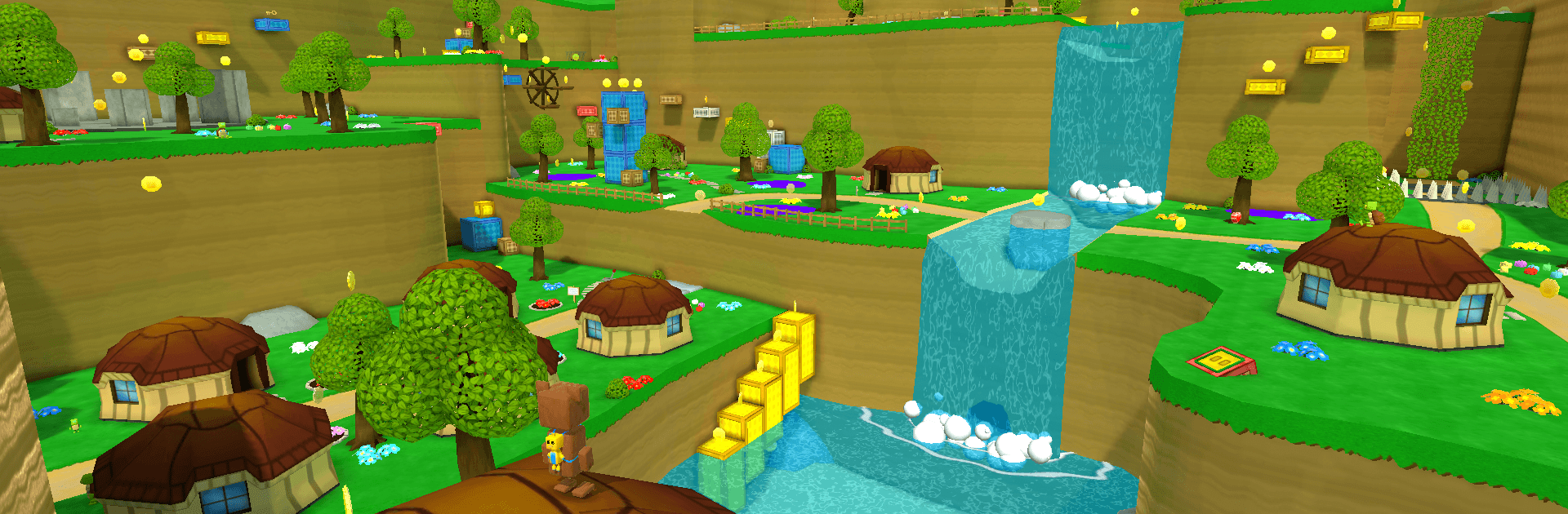
Super Bear Adventure is a Simulation title with the heart of a playful 3D platformer. You’re Baaren, a brave little bear roaming a colorful kingdom that’s gone weird thanks to a mysterious purple honey turning creatures hostile. Expect open-ended exploration, secrets tucked everywhere, and a steady stream of challenges that nudge you to experiment with movement and curiosity.

Game Features

  • Open-world regions: Roam distinct areas at your own pace, poke into hidden corners, and piece together what went wrong in this once-peaceful land.
  • Retro 3D charm: Enjoy a modern take on late-’90s platforming—bright worlds, clear objectives, and movement that just feels good.
  • Moves that matter: Run, jump, roll, climb, and string actions together to scale cliffs, cross gaps, and outmaneuver trouble.
  • Save your buddies: Free your bear friends and take on honey-maddened foes as you work to restore the kingdom.
  • Collectibles and style: Hunt for goodies and unlock items to customize Baaren—because saving the world looks better with personal flair.
  • Fast rides: Hop into speedy vehicles to zip across wide spaces, reach new areas faster, or just enjoy the rush.
  • Quick challenges and mini-games: Test your skills with daily tasks and bite-sized activities that mix things up between big adventures.
  • Play your way: Prefer a keyboard or gamepad on PC? Super Bear Adventure runs smoothly on BlueStacks, with flexible controls that suit your style.

BlueStacks gives you more room to focus on the game and less time adjusting around mobile limitations.


Game Features

Enhancements

  • Macros
  • Multi Instance
  • Multi Instance Sync
  • Script
  • Enhancements
Macros

Macros

Automate the predictable in Super Bear Adventure and transform your gameplay with Macros. Get access to inventive Macros in the BlueStacks Macro Community
Multi Instance

Multi Instance

Play Super Bear Adventure on one window. And chat with your friend on the other. Press CTRL + Shift + 8 to open the Multi-Instance Manager. And start creating fresh instances or clone an existing one.
Multi Instance Sync

Multi Instance Sync

Play Super Bear Adventure with the power of Multi-Instance Sync. Replicate what you are doing on the main instance on all other instances. Level up faster, play more.
Script

Script

Script your way to gaming glory in Super Bear Adventure with BlueStacks Script. Write and run a set of commands to automate repeated tasks. Trigger the command by assigning it to any key.
Read More

How to Download and Play Super Bear Adventure on PC or Mac

  • Download and install BlueStacks on your PC or Mac

  • Complete Google sign-in to access the Play Store, or do it later

  • Look for Super Bear Adventure in the search bar at the top right corner

  • Click to install Super Bear Adventure from the search results

  • Complete Google sign-in (if you skipped step 2) to install Super Bear Adventure

  • Click the Super Bear Adventure icon on the home screen to start playing

video
Watch Video

Minimum System Requirements

With BlueStacks 5, you can get started on a PC that fulfills the following requirements.

  • Operating System

    Microsoft Windows 7 or above, macOS 11 (Big Sur) or above

  • Processor

    Intel, AMD or Apple Silicon Processor

  • RAM

    at least 4GB

  • HDD

    10GB Free Disk Space

Note:

* You must be an Administrator on your PC. Up to date graphics drivers from Microsoft or the chipset vendor.

Super Bear Adventure - FAQs

  • How to play Super Bear Adventure on Windows PC & Mac?

    Play Super Bear Adventure on your PC or Mac by following these simple steps.

    • Click on 'Play Super Bear Adventure on PC’ to download BlueStacks
    • Install it and log-in to Google Play Store
    • Launch and play the game.
  • Why is BlueStacks the fastest and safest platform to play games on PC?

    BlueStacks respects your privacy and is always safe and secure to use. It does not carry any malware, spyware, or any sort of additional software that could harm your PC.

    It is engineered to optimize speed and performance for a seamless gaming experience.

  • What are Super Bear Adventure PC requirements?

    Minimum requirement to run Super Bear Adventure on your PC

    • OS: Microsoft Windows 7 or above MacOS 11 (Big Sur) or above
    • Processor: Intel, AMD or Apple Silicon Processor
    • RAM: Your PC must have at least 4GB of RAM. (Note that having 4GB or more disk space is not a substitute for RAM)
    • HDD: 10GB Free Disk Space.
    • You must be an Administrator on your PC.







