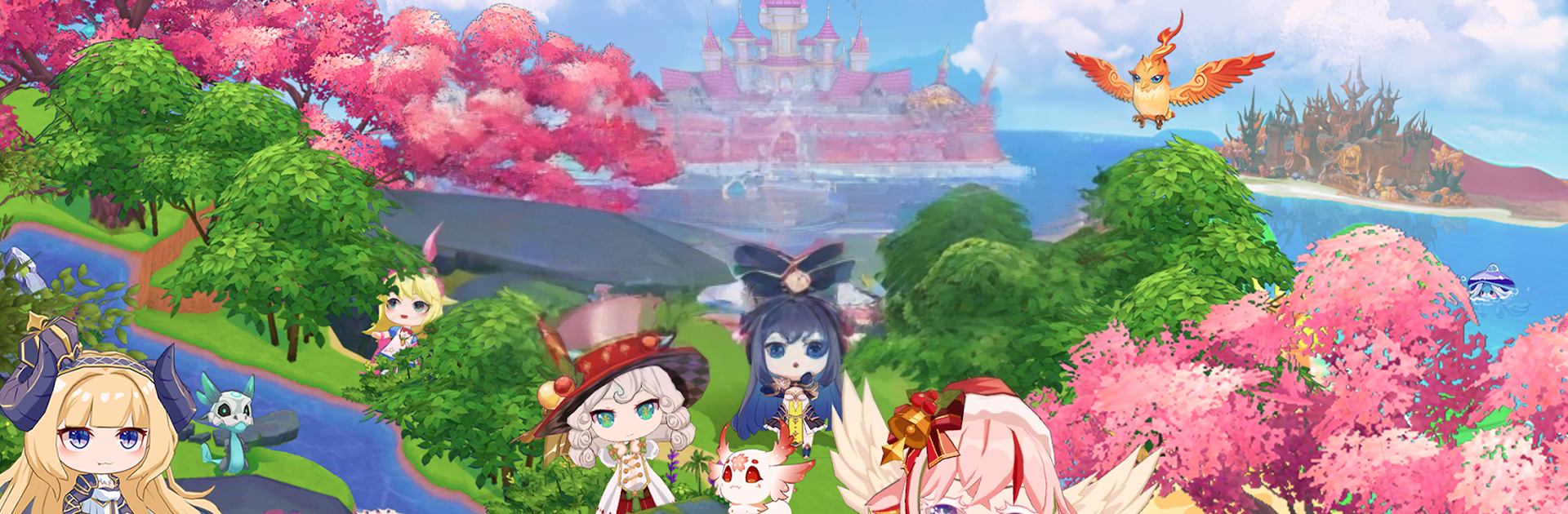
THE LAND ELF Crossing

THE LAND ELF Crossing

Simulation

| Aptos Japan Inc.

Play on PC with BlueStacks or from our cloud

  • Overview
  • Game Features
  • How to Play

Page Modified On: December 22, 2025

Play THE LAND ELF Crossing on PC or Mac

Bring your A-game to THE LAND ELF Crossing, the Simulation game sensation from Aptos Japan Inc.. Give your gameplay the much-needed boost with precise game controls, high FPS graphics, and top-tier features on your PC or Mac with BlueStacks.

THE LAND ELF Crossing is a laid back farm and town builder where the player acts as the lord of a tiny territory and slowly turns it into a busy little community. It starts very small, just a compact castle and a couple buildings. Residents show up with requests, and that sets the rhythm. Grow wheat or veggies, raise animals, then turn those into useful goods like feed or simple snacks. Completing requests pays out coins and bits of materials, and those feed right back into building more structures, unlocking new tools, and opening up more production chains. The more the town expands, the more recipes and items appear, so planning what to plant, what to craft, and what to stock next keeps things moving without feeling stressful.

It has that cozy, slightly whimsical fantasy town feel, with a nice loop of harvest, craft, deliver, repeat. Tasks chain together in a way that nudges smart layouts and timing, since residents keep asking for different combinations of crops and processed foods. On PC with BlueStacks it is easy to keep up with the clicking and dragging, queue production, and drop new buildings wherever they make sense, and the bigger screen helps track who wants what. Progress never feels stuck since every delivered request pushes the town forward, and the gradual unlocks make the next building or recipe feel earned rather than shoved in.

Slay your opponents with your epic moves. Play it your way on BlueStacks and dominate the battlefield.


Game Features

Enhancements

  • Macros
  • Multi Instance
  • Multi Instance Sync
  • Script
  • Enhancements
Macros

Macros

Automate the predictable in THE LAND ELF Crossing and transform your gameplay with Macros. Get access to inventive Macros in the BlueStacks Macro Community
Multi Instance

Multi Instance

Play THE LAND ELF Crossing on one window. And chat with your friend on the other. Press CTRL + Shift + 8 to open the Multi-Instance Manager. And start creating fresh instances or clone an existing one.
Multi Instance Sync

Multi Instance Sync

Play THE LAND ELF Crossing with the power of Multi-Instance Sync. Replicate what you are doing on the main instance on all other instances. Level up faster, play more.
Script

Script

Script your way to gaming glory in THE LAND ELF Crossing with BlueStacks Script. Write and run a set of commands to automate repeated tasks. Trigger the command by assigning it to any key.
Read More

How to Download and Play THE LAND ELF Crossing on PC or Mac

  • Download and install BlueStacks on your PC or Mac

  • Complete Google sign-in to access the Play Store, or do it later

  • Look for THE LAND ELF Crossing in the search bar at the top right corner

  • Click to install THE LAND ELF Crossing from the search results

  • Complete Google sign-in (if you skipped step 2) to install THE LAND ELF Crossing

  • Click the THE LAND ELF Crossing icon on the home screen to start playing

video
Watch Video

Minimum System Requirements

With BlueStacks 5, you can get started on a PC that fulfills the following requirements.

  • Operating System

    Microsoft Windows 7 or above, macOS 11 (Big Sur) or above

  • Processor

    Intel, AMD or Apple Silicon Processor

  • RAM

    at least 4GB

  • HDD

    10GB Free Disk Space

Note:

* You must be an Administrator on your PC. Up to date graphics drivers from Microsoft or the chipset vendor.

THE LAND ELF Crossing - FAQs

  • How to play THE LAND ELF Crossing on Windows PC & Mac?

    Play THE LAND ELF Crossing on your PC or Mac by following these simple steps.

    • Click on 'Play THE LAND ELF Crossing on PC’ to download BlueStacks
    • Install it and log-in to Google Play Store
    • Launch and play the game.
  • Why is BlueStacks the fastest and safest platform to play games on PC?

    BlueStacks respects your privacy and is always safe and secure to use. It does not carry any malware, spyware, or any sort of additional software that could harm your PC.

    It is engineered to optimize speed and performance for a seamless gaming experience.

  • What are THE LAND ELF Crossing PC requirements?

    Minimum requirement to run THE LAND ELF Crossing on your PC

    • OS: Microsoft Windows 7 or above MacOS 11 (Big Sur) or above
    • Processor: Intel, AMD or Apple Silicon Processor
    • RAM: Your PC must have at least 4GB of RAM. (Note that having 4GB or more disk space is not a substitute for RAM)
    • HDD: 10GB Free Disk Space.
    • You must be an Administrator on your PC.