Survival point: Epic Adventure

Survival point: Epic Adventure

Simulation

| ARCANUM GAMES

Play on PC with BlueStacks or from our cloud

  • Overview
  • Game Features
  • How to Play

Page Modified On: August 18, 2025

Play Survival point: Epic Adventure on PC or Mac

Join millions to experience Survival point: Epic Adventure, an exciting Simulation game from ARCANUM GAMES. With BlueStacks App Player, you are always a step ahead of your opponent, ready to outplay them with faster gameplay and better control with the mouse and keyboard on your PC or Mac.

About the Game

In Survival point: Epic Adventure, you’re tossed into a wild, unpredictable world where only sharp thinking and resourcefulness will keep you alive. It’s not just about keeping your stomach full or building a shelter—this is a place full of surprises, weird creatures, and some genuinely funny moments. Expect a bit of suspense, a lot of exploring, and plenty of hands-on crafting as you carve your own path through the mysterious islands.

Game Features

  • Rich Isometric World
    Check out the vibrant landscapes from a striking isometric view. Whether you’re thread-counting in the forest or peeking over cliff edges, every part of the archipelago brings something new to explore.

  • Story with Plenty of Twists
    Join Rick (yep, that’s your unlucky-but-clever lead) as he stumbles through the chaos. The story keeps you guessing with clever jokes and sudden left turns—sometimes you’ll laugh, sometimes you’ll flinch.

  • Loads of Quests and Unique Challenges
    There’s always something to do, from digging up survivor notes to solving odd mysteries or ticking off mainline story quests. Puzzles, challenges, and little surprises are everywhere.

  • Resource Gathering and Gear Crafting
    Become a one-person construction crew: chop wood, mine stone, and scavenge metal. Then turn all of that into gear, tools, or the kind of ramshackle base that’d make any survivor proud.

  • Loads of Places to Discover
    Don’t stick to the easy paths. Ancient ruins, hidden caves, and even abandoned military bases are waiting for you to poke around—and loot to grab, if you’re lucky.

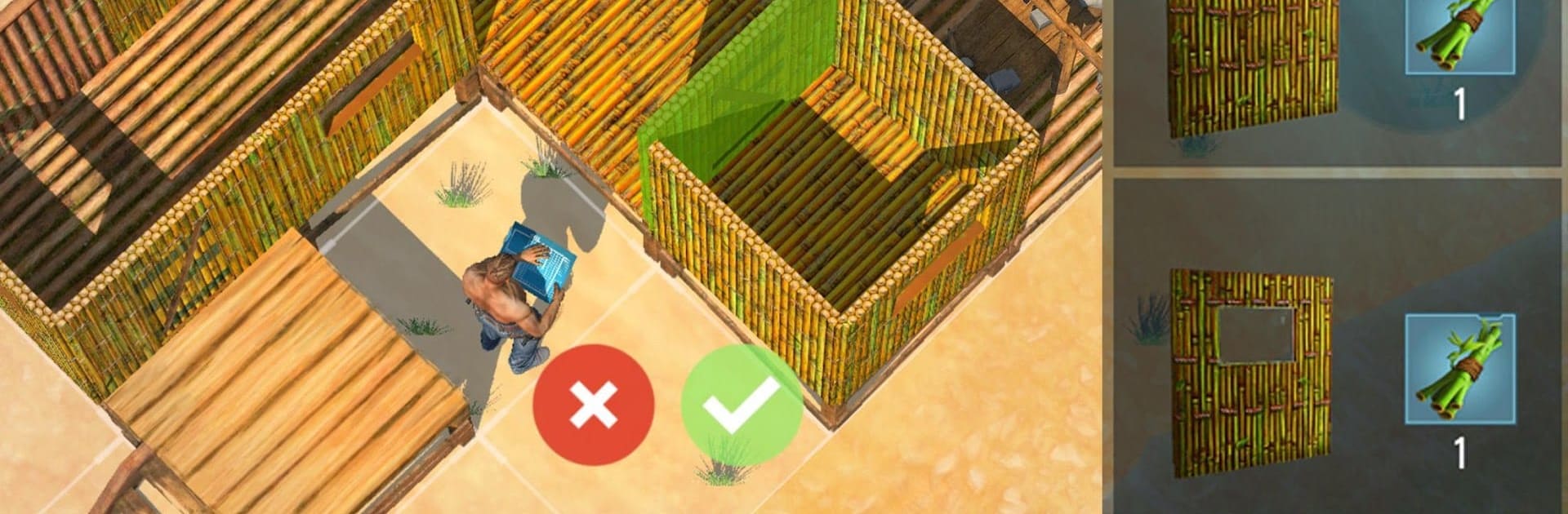
  • Designable Shelters and Fortifications
    Building isn’t just functional here—it’s personal. Make your base as cozy, weird, or fortified as you want, with all sorts of ways to deck out the inside and set up defenses outside.

  • Combat and Survival Action
    Your days aren’t always peaceful—watch out for mutants, zombies, and the occasional not-so-friendly survivor. The weapons selection isn’t limited to sticks and stones either: try out everything from homemade melee tools to gunfire.

  • Investigate the Island’s Secrets
    If you’re feeling a bit like a detective, gather clues, interrogate the occasional survivor, and unravel the bigger story behind the disappearances on the islands.

If you want to experience Survival point: Epic Adventure on your computer, BlueStacks offers an easy way to play the game on a bigger screen—just saying.

Get ready for a buttery smooth, high-performance gaming action only on BlueStacks.

Game Features

Enhancements

  • Macros
  • Multi Instance
  • Multi Instance Sync
  • Script
  • Enhancements
Macros

Macros

Automate the predictable in Survival point: Epic Adventure and transform your gameplay with Macros. Get access to inventive Macros in the BlueStacks Macro Community
Multi Instance

Multi Instance

Play Survival point: Epic Adventure on one window. And chat with your friend on the other. Press CTRL + Shift + 8 to open the Multi-Instance Manager. And start creating fresh instances or clone an existing one.
Multi Instance Sync

Multi Instance Sync

Play Survival point: Epic Adventure with the power of Multi-Instance Sync. Replicate what you are doing on the main instance on all other instances. Level up faster, play more.
Script

Script

Script your way to gaming glory in Survival point: Epic Adventure with BlueStacks Script. Write and run a set of commands to automate repeated tasks. Trigger the command by assigning it to any key.
Read More

How to Download and Play Survival point: Epic Adventure on PC or Mac

  • Download and install BlueStacks on your PC or Mac

  • Complete Google sign-in to access the Play Store, or do it later

  • Look for Survival point: Epic Adventure in the search bar at the top right corner

  • Click to install Survival point: Epic Adventure from the search results

  • Complete Google sign-in (if you skipped step 2) to install Survival point: Epic Adventure

  • Click the Survival point: Epic Adventure icon on the home screen to start playing

video
Watch Video

Minimum System Requirements

With BlueStacks 5, you can get started on a PC that fulfills the following requirements.

  • Operating System

    Microsoft Windows 7 or above, macOS 11 (Big Sur) or above

  • Processor

    Intel, AMD or Apple Silicon Processor

  • RAM

    at least 4GB

  • HDD

    10GB Free Disk Space

Note:

* You must be an Administrator on your PC. Up to date graphics drivers from Microsoft or the chipset vendor.

Survival point: Epic Adventure - FAQs

  • How to play Survival point: Epic Adventure on Windows PC & Mac?

    Play Survival point: Epic Adventure on your PC or Mac by following these simple steps.

    • Click on 'Play Survival point: Epic Adventure on PC’ to download BlueStacks
    • Install it and log-in to Google Play Store
    • Launch and play the game.
  • Why is BlueStacks the fastest and safest platform to play games on PC?

    BlueStacks respects your privacy and is always safe and secure to use. It does not carry any malware, spyware, or any sort of additional software that could harm your PC.

    It is engineered to optimize speed and performance for a seamless gaming experience.

  • What are Survival point: Epic Adventure PC requirements?

    Minimum requirement to run Survival point: Epic Adventure on your PC

    • OS: Microsoft Windows 7 or above MacOS 11 (Big Sur) or above
    • Processor: Intel, AMD or Apple Silicon Processor
    • RAM: Your PC must have at least 4GB of RAM. (Note that having 4GB or more disk space is not a substitute for RAM)
    • HDD: 10GB Free Disk Space.
    • You must be an Administrator on your PC.