
カルチョビットA(アー) サッカークラブ育成シミュレーション

カルチョビットA(アー) サッカークラブ育成シミュレーション

Sports

| Game Addict Co., Ltd.

Play on PC with BlueStacks or from our cloud

  • Overview
  • Game Features
  • How to Play

Page Modified On: September 15, 2025

Play カルチョビットA(アー) サッカークラブ育成シミュレーション on PC or Mac

カルチョビットA(アー) サッカークラブ育成シミュレーション brings the Sports genre to life, and throws up exciting challenges for gamers. Developed by Game Addict Co., Ltd., this Android game is best experienced on BlueStacks, the World’s #1 app player for PC and Mac users.

About the Game

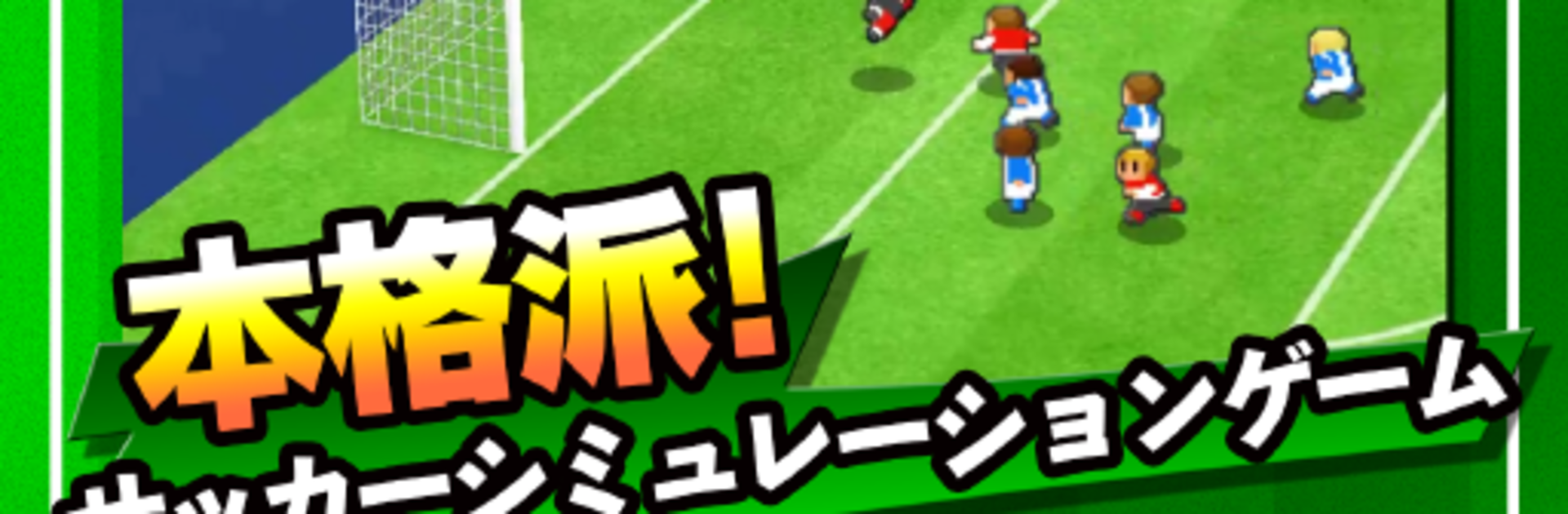
In カルチョビットA(アー) サッカークラブ育成シミュレーション, you’re handed the clipboard for a tiny, no-name soccer club and told, “Make something of it.” This Sports management sim from Game Addict Co., Ltd. is all about building a team with heart—tweaking lineups, sharpening training, and outthinking opponents on match day. Chase the dream treble across the N1 League, Japan Cup, and the world-stage showdown, all while your scrappy squad wins over roaring supporters.

Game Features

  • Underdog to contender: Start with a modest club and work your way toward the N1 League, the Japan Cup, and the ultimate World Calcio Classic title.
  • Tactics that truly matter: Change formations and starting lineups to dramatically shift how your team plays—compact defense or all-out attack, it’s your call.
  • Progress through play: Each match exposes real issues—fix them through targeted training and watch players grow in ways that actually show on the pitch.
  • Build Special Training: Combine “assignments” to create powerful special menus, then run your discovered drills straight from a handy list.
  • Matches keep moving: Games can simulate in the background while your device sleeps; come back to bite-sized highlights, and review every official match with full VTR replays.
  • Generous free content: Play the Fresh League and Step League as much as you want. Grab the optional “N リーグライセンス” to enter all leagues and go for the treble—it’s the only in-app purchase.
  • Personality on the field: Cute-looking players, big-game grit, and fans who cheer like it’s their life—feel the atmosphere without the fluff.
  • Play where you want: Manage on mobile, or use BlueStacks if you’d rather run your club from a bigger screen and keyboard.

Make your gaming sessions memorable with precise controls that give you an edge in close combats and visuals that pop up, bringing every character to life.


Game Features

Enhancements

  • Macros
  • Multi Instance
  • Multi Instance Sync
  • Script
  • Enhancements
Macros

Macros

Automate the predictable in カルチョビットA(アー) サッカークラブ育成シミュレーション and transform your gameplay with Macros. Get access to inventive Macros in the BlueStacks Macro Community
Multi Instance

Multi Instance

Play カルチョビットA(アー) サッカークラブ育成シミュレーション on one window. And chat with your friend on the other. Press CTRL + Shift + 8 to open the Multi-Instance Manager. And start creating fresh instances or clone an existing one.
Multi Instance Sync

Multi Instance Sync

Play カルチョビットA(アー) サッカークラブ育成シミュレーション with the power of Multi-Instance Sync. Replicate what you are doing on the main instance on all other instances. Level up faster, play more.
Script

Script

Script your way to gaming glory in カルチョビットA(アー) サッカークラブ育成シミュレーション with BlueStacks Script. Write and run a set of commands to automate repeated tasks. Trigger the command by assigning it to any key.
Read More

How to Download and Play カルチョビットA(アー) サッカークラブ育成シミュレーション on PC or Mac

  • Download and install BlueStacks on your PC or Mac

  • Complete Google sign-in to access the Play Store, or do it later

  • Look for カルチョビットA(アー) サッカークラブ育成シミュレーション in the search bar at the top right corner

  • Click to install カルチョビットA(アー) サッカークラブ育成シミュレーション from the search results

  • Complete Google sign-in (if you skipped step 2) to install カルチョビットA(アー) サッカークラブ育成シミュレーション

  • Click the カルチョビットA(アー) サッカークラブ育成シミュレーション icon on the home screen to start playing

video
Watch Video

Minimum System Requirements

With BlueStacks 5, you can get started on a PC that fulfills the following requirements.

  • Operating System

    Microsoft Windows 7 or above, macOS 11 (Big Sur) or above

  • Processor

    Intel, AMD or Apple Silicon Processor

  • RAM

    at least 4GB

  • HDD

    10GB Free Disk Space

Note:

* You must be an Administrator on your PC. Up to date graphics drivers from Microsoft or the chipset vendor.

カルチョビットA(アー) サッカークラブ育成シミュレーション - FAQs

  • How to play カルチョビットA(アー) サッカークラブ育成シミュレーション on Windows PC & Mac?

    Play カルチョビットA(アー) サッカークラブ育成シミュレーション on your PC or Mac by following these simple steps.

    • Click on 'Play カルチョビットA(アー) サッカークラブ育成シミュレーション on PC’ to download BlueStacks
    • Install it and log-in to Google Play Store
    • Launch and play the game.
  • Why is BlueStacks the fastest and safest platform to play games on PC?

    BlueStacks respects your privacy and is always safe and secure to use. It does not carry any malware, spyware, or any sort of additional software that could harm your PC.

    It is engineered to optimize speed and performance for a seamless gaming experience.

  • What are カルチョビットA(アー) サッカークラブ育成シミュレーション PC requirements?

    Minimum requirement to run カルチョビットA(アー) サッカークラブ育成シミュレーション on your PC

    • OS: Microsoft Windows 7 or above MacOS 11 (Big Sur) or above
    • Processor: Intel, AMD or Apple Silicon Processor
    • RAM: Your PC must have at least 4GB of RAM. (Note that having 4GB or more disk space is not a substitute for RAM)
    • HDD: 10GB Free Disk Space.
    • You must be an Administrator on your PC.







