Football Club Manager

Football Club Manager

Sports

| Halfspace Games

Play on PC with BlueStacks or from our cloud

  • Overview
  • Game Features
  • How to Play

Page Modified On: December 15, 2025

Play Football Club Manager on PC or Mac

Step into the World of Football Club Manager, a thrilling Sports game from the house of Halfspace Games. Play this Android game on BlueStacks App Player and experience immersive gaming on PC or Mac.

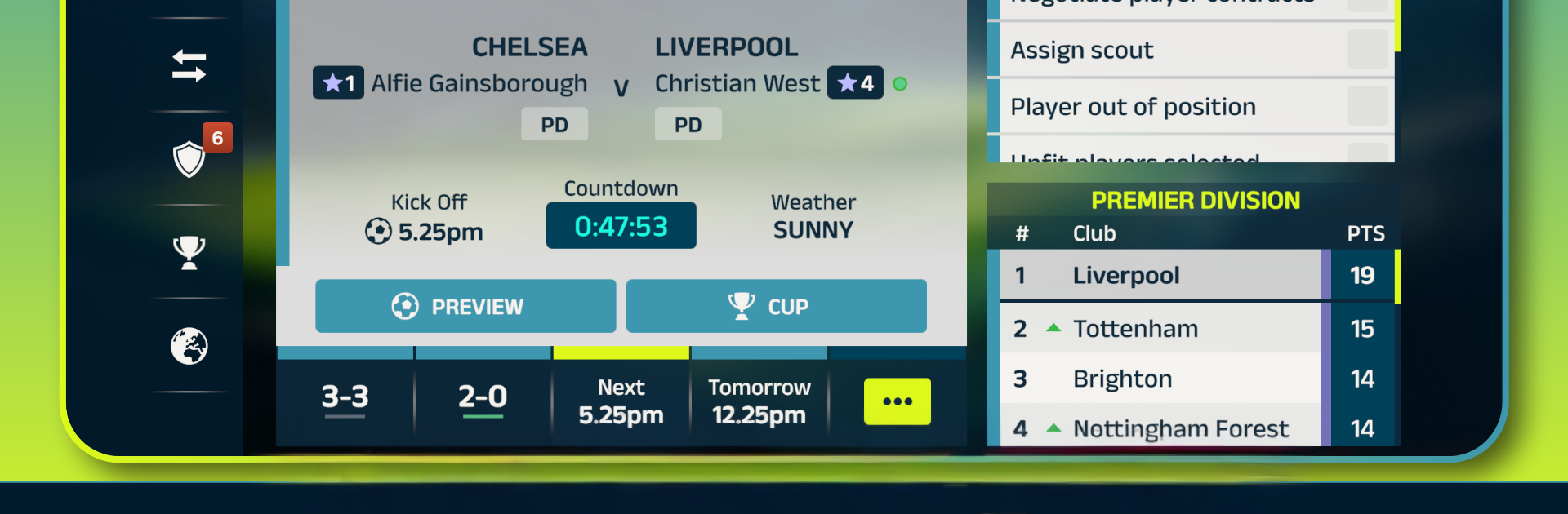
Football Club Manager is for people who want the whole manager job, not just tapping through a few menus. It puts players in charge of building a squad, scouting, transfers, and all the boring-but-satisfying details that actually win matches. Matches play out live across the league, so it is not just a personal bubble. Tactics matter because the sim tracks real stuff like fatigue, form, fitness, and roles. The game even gives those nerdy numbers that help decisions click, like xG, field tilt, and possession zones. Changing shape mid match, swapping a tired winger, or tweaking pressing lines actually shows up in the flow of play, which feels good when it works and rough when it does not.

Each world turns into its own little football economy. Clubs rise, fall, and trade players because managers make different choices, not because a script says so. It aims for fair play, so results come from planning and timing, not boosters or shortcut purchases. The pacing is nice too. One evening might be transfer hunting and training tweaks, the next is matchday, hopping between live games to see how rivals are doing. On PC with BlueStacks, it feels smooth to click through scouting lists, compare stats on a bigger screen, and sit back for the live view. If someone likes strategy, numbers, and the slow burn of shaping a club identity, this scratches that itch without fuss or gimmicks.

Start your journey now. Download the game on BlueStacks, invite your friends, and march on a new adventure.


Game Features

Enhancements

  • Macros
  • Multi Instance
  • Multi Instance Sync
  • Script
  • Enhancements
Macros

Macros

Automate the predictable in Football Club Manager and transform your gameplay with Macros. Get access to inventive Macros in the BlueStacks Macro Community
Multi Instance

Multi Instance

Play Football Club Manager on one window. And chat with your friend on the other. Press CTRL + Shift + 8 to open the Multi-Instance Manager. And start creating fresh instances or clone an existing one.
Multi Instance Sync

Multi Instance Sync

Play Football Club Manager with the power of Multi-Instance Sync. Replicate what you are doing on the main instance on all other instances. Level up faster, play more.
Script

Script

Script your way to gaming glory in Football Club Manager with BlueStacks Script. Write and run a set of commands to automate repeated tasks. Trigger the command by assigning it to any key.
Read More

How to Download and Play Football Club Manager on PC or Mac

  • Download and install BlueStacks on your PC or Mac

  • Complete Google sign-in to access the Play Store, or do it later

  • Look for Football Club Manager in the search bar at the top right corner

  • Click to install Football Club Manager from the search results

  • Complete Google sign-in (if you skipped step 2) to install Football Club Manager

  • Click the Football Club Manager icon on the home screen to start playing

video
Watch Video

Minimum System Requirements

With BlueStacks 5, you can get started on a PC that fulfills the following requirements.

  • Operating System

    Microsoft Windows 7 or above, macOS 11 (Big Sur) or above

  • Processor

    Intel, AMD or Apple Silicon Processor

  • RAM

    at least 4GB

  • HDD

    10GB Free Disk Space

Note:

* You must be an Administrator on your PC. Up to date graphics drivers from Microsoft or the chipset vendor.

Football Club Manager - FAQs

  • How to play Football Club Manager on Windows PC & Mac?

    Play Football Club Manager on your PC or Mac by following these simple steps.

    • Click on 'Play Football Club Manager on PC’ to download BlueStacks
    • Install it and log-in to Google Play Store
    • Launch and play the game.
  • Why is BlueStacks the fastest and safest platform to play games on PC?

    BlueStacks respects your privacy and is always safe and secure to use. It does not carry any malware, spyware, or any sort of additional software that could harm your PC.

    It is engineered to optimize speed and performance for a seamless gaming experience.

  • What are Football Club Manager PC requirements?

    Minimum requirement to run Football Club Manager on your PC

    • OS: Microsoft Windows 7 or above MacOS 11 (Big Sur) or above
    • Processor: Intel, AMD or Apple Silicon Processor
    • RAM: Your PC must have at least 4GB of RAM. (Note that having 4GB or more disk space is not a substitute for RAM)
    • HDD: 10GB Free Disk Space.
    • You must be an Administrator on your PC.