Ice Fishing Derby 2
Ice Fishing Derby 2

Ice Fishing Derby 2

Sports

| Pishtech LLC

Play on PC with BlueStacks or from our cloud

  • Overview
  • Game Features
  • How to Play

Page Modified On: January 06, 2026

Play Ice Fishing Derby 2 on PC or Mac

Join millions to experience Ice Fishing Derby 2, an exciting Sports game from Pishtech LLC. With BlueStacks App Player, you are always a step ahead of your opponent, ready to outplay them with faster gameplay and better control with the mouse and keyboard on your PC or Mac.

About the Game

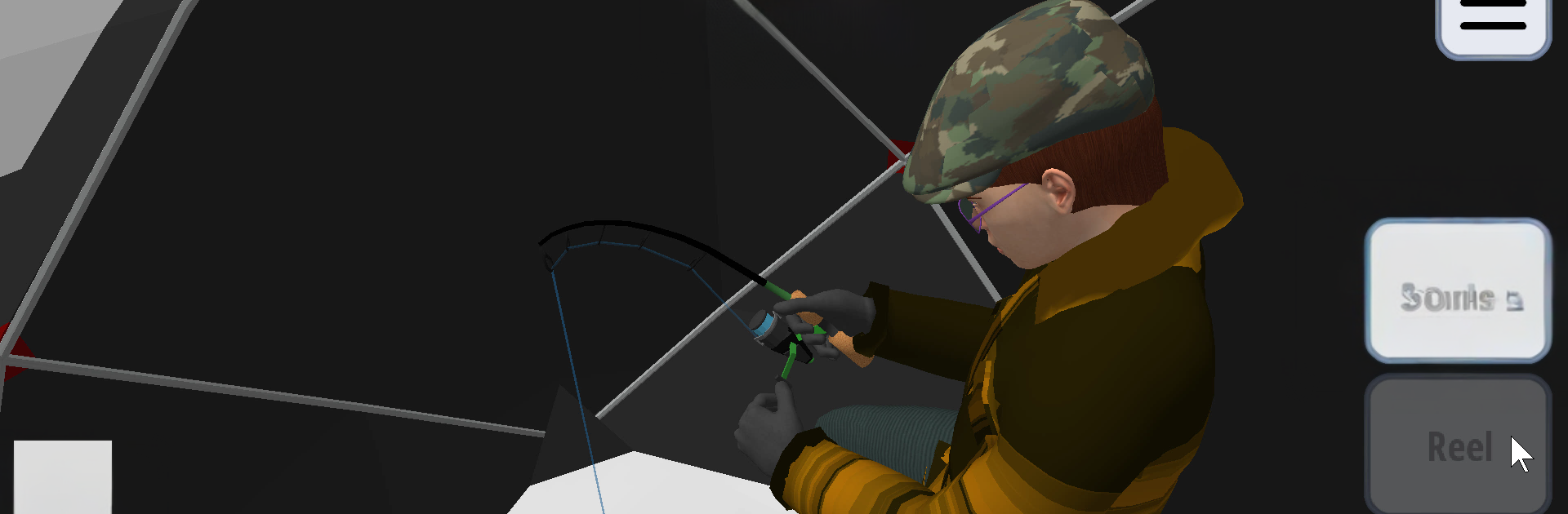
Ice Fishing Derby 2 is a thoughtful-meets-thrilling Sports sim from Pishtech LLC where planning your gear matters as much as finding that perfect hole in the ice. It blends realistic tactics with quick, satisfying catches, whether you’re chasing leaderboard glory or just unwinding on a frozen lake. Want a bigger screen and comfy controls? It also plays smoothly on BlueStacks.

Game Features

  • Three Ways to Play: Hop into Free Fishing to keep your gear and fish at your own pace, tackle 5-day Open Derbies where everyone starts with the same limited credit, or unlock Pro Derbies for more lakes, more species, and snowmobile scouting.

  • Smart Prep at Kate’s Shop: Start each derby day with a small budget and a wall of tempting gear. Pick what matters—rod strength, auger size, electronics, extra bait, or hot cocoa—and watch for daily sales that can change your plan.

  • On-Ice Tactics That Matter: Drill holes, pop up a shanty to cut the wind, jig without spooking fish, and use sonar or an underwater camera when you can afford them. If the bite fades, moving costs time but might pay off big.

  • Stay Warm or Pay the Price: Your character chills over time—warm up by walking, firing up heaters, or sipping cocoa. Ignore it and you might end the day in a darkly funny way.

  • Lifelike Fish Behavior: Species act differently by depth and mood—perch and walleye hug bottom, crappie and trout suspend, while pike or muskies cruise for a meal. Bigger fish demand stronger rods, wider holes, and careful line tension.

  • 3D Lakes and Changing Weather: Explore varied shorelines and structure across multiple lakes with falling snow and tougher winds as events progress. Expect panfish, perch, walleye, pike, bass, trout, and more.

  • NPC Anglers and On-Ice Moments: Other anglers might drop by with trade offers, hot tips, or curveballs that help—or totally throw off—your plan.

  • Fair, Event-Based Progression: Everyone earns their derby gear during the event, starting with shop credit instead of long-term upgrades. Compete against results set under the same lake and weather, and track your performance over time.

  • Earn and Unlock with Gems: Get gem payouts for Free Fishing catches and derby results. Use gems to unlock lasting free-fishing equipment.

  • Optional Upgrades: Lake Pass opens all 22 lakes for free fishing on foot. Derby Pro adds everything in Lake Pass, Pro Derbies, and snowmobile exploration for both Pro and Free Fishing.

  • PC-Friendly on BlueStacks: Prefer mouse and keyboard with a larger view of the ice? Run it on BlueStacks for a comfy session.

Slay your opponents with your epic moves. Play it your way on BlueStacks and dominate the battlefield.


Game Features

Enhancements

  • Macros
  • Multi Instance
  • Multi Instance Sync
  • Script
  • Enhancements
Macros

Macros

Automate the predictable in Ice Fishing Derby 2 and transform your gameplay with Macros. Get access to inventive Macros in the BlueStacks Macro Community
Multi Instance

Multi Instance

Play Ice Fishing Derby 2 on one window. And chat with your friend on the other. Press CTRL + Shift + 8 to open the Multi-Instance Manager. And start creating fresh instances or clone an existing one.
Multi Instance Sync

Multi Instance Sync

Play Ice Fishing Derby 2 with the power of Multi-Instance Sync. Replicate what you are doing on the main instance on all other instances. Level up faster, play more.
Script

Script

Script your way to gaming glory in Ice Fishing Derby 2 with BlueStacks Script. Write and run a set of commands to automate repeated tasks. Trigger the command by assigning it to any key.
Read More

How to Download and Play Ice Fishing Derby 2 on PC or Mac

  • Download and install BlueStacks on your PC or Mac

  • Complete Google sign-in to access the Play Store, or do it later

  • Look for Ice Fishing Derby 2 in the search bar at the top right corner

  • Click to install Ice Fishing Derby 2 from the search results

  • Complete Google sign-in (if you skipped step 2) to install Ice Fishing Derby 2

  • Click the Ice Fishing Derby 2 icon on the home screen to start playing

video
Watch Video

Minimum System Requirements

With BlueStacks 5, you can get started on a PC that fulfills the following requirements.

  • Operating System

    Microsoft Windows 7 or above, macOS 11 (Big Sur) or above

  • Processor

    Intel, AMD or Apple Silicon Processor

  • RAM

    at least 4GB

  • HDD

    10GB Free Disk Space

Note:

* You must be an Administrator on your PC. Up to date graphics drivers from Microsoft or the chipset vendor.

Ice Fishing Derby 2 - FAQs

  • How to play Ice Fishing Derby 2 on Windows PC & Mac?

    Play Ice Fishing Derby 2 on your PC or Mac by following these simple steps.

    • Click on 'Play Ice Fishing Derby 2 on PC’ to download BlueStacks
    • Install it and log-in to Google Play Store
    • Launch and play the game.
  • Why is BlueStacks the fastest and safest platform to play games on PC?

    BlueStacks respects your privacy and is always safe and secure to use. It does not carry any malware, spyware, or any sort of additional software that could harm your PC.

    It is engineered to optimize speed and performance for a seamless gaming experience.

  • What are Ice Fishing Derby 2 PC requirements?

    Minimum requirement to run Ice Fishing Derby 2 on your PC

    • OS: Microsoft Windows 7 or above MacOS 11 (Big Sur) or above
    • Processor: Intel, AMD or Apple Silicon Processor
    • RAM: Your PC must have at least 4GB of RAM. (Note that having 4GB or more disk space is not a substitute for RAM)
    • HDD: 10GB Free Disk Space.
    • You must be an Administrator on your PC.