Sports Brawl
Sports Brawl

Sports Brawl

Sports

| Fear Indigo

Play on PC with BlueStacks or from our cloud

  • Overview
  • Game Features
  • How to Play

Page Modified On: March 17, 2026

Play Sports Brawl on PC or Mac

Bring your A-game to Sports Brawl, the Sports game sensation from Fear Indigo. Give your gameplay the much-needed boost with precise game controls, high FPS graphics, and top-tier features on your PC or Mac with BlueStacks.

About the Game

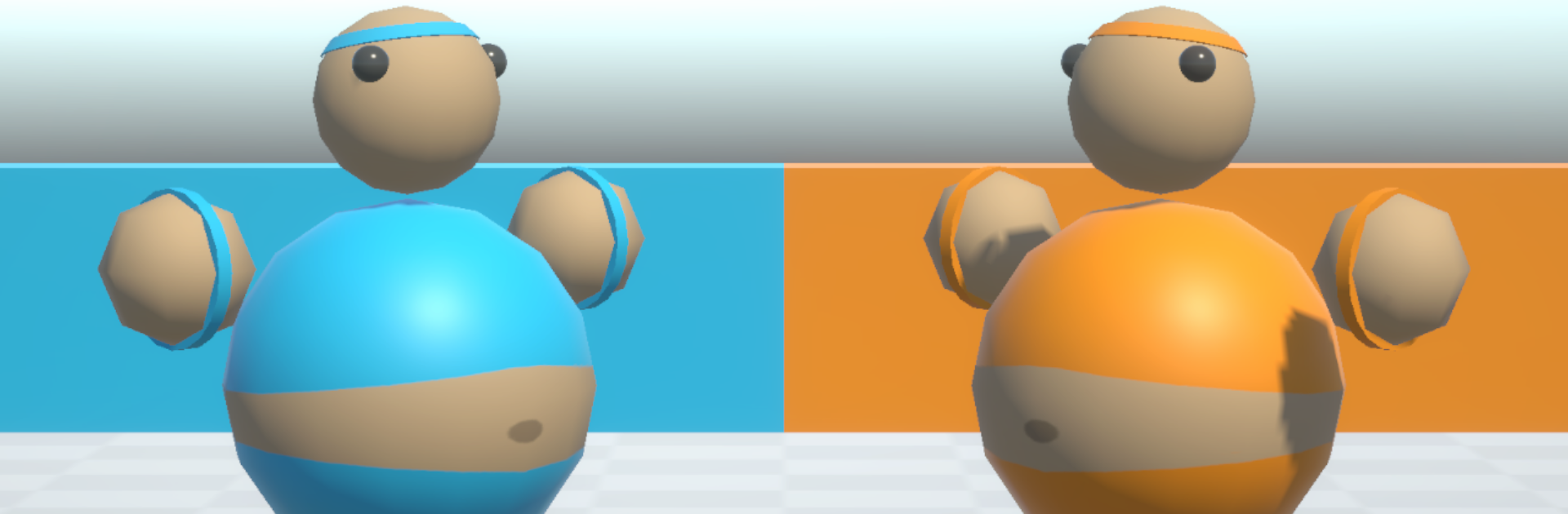
Sports Brawl is a chaotic, laugh-out-loud Sports mashup from Fear Indigo where six different sports crash into a brawler’s mindset. It’s fast, scrappy, and just the right amount of ridiculous—especially when a wild swing sends your arm flying and you have to scoop it up mid-play. Queue up bots for solo practice or jump into crowded lobbies with friends for frantic matches that are more about timing and teamwork than perfect form.

Game Features

  • Six sports, one wild ruleset: Switch between Aussie Rules Football, Soccer, Ice Hockey, Volleyball, Waterpolo, and Basketball, each tuned for quick plays, hard hits, and clutch saves.
  • 10-player chaos: Pack the field with up to 10 players in local or online multiplayer. Perfect for party nights, hectic streams, or that one friend who swears they’re “just here to pass.”
  • Punch, kick, and… where’d my arm go?: Every punch has consequences—your arm can pop off. Grab it, reattach, and keep swinging. Risky? Yup. Hilarious? Absolutely.
  • Solo or stacked: Add optional AI opponents to practice, fill empty slots, or keep the action moving when your crew’s running late.
  • Party-friendly flow: Snappy rounds, simple inputs, and physics-fueled scrambles keep the learning curve low and the highlight reels high.
  • Controller support: Plug in your gamepads and tap a button on the main menu to get them recognized before you join a room—easy couch play for everyone.
  • Big-screen comfort: Prefer playing on PC? Sports Brawl runs smoothly on BlueStacks if you want a larger view and comfy controls.

Slay your opponents with your epic moves. Play it your way on BlueStacks and dominate the battlefield.


Game Features

Enhancements

  • Macros
  • Multi Instance
  • Multi Instance Sync
  • Script
  • Enhancements
Macros

Macros

Automate the predictable in Sports Brawl and transform your gameplay with Macros. Get access to inventive Macros in the BlueStacks Macro Community
Multi Instance

Multi Instance

Play Sports Brawl on one window. And chat with your friend on the other. Press CTRL + Shift + 8 to open the Multi-Instance Manager. And start creating fresh instances or clone an existing one.
Multi Instance Sync

Multi Instance Sync

Play Sports Brawl with the power of Multi-Instance Sync. Replicate what you are doing on the main instance on all other instances. Level up faster, play more.
Script

Script

Script your way to gaming glory in Sports Brawl with BlueStacks Script. Write and run a set of commands to automate repeated tasks. Trigger the command by assigning it to any key.
Read More

How to Download and Play Sports Brawl on PC or Mac

  • Download and install BlueStacks on your PC or Mac

  • Complete Google sign-in to access the Play Store, or do it later

  • Look for Sports Brawl in the search bar at the top right corner

  • Click to install Sports Brawl from the search results

  • Complete Google sign-in (if you skipped step 2) to install Sports Brawl

  • Click the Sports Brawl icon on the home screen to start playing

video
Watch Video

Minimum System Requirements

With BlueStacks 5, you can get started on a PC that fulfills the following requirements.

  • Operating System

    Microsoft Windows 7 or above, macOS 11 (Big Sur) or above

  • Processor

    Intel, AMD or Apple Silicon Processor

  • RAM

    at least 4GB

  • HDD

    10GB Free Disk Space

Note:

* You must be an Administrator on your PC. Up to date graphics drivers from Microsoft or the chipset vendor.

Sports Brawl - FAQs

  • How to play Sports Brawl on Windows PC & Mac?

    Play Sports Brawl on your PC or Mac by following these simple steps.

    • Click on 'Play Sports Brawl on PC’ to download BlueStacks
    • Install it and log-in to Google Play Store
    • Launch and play the game.
  • Why is BlueStacks the fastest and safest platform to play games on PC?

    BlueStacks respects your privacy and is always safe and secure to use. It does not carry any malware, spyware, or any sort of additional software that could harm your PC.

    It is engineered to optimize speed and performance for a seamless gaming experience.

  • What are Sports Brawl PC requirements?

    Minimum requirement to run Sports Brawl on your PC

    • OS: Microsoft Windows 7 or above MacOS 11 (Big Sur) or above
    • Processor: Intel, AMD or Apple Silicon Processor
    • RAM: Your PC must have at least 4GB of RAM. (Note that having 4GB or more disk space is not a substitute for RAM)
    • HDD: 10GB Free Disk Space.
    • You must be an Administrator on your PC.