UFB Rampage: Monster Fight

UFB Rampage: Monster Fight

Sports

| Tapps Games

Play on PC with BlueStacks or from our cloud

  • Overview
  • Game Features
  • How to Play

Page Modified On: December 15, 2025

Play UFB Rampage: Monster Fight on PC or Mac

Step into the World of UFB Rampage: Monster Fight, a thrilling Sports game from the house of Tapps Games. Play this Android game on BlueStacks App Player and experience immersive gaming on PC or Mac.

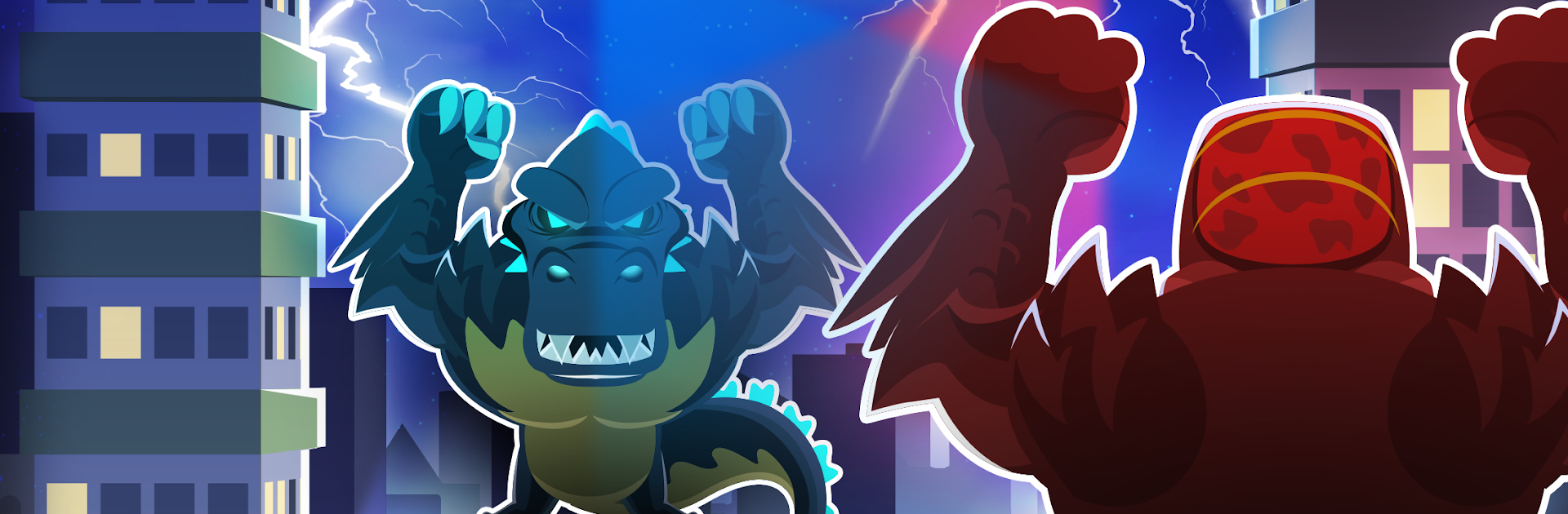
UFB Rampage: Monster Fight is a big dumb monster brawler in the best way. The whole city is the arena, so fights happen across rooftops and smashed streets instead of a normal ring. Pick a favorite brute from a funny roster like Hollizard, Prince Kong, Mecha Lord, the Ancient One, Super Meat Titan, or Mel Marshman, and then go throw hands. The controls are super simple, basically time a jump and crash into the other monster, so it turns into this quick rhythm of leap, collide, and try to send the opponent flying. Impacts feel bouncy and loud, glass pops, buildings crumble a bit, and the crowd is tiny specks somewhere far below. Power-ups drop mid match and getting to them first matters, since they bump stats or give short perks that can flip a round. It is chaotic and short-round arcade style, with the kind of physics that are silly but satisfying.

Progress is straightforward: win bouts, climb a ranking, face tougher rivals, and wreck taller landmarks. It is easy to pick up, there is not a wall of menus, and matches do not overstay. On PC through BlueStacks, hitting that single input with spacebar or mouse feels very clean, and the bigger screen makes those jump angles easier to read. It is a good quick-session game that still pulls people into just one more match. There are optional purchases for extra stuff, nothing surprising. If dumb gigantic monsters body checking each other across skyscrapers sounds fun, this does that loud and well.

Start your journey now. Download the game on BlueStacks, invite your friends, and march on a new adventure.


Game Features

Enhancements

  • Macros
  • Multi Instance
  • Multi Instance Sync
  • Script
  • Enhancements
Macros

Macros

Automate the predictable in UFB Rampage: Monster Fight and transform your gameplay with Macros. Get access to inventive Macros in the BlueStacks Macro Community
Multi Instance

Multi Instance

Play UFB Rampage: Monster Fight on one window. And chat with your friend on the other. Press CTRL + Shift + 8 to open the Multi-Instance Manager. And start creating fresh instances or clone an existing one.
Multi Instance Sync

Multi Instance Sync

Play UFB Rampage: Monster Fight with the power of Multi-Instance Sync. Replicate what you are doing on the main instance on all other instances. Level up faster, play more.
Script

Script

Script your way to gaming glory in UFB Rampage: Monster Fight with BlueStacks Script. Write and run a set of commands to automate repeated tasks. Trigger the command by assigning it to any key.
Read More

How to Download and Play UFB Rampage: Monster Fight on PC or Mac

  • Download and install BlueStacks on your PC or Mac

  • Complete Google sign-in to access the Play Store, or do it later

  • Look for UFB Rampage: Monster Fight in the search bar at the top right corner

  • Click to install UFB Rampage: Monster Fight from the search results

  • Complete Google sign-in (if you skipped step 2) to install UFB Rampage: Monster Fight

  • Click the UFB Rampage: Monster Fight icon on the home screen to start playing

video
Watch Video

Minimum System Requirements

With BlueStacks 5, you can get started on a PC that fulfills the following requirements.

  • Operating System

    Microsoft Windows 7 or above, macOS 11 (Big Sur) or above

  • Processor

    Intel, AMD or Apple Silicon Processor

  • RAM

    at least 4GB

  • HDD

    10GB Free Disk Space

Note:

* You must be an Administrator on your PC. Up to date graphics drivers from Microsoft or the chipset vendor.

UFB Rampage: Monster Fight - FAQs

  • How to play UFB Rampage: Monster Fight on Windows PC & Mac?

    Play UFB Rampage: Monster Fight on your PC or Mac by following these simple steps.

    • Click on 'Play UFB Rampage: Monster Fight on PC’ to download BlueStacks
    • Install it and log-in to Google Play Store
    • Launch and play the game.
  • Why is BlueStacks the fastest and safest platform to play games on PC?

    BlueStacks respects your privacy and is always safe and secure to use. It does not carry any malware, spyware, or any sort of additional software that could harm your PC.

    It is engineered to optimize speed and performance for a seamless gaming experience.

  • What are UFB Rampage: Monster Fight PC requirements?

    Minimum requirement to run UFB Rampage: Monster Fight on your PC

    • OS: Microsoft Windows 7 or above MacOS 11 (Big Sur) or above
    • Processor: Intel, AMD or Apple Silicon Processor
    • RAM: Your PC must have at least 4GB of RAM. (Note that having 4GB or more disk space is not a substitute for RAM)
    • HDD: 10GB Free Disk Space.
    • You must be an Administrator on your PC.