Volleyball Champions 3D - Onli

Volleyball Champions 3D - Onli

Sports

| Giraffe Games Limited

Play on PC with BlueStacks or from our cloud

  • Overview
  • Game Features
  • How to Play

Page Modified On: July 11, 2025

Play Volleyball Champions 3D - Onli on PC or Mac

From the innovators and creators at Giraffe Games Limited, Volleyball Champions 3D – Onli is another fun addition to the World of Sports games. Go beyond your mobile screen and play it bigger and better on your PC or Mac. An immersive experience awaits you.

About the Game

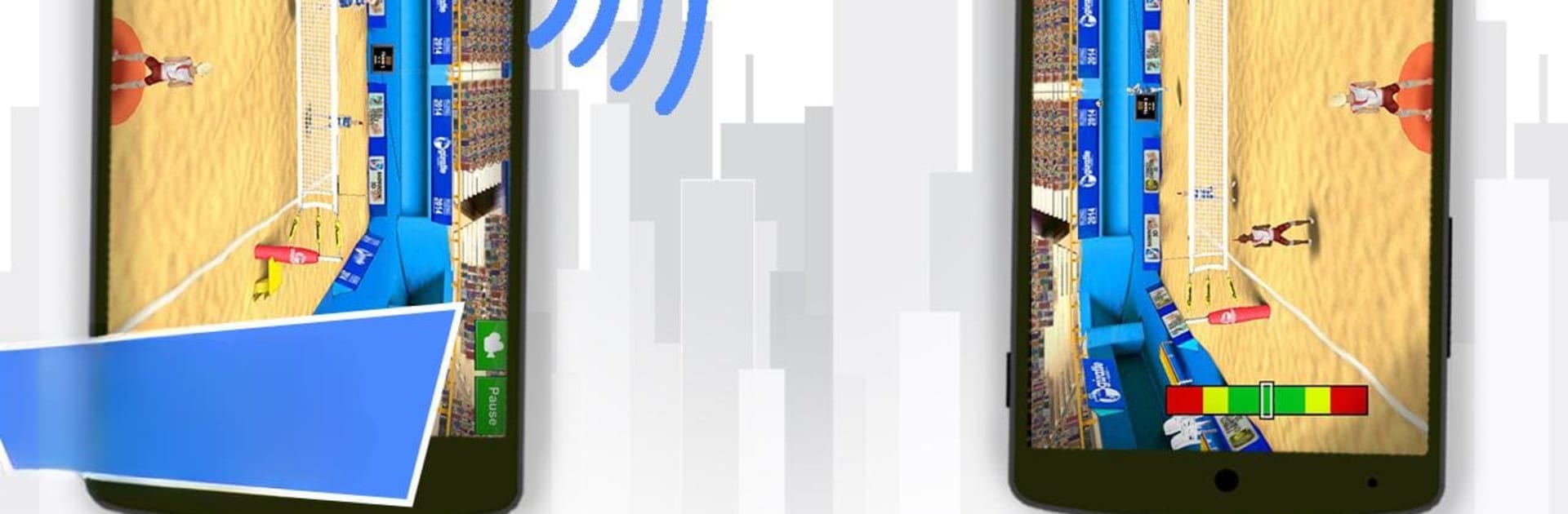
Ready to spike, serve, and block your way through some intense volleyball matches? Volleyball Champions 3D – Onli by Giraffe Games Limited brings the energy of the court right to your screen, whether you’re a hardcore fan of the sport or just looking for something fun and fresh. With easy controls and plenty of ways to play, this Sports game lets you jump into quick sessions or settle in for longer tournaments. It’s got a relaxed vibe but plenty of room to test your skills, and it looks great too—almost like being on the sand or in the gym for real.

Game Features

  • Super Simple Controls
    You don’t need to memorize a ton of buttons—just swipe with one finger to set up killer shots or perfectly-timed blocks. It’s quick to pick up, but you’ll still feel that satisfying challenge as you get better.

  • Career Mode
    Want to take your player from amateur to champion? Career mode has you covered, letting you compete in tournaments, earn rewards, and watch your character grow with you.

  • Role-Playing & Training
    There’s more than just matches—spend time training, too, building stats and personalizing your playing style as you fine-tune your approach to the sport.

  • Multiplayer Madness
    Up for some competition? Go head-to-head online, or grab a friend for split-screen matches on the same device. It’s a blast either way, especially if you’re playing on BlueStacks for that bigger screen experience.

  • Awesome Visuals
    This isn’t your average blocky sports game—the arenas, players, and even the ball look vibrant and smooth, whether you’re at the beach or inside a stadium.

  • Variety of Arenas
    Switch things up by playing on classic indoor courts or the sunny beach. The rules stay authentic, but the atmosphere? Totally different.

  • Tournaments to Conquer
    Jump into a bunch of volleyball tournaments—each one is a chance to prove your skills and rise up the ranks.

No matter how you play, Volleyball Champions 3D – Onli brings volleyball action right to your fingertips, letting you set the pace for a quick game or a serious challenge.

Start your journey now. Download the game on BlueStacks, invite your friends, and march on a new adventure.


Game Features

Enhancements

  • Macros
  • Multi Instance
  • Multi Instance Sync
  • Script
  • Enhancements
Macros

Macros

Automate the predictable in Volleyball Champions 3D - Onli and transform your gameplay with Macros. Get access to inventive Macros in the BlueStacks Macro Community
Multi Instance

Multi Instance

Play Volleyball Champions 3D - Onli on one window. And chat with your friend on the other. Press CTRL + Shift + 8 to open the Multi-Instance Manager. And start creating fresh instances or clone an existing one.
Multi Instance Sync

Multi Instance Sync

Play Volleyball Champions 3D - Onli with the power of Multi-Instance Sync. Replicate what you are doing on the main instance on all other instances. Level up faster, play more.
Script

Script

Script your way to gaming glory in Volleyball Champions 3D - Onli with BlueStacks Script. Write and run a set of commands to automate repeated tasks. Trigger the command by assigning it to any key.
Read More

How to Download and Play Volleyball Champions 3D - Onli on PC or Mac

  • Download and install BlueStacks on your PC or Mac

  • Complete Google sign-in to access the Play Store, or do it later

  • Look for Volleyball Champions 3D - Onli in the search bar at the top right corner

  • Click to install Volleyball Champions 3D - Onli from the search results

  • Complete Google sign-in (if you skipped step 2) to install Volleyball Champions 3D - Onli

  • Click the Volleyball Champions 3D - Onli icon on the home screen to start playing

video
Watch Video

Minimum System Requirements

With BlueStacks 5, you can get started on a PC that fulfills the following requirements.

  • Operating System

    Microsoft Windows 7 or above, macOS 11 (Big Sur) or above

  • Processor

    Intel, AMD or Apple Silicon Processor

  • RAM

    at least 4GB

  • HDD

    10GB Free Disk Space

Note:

* You must be an Administrator on your PC. Up to date graphics drivers from Microsoft or the chipset vendor.

Volleyball Champions 3D - Onli - FAQs

  • How to play Volleyball Champions 3D - Onli on Windows PC & Mac?

    Play Volleyball Champions 3D - Onli on your PC or Mac by following these simple steps.

    • Click on 'Play Volleyball Champions 3D - Onli on PC’ to download BlueStacks
    • Install it and log-in to Google Play Store
    • Launch and play the game.
  • Why is BlueStacks the fastest and safest platform to play games on PC?

    BlueStacks respects your privacy and is always safe and secure to use. It does not carry any malware, spyware, or any sort of additional software that could harm your PC.

    It is engineered to optimize speed and performance for a seamless gaming experience.

  • What are Volleyball Champions 3D - Onli PC requirements?

    Minimum requirement to run Volleyball Champions 3D - Onli on your PC

    • OS: Microsoft Windows 7 or above MacOS 11 (Big Sur) or above
    • Processor: Intel, AMD or Apple Silicon Processor
    • RAM: Your PC must have at least 4GB of RAM. (Note that having 4GB or more disk space is not a substitute for RAM)
    • HDD: 10GB Free Disk Space.
    • You must be an Administrator on your PC.