Advance Parking Car Sim Game

Advance Parking Car Sim Game

Strategy

| Creative Gamers Studio

Play on PC with BlueStacks or from our cloud

  • Overview
  • Game Features
  • How to Play

Page Modified On: November 28, 2025

Play Advance Parking Car Sim Game on PC or Mac

From the innovators and creators at Creative Gamers Studio, Advance Parking Car Sim Game is another fun addition to the World of Strategy games. Go beyond your mobile screen and play it bigger and better on your PC or Mac. An immersive experience awaits you.

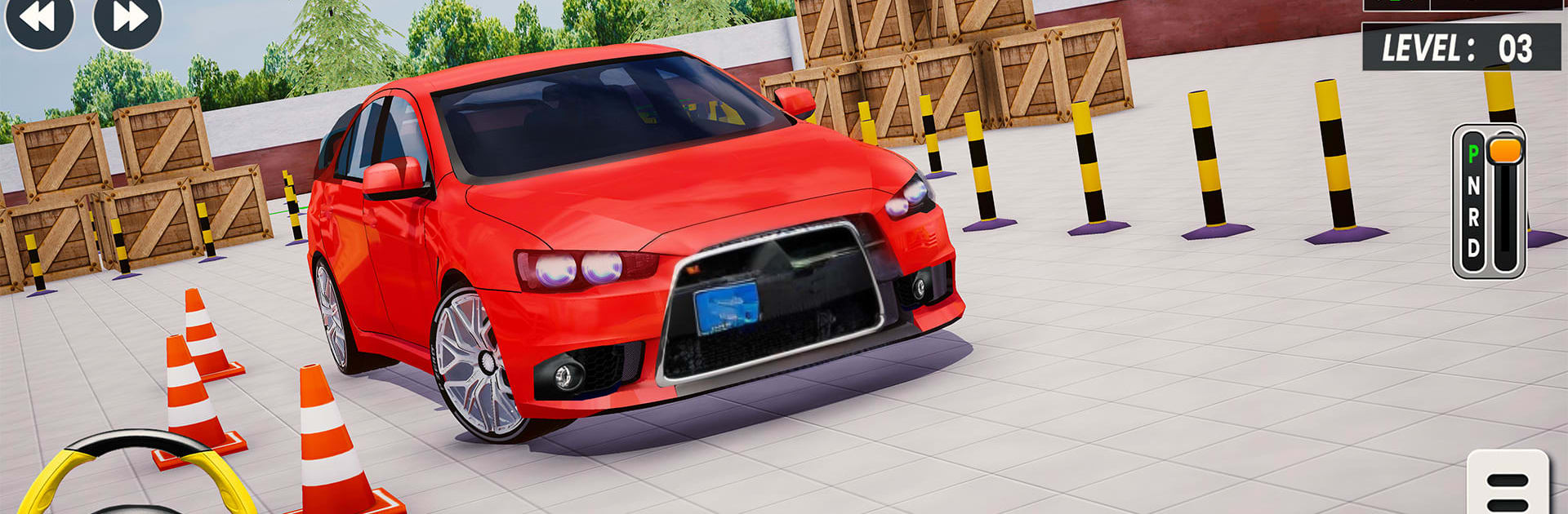
Advance Parking Car Sim Game is all about slow, careful driving, not speeding. It is a straight-up parking simulator where the challenge is threading a car through cones and barriers, squeezing past tight corners, then settling perfectly into a spot without a scrape. Steering feels smooth and weighty, so the car rolls and pivots like it should. That makes every tiny correction matter, and it keeps the pace calm but tense in a good way.

There are two tracks to learn on. Simple Parking Mode gives 20 short levels that teach the basics like reverse parking, parallel parking, and lining up through narrow lanes. It eases in the timing and patience without feeling dull. Hard Parking Mode ramps things up with another 20 missions that push tighter gaps, trickier routes, and more ways to mess up a bumper if someone rushes. It rewards careful angles and planning the turn before it happens. A small roster of modern cars is here, and they do not all steer the same. A compact swings around faster, a bigger body needs more room, so picking the right one changes how a course feels.

Multiple camera views help a lot. Top-down is great for slotting in, while a closer hood view sells the tight spacing. On PC with BlueStacks, the keyboard or a controller feels precise, since quick taps translate into clean micro-adjustments, and restarting a level is instant when things go wrong. The visuals are clean 3D with clear markings, cones, curbs, and ramps that are easy to read at a glance. What stands out is how it punishes sloppy lines without being unfair, and how fast the short levels become a little routine to chase, one more attempt, then one more after that.

Ready to top the leaderboard? We bet you do. Let precise controls and sharp visuals optimized on BlueStacks lead you to victory.


Game Features

Enhancements

  • Macros
  • Multi Instance
  • Multi Instance Sync
  • Eco Mode
  • Enhancements
Macros

Macros

Skip the boring parts of a game. Play Advance Parking Car Sim Game with Macros and get the edge. Simply record a sequence of commands and execute them at any moment.
Multi Instance

Multi Instance

Why limit to one game on your phone when you can play many on your PC? Open multiple instances of Advance Parking Car Sim Game at once with Multi-Instance. Leverage the power of different accounts by doing more.
Multi Instance Sync

Multi Instance Sync

Get the best out of Advance Parking Car Sim Game with Multi-Instance Sync. Play the game from different accounts and build your own empire. Use Multi-instance sync to repeat the action in the main BlueStacks instance on all other instances.
Eco Mode

Eco Mode

Find the rarest heroes by making multiple summons in Advance Parking Car Sim Game. And while you are at it, reduce your PC’s resource consumption with the Eco Mode. Farm efficiently. Get the best results.
Read More

How to Download and Play Advance Parking Car Sim Game on PC or Mac

  • Download and install BlueStacks on your PC or Mac

  • Complete Google sign-in to access the Play Store, or do it later

  • Look for Advance Parking Car Sim Game in the search bar at the top right corner

  • Click to install Advance Parking Car Sim Game from the search results

  • Complete Google sign-in (if you skipped step 2) to install Advance Parking Car Sim Game

  • Click the Advance Parking Car Sim Game icon on the home screen to start playing

video
Watch Video

Minimum System Requirements

With BlueStacks 5, you can get started on a PC that fulfills the following requirements.

  • Operating System

    Microsoft Windows 7 or above, macOS 11 (Big Sur) or above

  • Processor

    Intel, AMD or Apple Silicon Processor

  • RAM

    at least 4GB

  • HDD

    10GB Free Disk Space

Note:

* You must be an Administrator on your PC. Up to date graphics drivers from Microsoft or the chipset vendor.

Advance Parking Car Sim Game - FAQs

  • How to play Advance Parking Car Sim Game on Windows PC & Mac?

    Play Advance Parking Car Sim Game on your PC or Mac by following these simple steps.

    • Click on 'Play Advance Parking Car Sim Game on PC’ to download BlueStacks
    • Install it and log-in to Google Play Store
    • Launch and play the game.
  • Why is BlueStacks the fastest and safest platform to play games on PC?

    BlueStacks respects your privacy and is always safe and secure to use. It does not carry any malware, spyware, or any sort of additional software that could harm your PC.

    It is engineered to optimize speed and performance for a seamless gaming experience.

  • What are Advance Parking Car Sim Game PC requirements?

    Minimum requirement to run Advance Parking Car Sim Game on your PC

    • OS: Microsoft Windows 7 or above MacOS 11 (Big Sur) or above
    • Processor: Intel, AMD or Apple Silicon Processor
    • RAM: Your PC must have at least 4GB of RAM. (Note that having 4GB or more disk space is not a substitute for RAM)
    • HDD: 10GB Free Disk Space.
    • You must be an Administrator on your PC.