Block Fortress: War
Block Fortress: War

Block Fortress: War

Strategy

| Foursaken Media

Play on PC with BlueStacks or from our cloud

  • Overview
  • Game Features
  • How to Play

Page Modified On: January 05, 2026

Play Block Fortress: War on PC or Mac

Join millions to experience Block Fortress: War, an exciting Strategy game from Foursaken Media. With BlueStacks App Player, you are always a step ahead of your opponent, ready to outplay them with faster gameplay and better control with the mouse and keyboard on your PC or Mac.

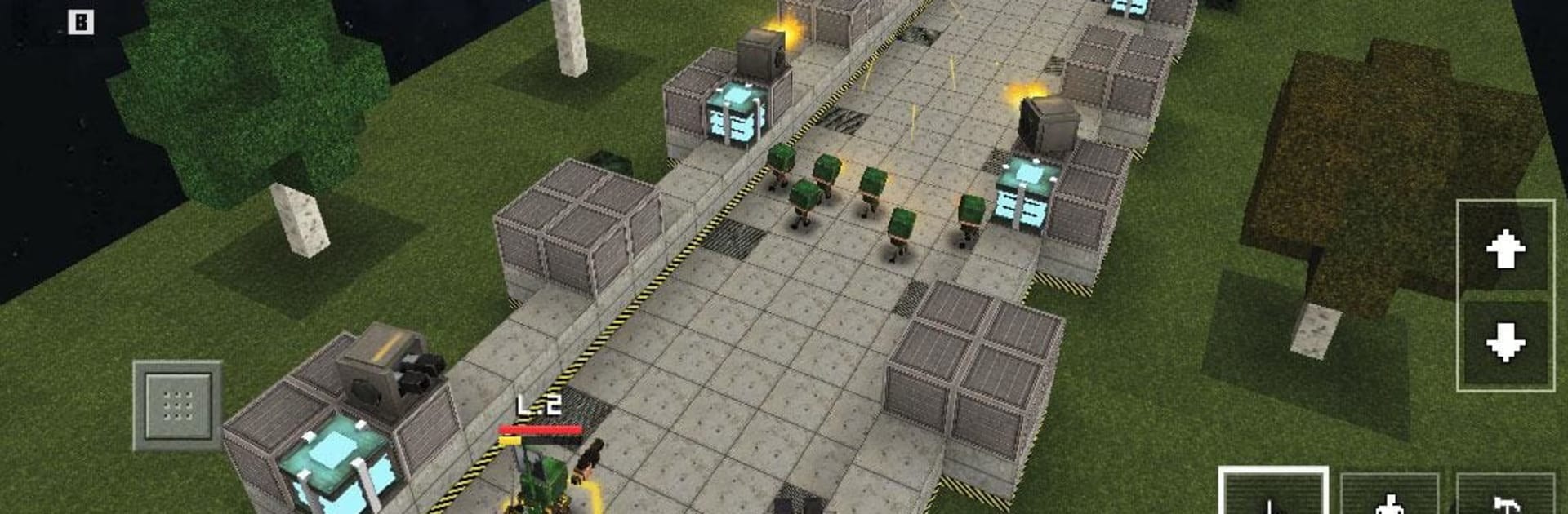
Block Fortress: War plays like a mashup of quick real time strategy and blocky base building, with a little hero action layered on top. Before each fight, players drop walls, turrets, traps, and bombs to shape the battlefield, then push an army forward while a chosen hero zips around blasting or slashing. There are five races that all feel different, not just in looks but in how their blocks and troops work. Heroes are the star of the show though. Each one brings a weird mix of strengths and drawbacks, with distinct weapons and abilities that can save a messy skirmish or totally whiff if the timing is off. The gear system lets someone tune an army loadout so a rush hits harder or defenses stall longer, so tinkering actually matters. It has that nice rhythm of build, test, adjust, repeat, and the blocky art keeps busy battles readable even when everything is exploding.

The campaign hops across five planets, so the maps keep changing rules on the player, and the mission list is huge enough that winning with one faction does not feel the same as another. 1v1 multiplayer is tight and stressful in a good way, since smart building before the first push can decide the whole match if the other side barely misplaces a turret. Matches are not marathon-long, which makes it easy to chase one more win or redo a loss with a different hero. On PC with BlueStacks, placing blocks with a mouse feels super clean and swapping between hero control and army commands is less fumbly. Anyone who likes planning a choke point and then crashing through someone else’s will probably click with it, but it still rewards fast decisions and a bit of nerve when the front line starts to wobble.

Slay your opponents with your epic moves. Play it your way on BlueStacks and dominate the battlefield.


Game Features

Enhancements

  • Macros
  • Multi Instance
  • Multi Instance Sync
  • Eco Mode
  • Enhancements
Macros

Macros

Skip the boring parts of a game. Play Block Fortress: War with Macros and get the edge. Simply record a sequence of commands and execute them at any moment.
Multi Instance

Multi Instance

Why limit to one game on your phone when you can play many on your PC? Open multiple instances of Block Fortress: War at once with Multi-Instance. Leverage the power of different accounts by doing more.
Multi Instance Sync

Multi Instance Sync

Get the best out of Block Fortress: War with Multi-Instance Sync. Play the game from different accounts and build your own empire. Use Multi-instance sync to repeat the action in the main BlueStacks instance on all other instances.
Eco Mode

Eco Mode

Find the rarest heroes by making multiple summons in Block Fortress: War. And while you are at it, reduce your PC’s resource consumption with the Eco Mode. Farm efficiently. Get the best results.
Read More

How to Download and Play Block Fortress: War on PC or Mac

  • Download and install BlueStacks on your PC or Mac

  • Complete Google sign-in to access the Play Store, or do it later

  • Look for Block Fortress: War in the search bar at the top right corner

  • Click to install Block Fortress: War from the search results

  • Complete Google sign-in (if you skipped step 2) to install Block Fortress: War

  • Click the Block Fortress: War icon on the home screen to start playing

video
Watch Video

Minimum System Requirements

With BlueStacks 5, you can get started on a PC that fulfills the following requirements.

  • Operating System

    Microsoft Windows 7 or above, macOS 11 (Big Sur) or above

  • Processor

    Intel, AMD or Apple Silicon Processor

  • RAM

    at least 4GB

  • HDD

    10GB Free Disk Space

Note:

* You must be an Administrator on your PC. Up to date graphics drivers from Microsoft or the chipset vendor.

Block Fortress: War - FAQs

  • How to play Block Fortress: War on Windows PC & Mac?

    Play Block Fortress: War on your PC or Mac by following these simple steps.

    • Click on 'Play Block Fortress: War on PC’ to download BlueStacks
    • Install it and log-in to Google Play Store
    • Launch and play the game.
  • Why is BlueStacks the fastest and safest platform to play games on PC?

    BlueStacks respects your privacy and is always safe and secure to use. It does not carry any malware, spyware, or any sort of additional software that could harm your PC.

    It is engineered to optimize speed and performance for a seamless gaming experience.

  • What are Block Fortress: War PC requirements?

    Minimum requirement to run Block Fortress: War on your PC

    • OS: Microsoft Windows 7 or above MacOS 11 (Big Sur) or above
    • Processor: Intel, AMD or Apple Silicon Processor
    • RAM: Your PC must have at least 4GB of RAM. (Note that having 4GB or more disk space is not a substitute for RAM)
    • HDD: 10GB Free Disk Space.
    • You must be an Administrator on your PC.