Dino Kingdom: Survival

Dino Kingdom: Survival

Strategy

| DHGames Limited

Play on PC with BlueStacks or from our cloud

  • Overview
  • Game Features
  • How to Play

Page Modified On: January 06, 2026

Play Dino Kingdom: Survival on PC or Mac

From the innovators and creators at DHGames Limited, Dino Kingdom: Survival is another fun addition to the World of Strategy games. Go beyond your mobile screen and play it bigger and better on your PC or Mac. An immersive experience awaits you.

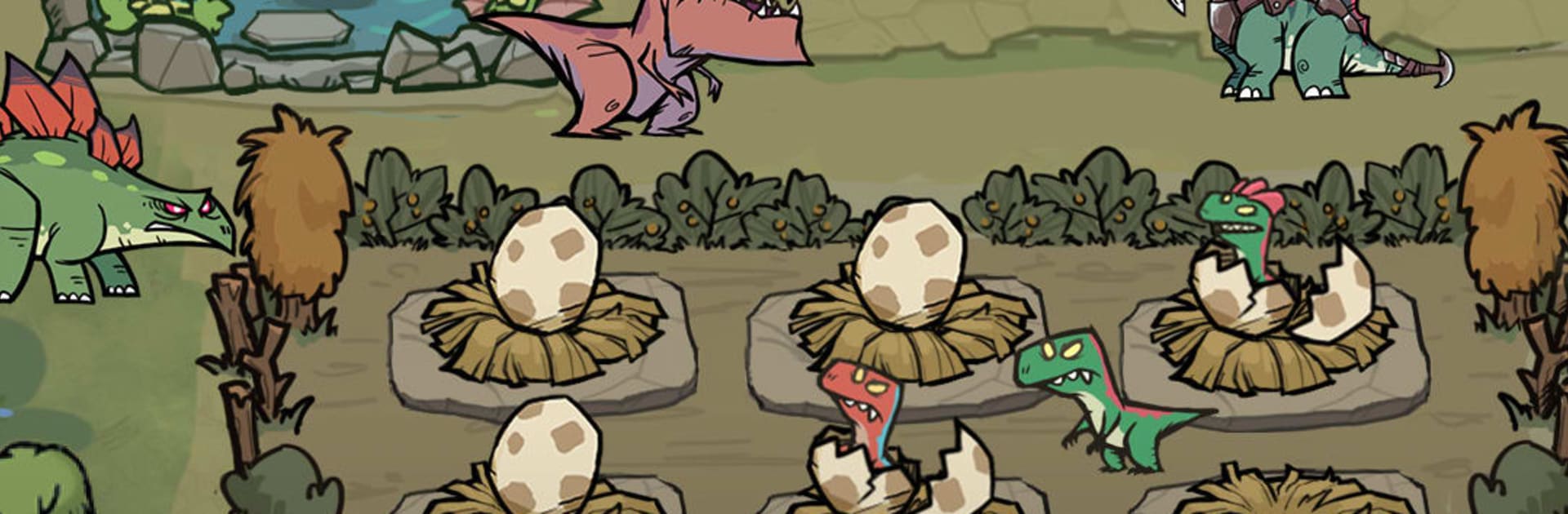
Dino Kingdom: Survival plays like a chill mix of creature collecting and light base building. Players hatch dinosaur eggs, train the little beasts, then evolve them into bigger, meaner versions for short, punchy battles. Fights are mostly auto, but team order and who stands where actually matter. A tanky triceratops up front, a speedy raptor hunting the backline, a flyer poking from range, those small choices decide if a boss drops or the squad gets flattened. After fights, resources and DNA pieces roll in, which feed upgrades back at the kingdom. There are incubators to improve, resource buildings to boost, and research bits that unlock new bonuses. It becomes a tidy loop of expand the park, hatch more dinos, push the campaign, repeat, with event stages tossing in extra rewards if someone keeps up with the timers.

On PC through BlueStacks, the whole thing feels smoother. Dragging dinos into formation is easier with a mouse, menu hopping is faster on a bigger screen, and the bright jungle colors pop nicely. Expect the usual mobile rhythms too. Timers on buildings, free egg pulls on a schedule, and events that hand out materials if the checklist gets done. Monetization is there with bundles and boosts, but early progress chugs along even without spending, then slows later unless planning around events kicks in. The art leans colorful and playful, not grim, so it is more cozy park manager than harsh survival. For players who enjoy collecting creatures, experimenting with team comps, and slowly tuning a base while stomping through waves, it hits a comfortable groove.

Start your journey now. Download the game on BlueStacks, invite your friends, and march on a new adventure.


Game Features

Enhancements

  • Macros
  • Multi Instance
  • Multi Instance Sync
  • Eco Mode
  • Enhancements
Macros

Macros

Skip the boring parts of a game. Play Dino Kingdom: Survival with Macros and get the edge. Simply record a sequence of commands and execute them at any moment.
Multi Instance

Multi Instance

Why limit to one game on your phone when you can play many on your PC? Open multiple instances of Dino Kingdom: Survival at once with Multi-Instance. Leverage the power of different accounts by doing more.
Multi Instance Sync

Multi Instance Sync

Get the best out of Dino Kingdom: Survival with Multi-Instance Sync. Play the game from different accounts and build your own empire. Use Multi-instance sync to repeat the action in the main BlueStacks instance on all other instances.
Eco Mode

Eco Mode

Find the rarest heroes by making multiple summons in Dino Kingdom: Survival. And while you are at it, reduce your PC’s resource consumption with the Eco Mode. Farm efficiently. Get the best results.
Read More

How to Download and Play Dino Kingdom: Survival on PC or Mac

  • Download and install BlueStacks on your PC or Mac

  • Complete Google sign-in to access the Play Store, or do it later

  • Look for Dino Kingdom: Survival in the search bar at the top right corner

  • Click to install Dino Kingdom: Survival from the search results

  • Complete Google sign-in (if you skipped step 2) to install Dino Kingdom: Survival

  • Click the Dino Kingdom: Survival icon on the home screen to start playing

video
Watch Video

Minimum System Requirements

With BlueStacks 5, you can get started on a PC that fulfills the following requirements.

  • Operating System

    Microsoft Windows 7 or above, macOS 11 (Big Sur) or above

  • Processor

    Intel, AMD or Apple Silicon Processor

  • RAM

    at least 4GB

  • HDD

    10GB Free Disk Space

Note:

* You must be an Administrator on your PC. Up to date graphics drivers from Microsoft or the chipset vendor.

Dino Kingdom: Survival - FAQs

  • How to play Dino Kingdom: Survival on Windows PC & Mac?

    Play Dino Kingdom: Survival on your PC or Mac by following these simple steps.

    • Click on 'Play Dino Kingdom: Survival on PC’ to download BlueStacks
    • Install it and log-in to Google Play Store
    • Launch and play the game.
  • Why is BlueStacks the fastest and safest platform to play games on PC?

    BlueStacks respects your privacy and is always safe and secure to use. It does not carry any malware, spyware, or any sort of additional software that could harm your PC.

    It is engineered to optimize speed and performance for a seamless gaming experience.

  • What are Dino Kingdom: Survival PC requirements?

    Minimum requirement to run Dino Kingdom: Survival on your PC

    • OS: Microsoft Windows 7 or above MacOS 11 (Big Sur) or above
    • Processor: Intel, AMD or Apple Silicon Processor
    • RAM: Your PC must have at least 4GB of RAM. (Note that having 4GB or more disk space is not a substitute for RAM)
    • HDD: 10GB Free Disk Space.
    • You must be an Administrator on your PC.