Dirt Bike Racing Games 3D

Dirt Bike Racing Games 3D

Strategy

| Ystone Inc

Play on PC with BlueStacks or from our cloud

  • Overview
  • Game Features
  • How to Play

Page Modified On: January 02, 2026

Play Dirt Bike Racing Games 3D on PC or Mac

Join millions to experience Dirt Bike Racing Games 3D, an exciting Strategy game from Ystone Inc. With BlueStacks App Player, you are always a step ahead of your opponent, ready to outplay them with faster gameplay and better control with the mouse and keyboard on your PC or Mac.

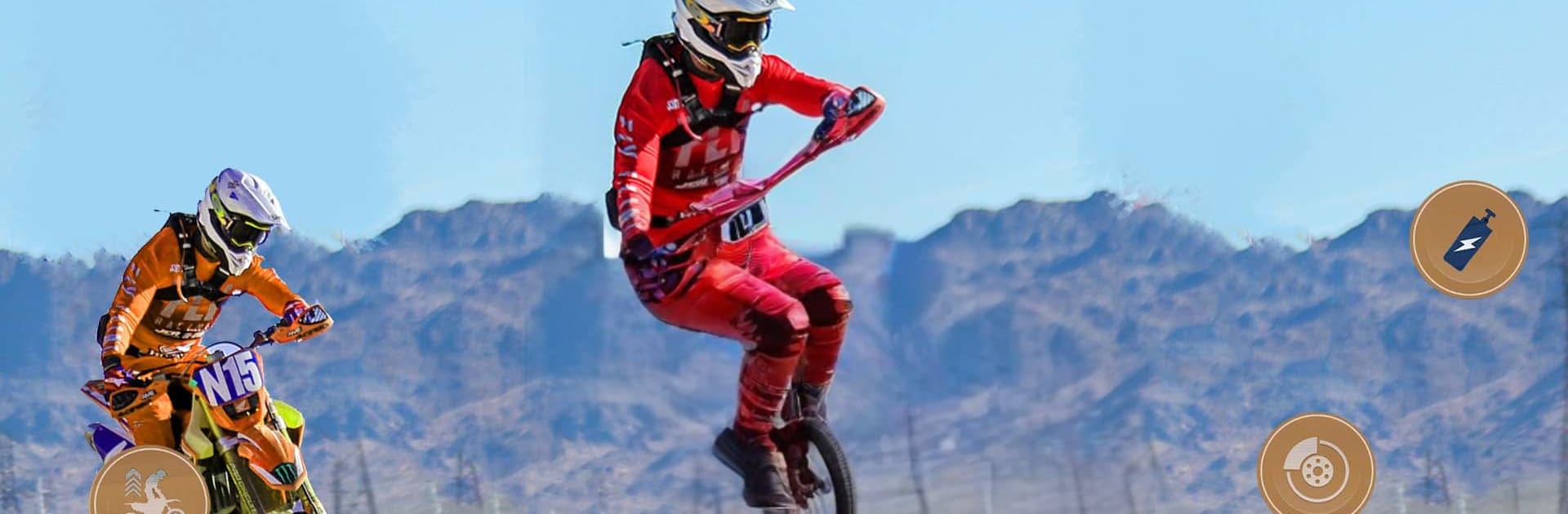
Dirt Bike Racing Games 3D is a stunt-first motocross game where the whole fun is squeezing a dirt bike through wild tracks filled with ramps, beams, and steep hills. It leans hard into that trials vibe. Levels are short and focused, with a timer always pushing the player to clear jumps, keep balance on narrow platforms, and land clean so the bike does not tumble. The physics are a bit floaty but readable, so the bike can whip over a ramp, hang for a moment, then snap down if the front wheel hits wrong. Early tracks are simple, later ones start to feel like puzzle courses with awkward gaps and tricky climbs that ask for feathered throttle and careful brake taps.

There is not much fluff around it. Pick a bike, jump into a course, and try to master the line. Crashes reset fast which makes repeating a section feel fine instead of annoying. The game keeps tossing bigger ramps, sharper turns, and those “impossible” sky roads that demand steady hands. It has that loop where someone re-runs the same track to shave seconds by taking a cleaner landing or a braver jump. On PC with BlueStacks, keyboard control makes balance a lot steadier on the narrow stuff, and the higher frame rate helps judge distances better. The look is bright and arcadey, engines buzz loud, and the courses go from dusty trails to mega ramp playgrounds. Anyone who enjoys dirt bike tricks, time pressure, and the satisfaction of nailing a perfect ride will get what this is doing.

Ready to top the leaderboard? We bet you do. Let precise controls and sharp visuals optimized on BlueStacks lead you to victory.


Game Features

Enhancements

  • Macros
  • Multi Instance
  • Multi Instance Sync
  • Eco Mode
  • Enhancements
Macros

Macros

Skip the boring parts of a game. Play Dirt Bike Racing Games 3D with Macros and get the edge. Simply record a sequence of commands and execute them at any moment.
Multi Instance

Multi Instance

Why limit to one game on your phone when you can play many on your PC? Open multiple instances of Dirt Bike Racing Games 3D at once with Multi-Instance. Leverage the power of different accounts by doing more.
Multi Instance Sync

Multi Instance Sync

Get the best out of Dirt Bike Racing Games 3D with Multi-Instance Sync. Play the game from different accounts and build your own empire. Use Multi-instance sync to repeat the action in the main BlueStacks instance on all other instances.
Eco Mode

Eco Mode

Find the rarest heroes by making multiple summons in Dirt Bike Racing Games 3D. And while you are at it, reduce your PC’s resource consumption with the Eco Mode. Farm efficiently. Get the best results.
Read More

How to Download and Play Dirt Bike Racing Games 3D on PC or Mac

  • Download and install BlueStacks on your PC or Mac

  • Complete Google sign-in to access the Play Store, or do it later

  • Look for Dirt Bike Racing Games 3D in the search bar at the top right corner

  • Click to install Dirt Bike Racing Games 3D from the search results

  • Complete Google sign-in (if you skipped step 2) to install Dirt Bike Racing Games 3D

  • Click the Dirt Bike Racing Games 3D icon on the home screen to start playing

video
Watch Video

Minimum System Requirements

With BlueStacks 5, you can get started on a PC that fulfills the following requirements.

  • Operating System

    Microsoft Windows 7 or above, macOS 11 (Big Sur) or above

  • Processor

    Intel, AMD or Apple Silicon Processor

  • RAM

    at least 4GB

  • HDD

    10GB Free Disk Space

Note:

* You must be an Administrator on your PC. Up to date graphics drivers from Microsoft or the chipset vendor.

Dirt Bike Racing Games 3D - FAQs

  • How to play Dirt Bike Racing Games 3D on Windows PC & Mac?

    Play Dirt Bike Racing Games 3D on your PC or Mac by following these simple steps.

    • Click on 'Play Dirt Bike Racing Games 3D on PC’ to download BlueStacks
    • Install it and log-in to Google Play Store
    • Launch and play the game.
  • Why is BlueStacks the fastest and safest platform to play games on PC?

    BlueStacks respects your privacy and is always safe and secure to use. It does not carry any malware, spyware, or any sort of additional software that could harm your PC.

    It is engineered to optimize speed and performance for a seamless gaming experience.

  • What are Dirt Bike Racing Games 3D PC requirements?

    Minimum requirement to run Dirt Bike Racing Games 3D on your PC

    • OS: Microsoft Windows 7 or above MacOS 11 (Big Sur) or above
    • Processor: Intel, AMD or Apple Silicon Processor
    • RAM: Your PC must have at least 4GB of RAM. (Note that having 4GB or more disk space is not a substitute for RAM)
    • HDD: 10GB Free Disk Space.
    • You must be an Administrator on your PC.