Football Drama
Football Drama

Football Drama

Strategy

| Open Lab Videogames

Play on PC with BlueStacks or from our cloud

  • Overview
  • Game Features
  • How to Play

Page Modified On: April 24, 2026

Play Football Drama on PC or Mac

From the innovators and creators at Open Lab Videogames, Football Drama is another fun addition to the World of Strategy games. Go beyond your mobile screen and play it bigger and better on your PC or Mac. An immersive experience awaits you.

About the Game

Football Drama is a quirky, story-driven Strategy take on managing a troubled club and the chaos around it. You play as Rocco Galliano, a once-disgraced coach hired to rescue Calchester’s season while dodging agendas, headlines, and your own questionable past. Every match and off-field choice nudges the tale in unexpected directions—sometimes hilarious, sometimes messy—and yes, you might botch the league table yet still come out ahead in the story. Prefer a bigger screen for all those decisions? It runs smoothly on BlueStacks.

Game Features

  • Narrative management
    Make calls on training, transfers, press conferences, and personal dilemmas. Your words and actions shape relationships, morale, and how the season spirals.
  • Karma or chaos
    Go zen or go rogue. Your moral compass (or lack of one) alters events, unlocks options, and colors how people treat you.
  • Turn-based match tactics
    Matches play out in short, tense turns with slick animations. Pick your moves, burn key resources, and try not to choke in stoppage time.
  • An 18-week pressure cooker
    Battle through a full campaign where results matter—and so do scandals. Underperform and you can get the boot mid-season.
  • Build your match-day deck
    Earn and tweak a set of cards that power special plays and decisions. The deck evolves with your off-field choices and on-field outcomes.
  • Absurd football culture cards
    Deploy tongue-in-cheek cards riffing on modern soccer’s extremes—media meltdowns, boardroom drama, and fan unrest included.
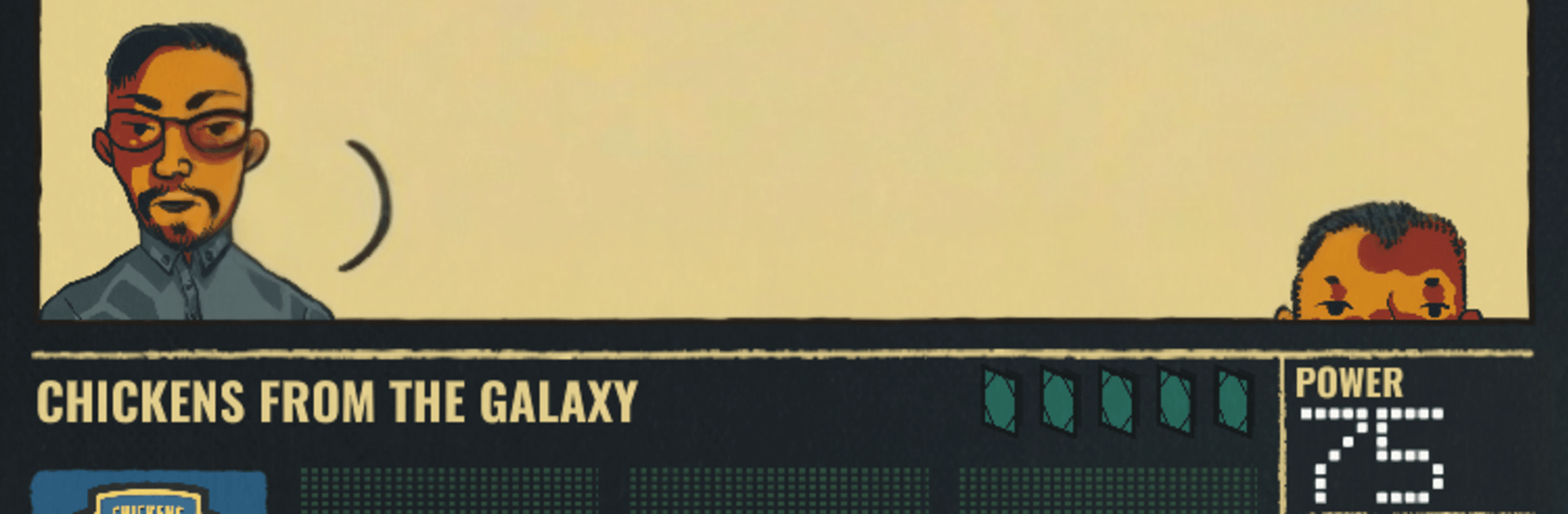
  • Illustrated match chronicle
    Each game leaves a visual record so you can relive the turning points, bad calls, and tiny miracles.
  • Loudmouthed commentary duo
    A blustery play-by-play guy and his overexcited sidekick keep the banter rolling while you sweat the tactics.
  • Replay-friendly structure
    New events, branching storylines, and multiple endings make every run feel different—success, scandal, or something in between.
  • From Open Lab Videogames
    A bold blend of storytelling and Strategy built around character, consequence, and the beautiful game’s not-so-beautiful underbelly.

Ready to top the leaderboard? We bet you do. Let precise controls and sharp visuals optimized on BlueStacks lead you to victory.


Game Features

Enhancements

  • Macros
  • Multi Instance
  • Multi Instance Sync
  • Eco Mode
  • Enhancements
Macros

Macros

Skip the boring parts of a game. Play Football Drama with Macros and get the edge. Simply record a sequence of commands and execute them at any moment.
Multi Instance

Multi Instance

Why limit to one game on your phone when you can play many on your PC? Open multiple instances of Football Drama at once with Multi-Instance. Leverage the power of different accounts by doing more.
Multi Instance Sync

Multi Instance Sync

Get the best out of Football Drama with Multi-Instance Sync. Play the game from different accounts and build your own empire. Use Multi-instance sync to repeat the action in the main BlueStacks instance on all other instances.
Eco Mode

Eco Mode

Find the rarest heroes by making multiple summons in Football Drama. And while you are at it, reduce your PC’s resource consumption with the Eco Mode. Farm efficiently. Get the best results.
Read More

How to Download and Play Football Drama on PC or Mac

  • Download and install BlueStacks on your PC or Mac

  • Complete Google sign-in to access the Play Store, or do it later

  • Look for Football Drama in the search bar at the top right corner

  • Click to install Football Drama from the search results

  • Complete Google sign-in (if you skipped step 2) to install Football Drama

  • Click the Football Drama icon on the home screen to start playing

video
Watch Video

Minimum System Requirements

With BlueStacks 5, you can get started on a PC that fulfills the following requirements.

  • Operating System

    Microsoft Windows 7 or above, macOS 11 (Big Sur) or above

  • Processor

    Intel, AMD or Apple Silicon Processor

  • RAM

    at least 4GB

  • HDD

    10GB Free Disk Space

Note:

* You must be an Administrator on your PC. Up to date graphics drivers from Microsoft or the chipset vendor.

Football Drama - FAQs

  • How to play Football Drama on Windows PC & Mac?

    Play Football Drama on your PC or Mac by following these simple steps.

    • Click on 'Play Football Drama on PC’ to download BlueStacks
    • Install it and log-in to Google Play Store
    • Launch and play the game.
  • Why is BlueStacks the fastest and safest platform to play games on PC?

    BlueStacks respects your privacy and is always safe and secure to use. It does not carry any malware, spyware, or any sort of additional software that could harm your PC.

    It is engineered to optimize speed and performance for a seamless gaming experience.

  • What are Football Drama PC requirements?

    Minimum requirement to run Football Drama on your PC

    • OS: Microsoft Windows 7 or above MacOS 11 (Big Sur) or above
    • Processor: Intel, AMD or Apple Silicon Processor
    • RAM: Your PC must have at least 4GB of RAM. (Note that having 4GB or more disk space is not a substitute for RAM)
    • HDD: 10GB Free Disk Space.
    • You must be an Administrator on your PC.