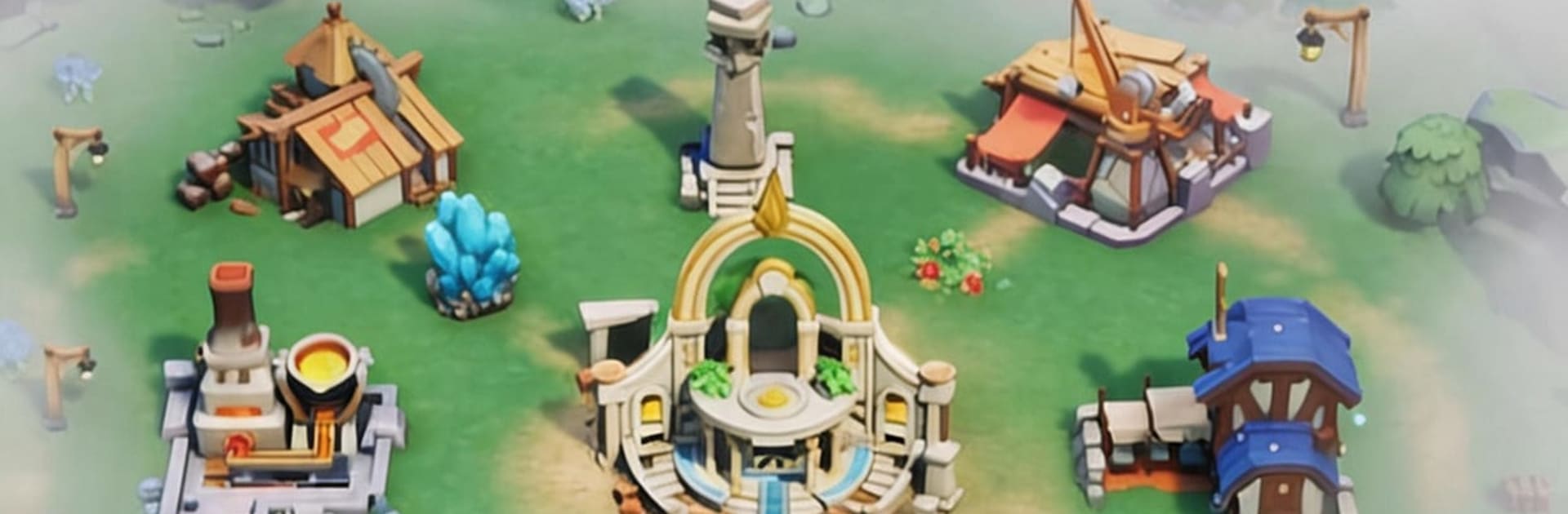
Marble Citadel
Marble Citadel

Marble Citadel

Strategy

| SkyRise Digital Pte. Ltd.

Play on PC with BlueStacks or from our cloud

  • Overview
  • Game Features
  • How to Play

Page Modified On: July 09, 2026

Play Marble Citadel on PC or Mac

Step into the World of Marble Citadel, a thrilling Strategy game from the house of SkyRise Digital Pte. Ltd.. Play this Android game on BlueStacks App Player and experience immersive gaming on PC or Mac.

About the Game

Marble Citadel is a Strategy mashup that blends pinball physics with town-building and squad combat. You break out of goblin captivity, round up scattered survivors, and turn a ruined settlement into a thriving base—one well-aimed launch at a time. Prefer a bigger screen and mouse clicks? It plays comfortably on BlueStacks too.

Game Features

  • Pinball-Powered Economy: Fire marbles across a massive table to bounce off targets and ramps, racking up wood, stone, and rarer finds. Nail your angles, chain combos, and watch your coffers swell.
  • Rebuild the Stronghold: Start with tents and scrap, then upgrade into forges, farms, and workshops. Unlock tech, streamline production, and shore up defenses so the next raid doesn’t punch through your gates.
  • Heroes With Personality: Recruit an archer, a mage, a shield-first bruiser, and more. Level them up, slot gear, and mix roles to create lineups that actually click in battle.
  • Plan, Then Let It Play: Set formations, assign skills, and let auto-combat handle the clash. From goblin skirmishes to boss fights and dungeon runs, smart prep pays off in loot and progress.
  • Explore Beyond the Haze: Send parties past the misty outskirts to uncover hidden ruins, resource veins, and odd little surprises. Each new tile opened widens your supply lines and room to grow.
  • Idle-Friendly Progress: Step away and your operation keeps humming. Come back to a pile of materials ready to funnel into your next upgrade.
  • Playful Look, Satisfying Feel: Bright, cartoony visuals meet crunchy physics and punchy effects, making each launch and upgrade feel snappy and fun.

Get ready for a buttery smooth, high-performance gaming action only on BlueStacks.

Game Features

Enhancements

  • Macros
  • Multi Instance
  • Multi Instance Sync
  • Eco Mode
  • Enhancements
Macros

Macros

Skip the boring parts of a game. Play Marble Citadel with Macros and get the edge. Simply record a sequence of commands and execute them at any moment.
Multi Instance

Multi Instance

Why limit to one game on your phone when you can play many on your PC? Open multiple instances of Marble Citadel at once with Multi-Instance. Leverage the power of different accounts by doing more.
Multi Instance Sync

Multi Instance Sync

Get the best out of Marble Citadel with Multi-Instance Sync. Play the game from different accounts and build your own empire. Use Multi-instance sync to repeat the action in the main BlueStacks instance on all other instances.
Eco Mode

Eco Mode

Find the rarest heroes by making multiple summons in Marble Citadel. And while you are at it, reduce your PC’s resource consumption with the Eco Mode. Farm efficiently. Get the best results.
Read More

How to Download and Play Marble Citadel on PC or Mac

  • Download and install BlueStacks on your PC or Mac

  • Complete Google sign-in to access the Play Store, or do it later

  • Look for Marble Citadel in the search bar at the top right corner

  • Click to install Marble Citadel from the search results

  • Complete Google sign-in (if you skipped step 2) to install Marble Citadel

  • Click the Marble Citadel icon on the home screen to start playing

video
Watch Video

Minimum System Requirements

With BlueStacks 5, you can get started on a PC that fulfills the following requirements.

  • Operating System

    Microsoft Windows 7 or above, macOS 11 (Big Sur) or above

  • Processor

    Intel, AMD or Apple Silicon Processor

  • RAM

    at least 4GB

  • HDD

    10GB Free Disk Space

Note:

* You must be an Administrator on your PC. Up to date graphics drivers from Microsoft or the chipset vendor.

Marble Citadel - FAQs

  • How to play Marble Citadel on Windows PC & Mac?

    Play Marble Citadel on your PC or Mac by following these simple steps.

    • Click on 'Play Marble Citadel on PC’ to download BlueStacks
    • Install it and log-in to Google Play Store
    • Launch and play the game.
  • Why is BlueStacks the fastest and safest platform to play games on PC?

    BlueStacks respects your privacy and is always safe and secure to use. It does not carry any malware, spyware, or any sort of additional software that could harm your PC.

    It is engineered to optimize speed and performance for a seamless gaming experience.

  • What are Marble Citadel PC requirements?

    Minimum requirement to run Marble Citadel on your PC

    • OS: Microsoft Windows 7 or above MacOS 11 (Big Sur) or above
    • Processor: Intel, AMD or Apple Silicon Processor
    • RAM: Your PC must have at least 4GB of RAM. (Note that having 4GB or more disk space is not a substitute for RAM)
    • HDD: 10GB Free Disk Space.
    • You must be an Administrator on your PC.