Medieval Defense & Conquest 2

Medieval Defense & Conquest 2

Strategy

| Vojtech Jesatko

Play on PC with BlueStacks or from our cloud

  • Overview
  • Game Features
  • How to Play

Page Modified On: January 13, 2026

Play Medieval Defense & Conquest 2 on PC or Mac

Join millions to experience Medieval Defense & Conquest 2, an exciting Strategy game from Vojtech Jesatko. With BlueStacks App Player, you are always a step ahead of your opponent, ready to outplay them with faster gameplay and better control with the mouse and keyboard on your PC or Mac.

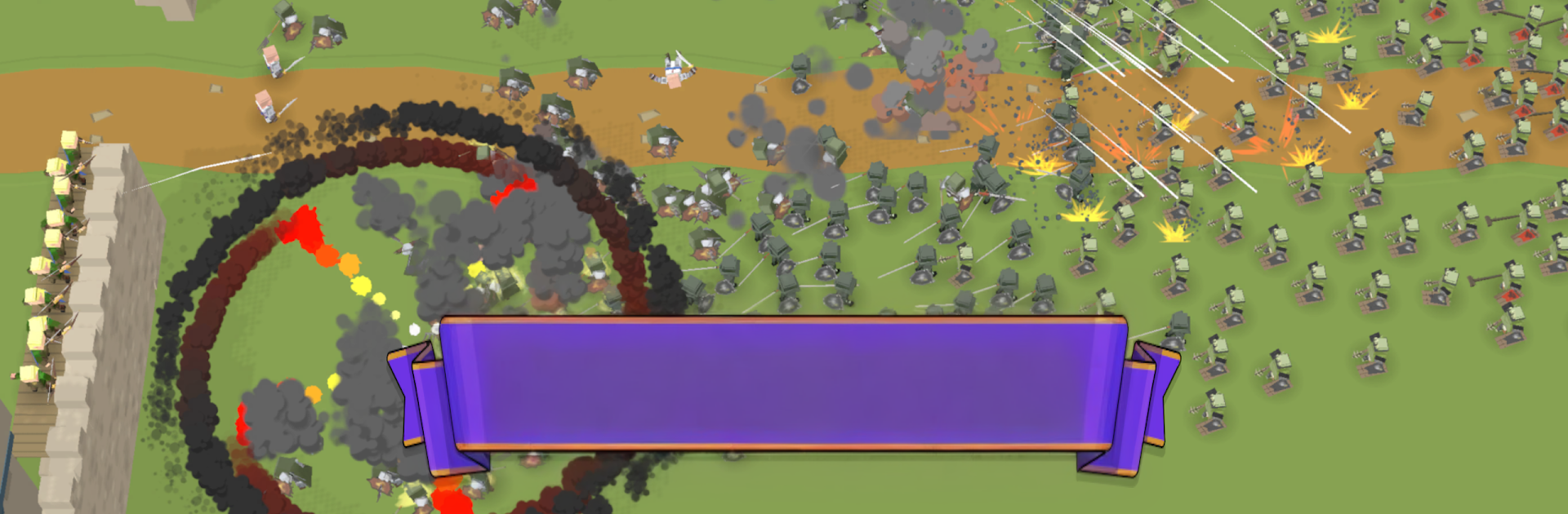
Medieval Defense & Conquest 2 feels like a mashup of tower defense and light empire building. It starts small, a modest fort and a few peasants, then it grows into stone walls packed with archers, catapults chunking rocks, and a blacksmith cranking out sharper gear. Waves roll in with tougher squads and the odd boss, so timing matters. Those special abilities are the clutch plays, poison clouds to soften big groups, a freeze to buy breathing room, a fire storm or exploding barrels when the line is about to buckle. It is simple to pick up, but it makes the player plan their placements and upgrades or the walls will crack.

Between defenses there is a whole island map to push through. March out, grab outposts, and turn them into little colonies that drip gold while the game is closed. Farms and trade keep the economy ticking, research unlocks new unit types, and income can be automated so the empire runs itself in the background. The loop is build, hold, expand, repeat, and it moves at a nice clip without feeling hectic. What stands out is how readable everything is, volleys of arrows feel punchy, catapults land with a good thud, and progress is steady. On PC with BlueStacks it plays clean, mouse aiming for abilities helps a lot, and the bigger screen makes laying out walls and defenses less fiddly. Fans of wave defense with a bit of conquest on the side will get the appeal right away.

Slay your opponents with your epic moves. Play it your way on BlueStacks and dominate the battlefield.


Game Features

Enhancements

  • Macros
  • Multi Instance
  • Multi Instance Sync
  • Eco Mode
  • Enhancements
Macros

Macros

Skip the boring parts of a game. Play Medieval Defense & Conquest 2 with Macros and get the edge. Simply record a sequence of commands and execute them at any moment.
Multi Instance

Multi Instance

Why limit to one game on your phone when you can play many on your PC? Open multiple instances of Medieval Defense & Conquest 2 at once with Multi-Instance. Leverage the power of different accounts by doing more.
Multi Instance Sync

Multi Instance Sync

Get the best out of Medieval Defense & Conquest 2 with Multi-Instance Sync. Play the game from different accounts and build your own empire. Use Multi-instance sync to repeat the action in the main BlueStacks instance on all other instances.
Eco Mode

Eco Mode

Find the rarest heroes by making multiple summons in Medieval Defense & Conquest 2. And while you are at it, reduce your PC’s resource consumption with the Eco Mode. Farm efficiently. Get the best results.
Read More

How to Download and Play Medieval Defense & Conquest 2 on PC or Mac

  • Download and install BlueStacks on your PC or Mac

  • Complete Google sign-in to access the Play Store, or do it later

  • Look for Medieval Defense & Conquest 2 in the search bar at the top right corner

  • Click to install Medieval Defense & Conquest 2 from the search results

  • Complete Google sign-in (if you skipped step 2) to install Medieval Defense & Conquest 2

  • Click the Medieval Defense & Conquest 2 icon on the home screen to start playing

video
Watch Video

Minimum System Requirements

With BlueStacks 5, you can get started on a PC that fulfills the following requirements.

  • Operating System

    Microsoft Windows 7 or above, macOS 11 (Big Sur) or above

  • Processor

    Intel, AMD or Apple Silicon Processor

  • RAM

    at least 4GB

  • HDD

    10GB Free Disk Space

Note:

* You must be an Administrator on your PC. Up to date graphics drivers from Microsoft or the chipset vendor.

Medieval Defense & Conquest 2 - FAQs

  • How to play Medieval Defense & Conquest 2 on Windows PC & Mac?

    Play Medieval Defense & Conquest 2 on your PC or Mac by following these simple steps.

    • Click on 'Play Medieval Defense & Conquest 2 on PC’ to download BlueStacks
    • Install it and log-in to Google Play Store
    • Launch and play the game.
  • Why is BlueStacks the fastest and safest platform to play games on PC?

    BlueStacks respects your privacy and is always safe and secure to use. It does not carry any malware, spyware, or any sort of additional software that could harm your PC.

    It is engineered to optimize speed and performance for a seamless gaming experience.

  • What are Medieval Defense & Conquest 2 PC requirements?

    Minimum requirement to run Medieval Defense & Conquest 2 on your PC

    • OS: Microsoft Windows 7 or above MacOS 11 (Big Sur) or above
    • Processor: Intel, AMD or Apple Silicon Processor
    • RAM: Your PC must have at least 4GB of RAM. (Note that having 4GB or more disk space is not a substitute for RAM)
    • HDD: 10GB Free Disk Space.
    • You must be an Administrator on your PC.