Mini Survivalist
Mini Survivalist

Mini Survivalist

Strategy

| psymonk apps

Play on PC with BlueStacks or from our cloud

  • Overview
  • Game Features
  • How to Play

Page Modified On: April 24, 2026

Play Mini Survivalist on PC or Mac

Join millions to experience Mini Survivalist, an exciting Strategy game from psymonk apps. With BlueStacks App Player, you are always a step ahead of your opponent, ready to outplay them with faster gameplay and better control with the mouse and keyboard on your PC or Mac.

About the Game

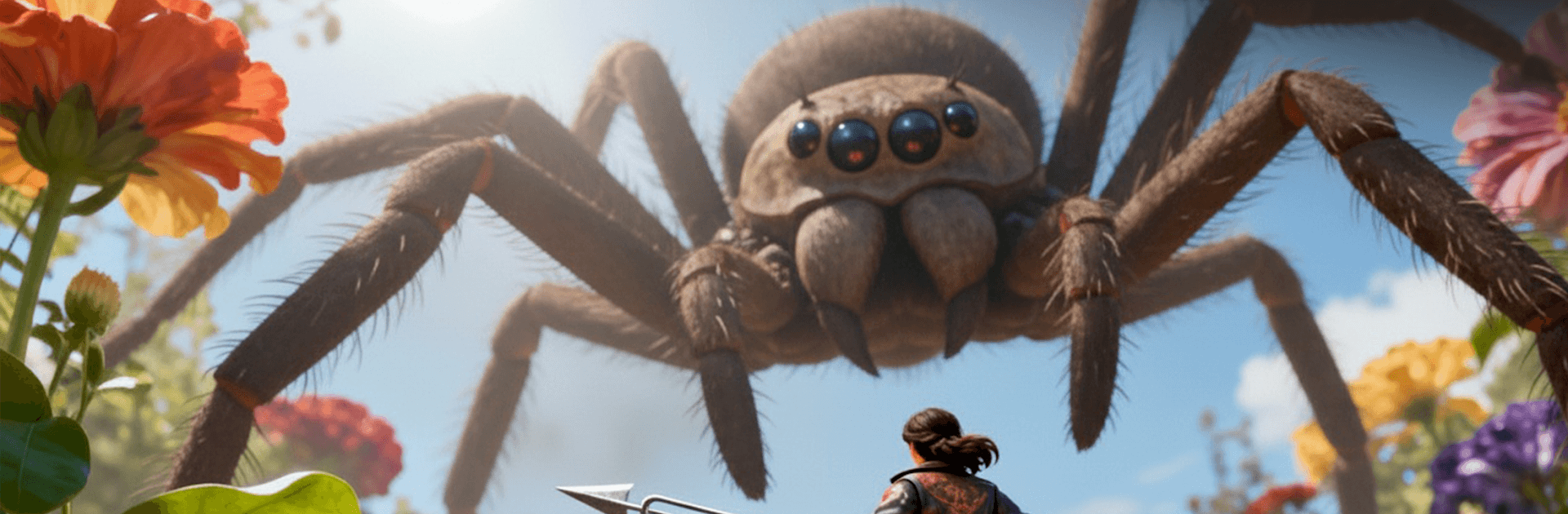
Mini Survivalist drops you into a backyard that suddenly feels like a wild continent. Thanks to a botched science fair experiment, you and your classmates are tiny—like, “ladybug looks like a tank” tiny—and everything familiar is now outrageously dangerous. It’s a Strategy adventure about staying smart, scrounging what you can, and plotting a path back to normal size before the neighbor’s cat notices you.

Game Features

  • Backyard, Reimagined: Grass becomes forests, puddles turn into lakes, and a soda can looms like a skyscraper. Every corner hides routes, shortcuts, and risky detours.
  • Survival With a Plan: Gather scraps, ration what you find, and decide when to push forward or lay low. Smart choices beat reckless bravery.
  • Craft Makeshift Gear: Turn bottle caps, twigs, and bits of plastic into tools and simple defenses. A good kit can mean living to see the next sunrise.
  • Outsmart the Critters: Ladybugs, ants, spiders—each behaves differently, so you’ll need tactics, not just courage. Distract, avoid, or stand your ground when it counts.
  • Build a Tiny Base: Stake out a safe spot, reinforce it, and set up stations for storage and crafting. Keep your shelter secure against wandering pests.
  • Track the Missing Tech: Hunt for clues and scattered parts of the failed device. Piece by piece, you’ll get closer to reversing the shrink job.
  • Dynamic Hazards: Watch the weather and the yard’s routine. A sprinkler blast is basically a hurricane at your scale.
  • Play Your Way: Prefer careful scouting or bold raids for supplies? The game rewards thoughtful Strategy no matter your style. It also feels great on BlueStacks if you like a bigger screen and keyboard control.

From psymonk apps, Mini Survivalist turns ordinary suburbia into a tense, smart survival playground where every inch counts.

Start your journey now. Download the game on BlueStacks, invite your friends, and march on a new adventure.


Game Features

Enhancements

  • Macros
  • Multi Instance
  • Multi Instance Sync
  • Eco Mode
  • Enhancements
Macros

Macros

Skip the boring parts of a game. Play Mini Survivalist with Macros and get the edge. Simply record a sequence of commands and execute them at any moment.
Multi Instance

Multi Instance

Why limit to one game on your phone when you can play many on your PC? Open multiple instances of Mini Survivalist at once with Multi-Instance. Leverage the power of different accounts by doing more.
Multi Instance Sync

Multi Instance Sync

Get the best out of Mini Survivalist with Multi-Instance Sync. Play the game from different accounts and build your own empire. Use Multi-instance sync to repeat the action in the main BlueStacks instance on all other instances.
Eco Mode

Eco Mode

Find the rarest heroes by making multiple summons in Mini Survivalist. And while you are at it, reduce your PC’s resource consumption with the Eco Mode. Farm efficiently. Get the best results.
Read More

How to Download and Play Mini Survivalist on PC or Mac

  • Download and install BlueStacks on your PC or Mac

  • Complete Google sign-in to access the Play Store, or do it later

  • Look for Mini Survivalist in the search bar at the top right corner

  • Click to install Mini Survivalist from the search results

  • Complete Google sign-in (if you skipped step 2) to install Mini Survivalist

  • Click the Mini Survivalist icon on the home screen to start playing

video
Watch Video

Minimum System Requirements

With BlueStacks 5, you can get started on a PC that fulfills the following requirements.

  • Operating System

    Microsoft Windows 7 or above, macOS 11 (Big Sur) or above

  • Processor

    Intel, AMD or Apple Silicon Processor

  • RAM

    at least 4GB

  • HDD

    10GB Free Disk Space

Note:

* You must be an Administrator on your PC. Up to date graphics drivers from Microsoft or the chipset vendor.

Mini Survivalist - FAQs

  • How to play Mini Survivalist on Windows PC & Mac?

    Play Mini Survivalist on your PC or Mac by following these simple steps.

    • Click on 'Play Mini Survivalist on PC’ to download BlueStacks
    • Install it and log-in to Google Play Store
    • Launch and play the game.
  • Why is BlueStacks the fastest and safest platform to play games on PC?

    BlueStacks respects your privacy and is always safe and secure to use. It does not carry any malware, spyware, or any sort of additional software that could harm your PC.

    It is engineered to optimize speed and performance for a seamless gaming experience.

  • What are Mini Survivalist PC requirements?

    Minimum requirement to run Mini Survivalist on your PC

    • OS: Microsoft Windows 7 or above MacOS 11 (Big Sur) or above
    • Processor: Intel, AMD or Apple Silicon Processor
    • RAM: Your PC must have at least 4GB of RAM. (Note that having 4GB or more disk space is not a substitute for RAM)
    • HDD: 10GB Free Disk Space.
    • You must be an Administrator on your PC.