Offroad 4x4 Jeep Simulator 3d

Offroad 4x4 Jeep Simulator 3d

Strategy

| HyperOn Studios

Play on PC with BlueStacks or from our cloud

  • Overview
  • Game Features
  • How to Play

Page Modified On: December 05, 2025

Play Offroad 4x4 Jeep Simulator 3d on PC or Mac

Offroad 4×4 Jeep Simulator 3d brings the Strategy genre to life, and throws up exciting challenges for gamers. Developed by HyperOn Studios, this Android game is best experienced on BlueStacks, the World’s #1 app player for PC and Mac users.

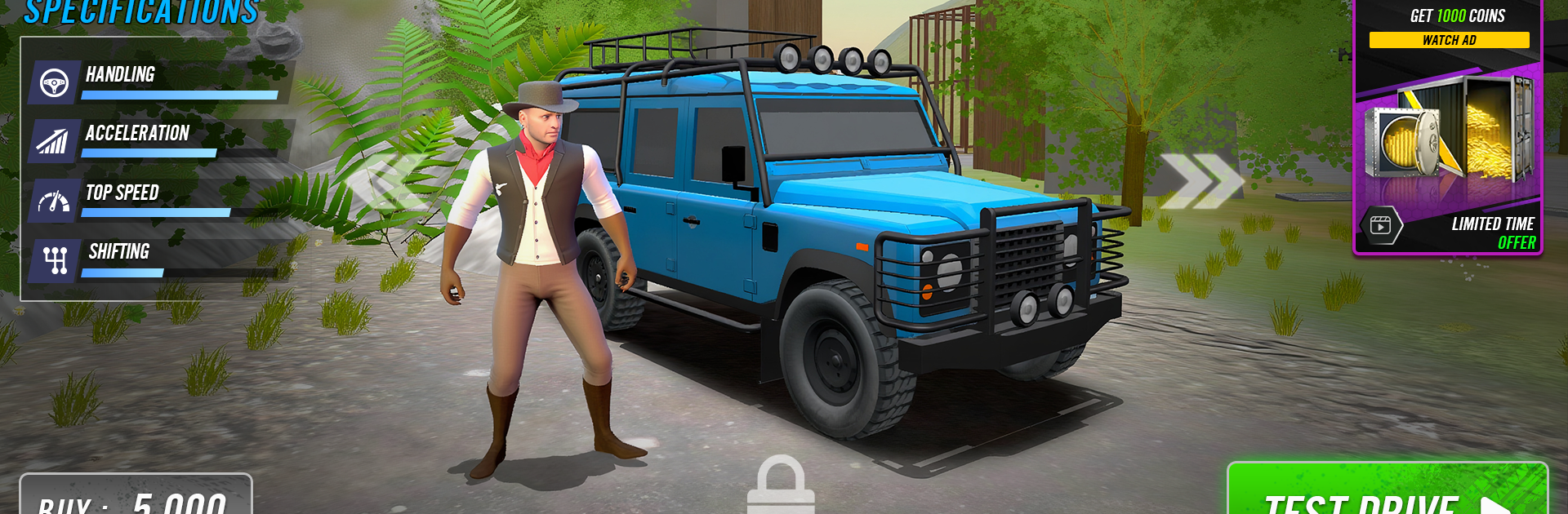
Offroad 4×4 Jeep Simulator 3d is basically about wrestling heavy rigs through nasty terrain and hoping the tires bite before the engine cries. It leans into physics in a nice way, so the suspension squats, wheels spin, and mud actually bogs the truck instead of being just a texture. The game is not about speed. It is about picking lines, easing over rocks, feathering the throttle through puddles, and listening for those little creaks and gear whines that tell players the drivetrain is working. On PC with BlueStacks, steering on keys feels steadier and the camera control is easier, which helps on those slow rock crawls.

There is a solid variety of vehicles, from small buggies to chunky SUVs and proper trucks, and they do not feel the same. Players can tune a lot of parts, like tires, suspension height and stiffness, engine upgrades, even basic cosmetic stuff, and the changes actually matter on different trails. Maps bounce between muddy forests, sandy dunes, icy slopes, canyon trails, and swampy sections, each asking for a different approach. Obstacles are not gimmicks either. Water crossings can stall momentum, steep climbs punish bad speed, landslide zones shift under the wheels. Controls are simple, UI stays out of the way, and it works offline if needed. There are no hard pay gates, so progress mostly comes from learning how to read the ground and keeping the rig upright. It is calm one minute, nerve biting the next, in a good way.

Make your gaming sessions memorable with precise controls that give you an edge in close combats and visuals that pop up, bringing every character to life.


Game Features

Enhancements

  • Macros
  • Multi Instance
  • Multi Instance Sync
  • Eco Mode
  • Enhancements
Macros

Macros

Skip the boring parts of a game. Play Offroad 4x4 Jeep Simulator 3d with Macros and get the edge. Simply record a sequence of commands and execute them at any moment.
Multi Instance

Multi Instance

Why limit to one game on your phone when you can play many on your PC? Open multiple instances of Offroad 4x4 Jeep Simulator 3d at once with Multi-Instance. Leverage the power of different accounts by doing more.
Multi Instance Sync

Multi Instance Sync

Get the best out of Offroad 4x4 Jeep Simulator 3d with Multi-Instance Sync. Play the game from different accounts and build your own empire. Use Multi-instance sync to repeat the action in the main BlueStacks instance on all other instances.
Eco Mode

Eco Mode

Find the rarest heroes by making multiple summons in Offroad 4x4 Jeep Simulator 3d. And while you are at it, reduce your PC’s resource consumption with the Eco Mode. Farm efficiently. Get the best results.
Read More

How to Download and Play Offroad 4x4 Jeep Simulator 3d on PC or Mac

  • Download and install BlueStacks on your PC or Mac

  • Complete Google sign-in to access the Play Store, or do it later

  • Look for Offroad 4x4 Jeep Simulator 3d in the search bar at the top right corner

  • Click to install Offroad 4x4 Jeep Simulator 3d from the search results

  • Complete Google sign-in (if you skipped step 2) to install Offroad 4x4 Jeep Simulator 3d

  • Click the Offroad 4x4 Jeep Simulator 3d icon on the home screen to start playing

video
Watch Video

Minimum System Requirements

With BlueStacks 5, you can get started on a PC that fulfills the following requirements.

  • Operating System

    Microsoft Windows 7 or above, macOS 11 (Big Sur) or above

  • Processor

    Intel, AMD or Apple Silicon Processor

  • RAM

    at least 4GB

  • HDD

    10GB Free Disk Space

Note:

* You must be an Administrator on your PC. Up to date graphics drivers from Microsoft or the chipset vendor.

Offroad 4x4 Jeep Simulator 3d - FAQs

  • How to play Offroad 4x4 Jeep Simulator 3d on Windows PC & Mac?

    Play Offroad 4x4 Jeep Simulator 3d on your PC or Mac by following these simple steps.

    • Click on 'Play Offroad 4x4 Jeep Simulator 3d on PC’ to download BlueStacks
    • Install it and log-in to Google Play Store
    • Launch and play the game.
  • Why is BlueStacks the fastest and safest platform to play games on PC?

    BlueStacks respects your privacy and is always safe and secure to use. It does not carry any malware, spyware, or any sort of additional software that could harm your PC.

    It is engineered to optimize speed and performance for a seamless gaming experience.

  • What are Offroad 4x4 Jeep Simulator 3d PC requirements?

    Minimum requirement to run Offroad 4x4 Jeep Simulator 3d on your PC

    • OS: Microsoft Windows 7 or above MacOS 11 (Big Sur) or above
    • Processor: Intel, AMD or Apple Silicon Processor
    • RAM: Your PC must have at least 4GB of RAM. (Note that having 4GB or more disk space is not a substitute for RAM)
    • HDD: 10GB Free Disk Space.
    • You must be an Administrator on your PC.