Real Car Driving- Car Drifting

Real Car Driving- Car Drifting

Strategy

| Solo Studio Inc

Play on PC with BlueStacks or from our cloud

  • Overview
  • Game Features
  • How to Play

Page Modified On: October 12, 2026

Play Real Car Driving- Car Drifting on PC or Mac

Real Car Driving- Car Drifting brings the Strategy genre to life, and throws up exciting challenges for gamers. Developed by Solo Studio Inc, this Android game is best experienced on BlueStacks, the World’s #1 app player for PC and Mac users.

About the Game

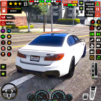
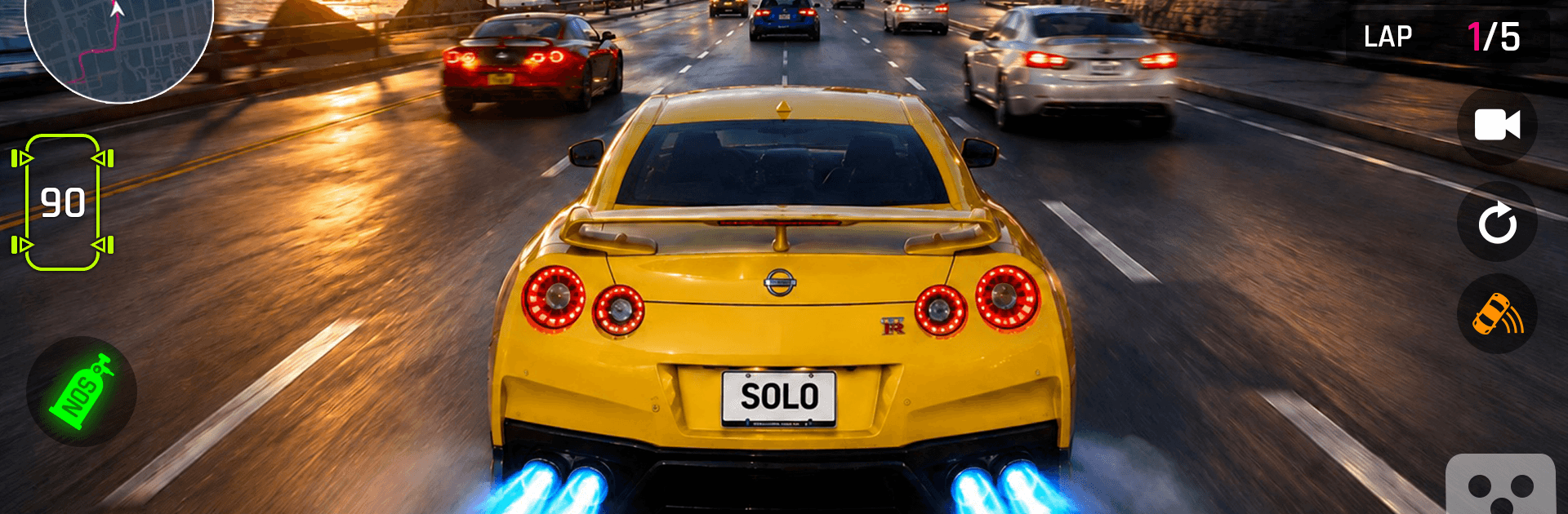
Real Car Driving- Car Drifting drops you into a sprawling city playground built for controlled chaos and clean drifts. As a Strategy game, it rewards smart lines, precise speed control, and well-timed stunts across missions, free-roam cruising, and a neon-lit night club zone. It also plays great on BlueStacks if you want a bigger screen and crisp controls.

Game Features

  • Open-World City: Explore wide boulevards, tight alleys, and highways at your own pace or hop between challenges whenever you feel like it.
  • Precision Drifting: Feel the car bite and slide with handling that lets you set angle, feather the throttle, and link corners smoothly.
  • High-Flying Stunts: Hit colossal ramps and sky tracks, soar across gaps, and stick clean landings.
  • Checkpoint Sprints: Beat the clock by plotting quick routes through traffic and side streets to shave precious seconds.
  • Rooftop Runs: Skim across connected rooftops, keep momentum, and brake right at the edge—no pressure.
  • Floating Courses: Thread your way over suspended platforms where one twitchy input can send you off-course.
  • Edge Tracks: Tackle narrow elevated paths that demand calm steering and steady speed.
  • Perfect Landings: Launch across big gaps and touch down on marked zones for top ratings.
  • Container Jumps: Clear stacked shipping containers at speed without clipping a corner or losing balance.
  • Smash Routes: Blast through wooden crates to carve a faster racing line and keep the flow going.
  • Parking Trials: Slide into tight spaces with clean angles and zero bumps—precision matters here.
  • Car Collection: Build a garage of distinct rides, from agile compacts to serious horsepower machines.
  • Style Your Ride: Mix body paints, custom decals, and premium rims to give your car real personality.
  • Smooth Controls & Physics: Enjoy responsive steering, believable weight transfer, and steady frame pacing.
  • Night Club Scene: Roll into a neon-soaked meetup spot to show off your setup and trade revs with other drivers.

Get ready for a buttery smooth, high-performance gaming action only on BlueStacks.

Game Features

Enhancements

  • Macros
  • Multi Instance
  • Multi Instance Sync
  • Eco Mode
  • Enhancements
Macros

Macros

Skip the boring parts of a game. Play Real Car Driving- Car Drifting with Macros and get the edge. Simply record a sequence of commands and execute them at any moment.
Multi Instance

Multi Instance

Why limit to one game on your phone when you can play many on your PC? Open multiple instances of Real Car Driving- Car Drifting at once with Multi-Instance. Leverage the power of different accounts by doing more.
Multi Instance Sync

Multi Instance Sync

Get the best out of Real Car Driving- Car Drifting with Multi-Instance Sync. Play the game from different accounts and build your own empire. Use Multi-instance sync to repeat the action in the main BlueStacks instance on all other instances.
Eco Mode

Eco Mode

Find the rarest heroes by making multiple summons in Real Car Driving- Car Drifting. And while you are at it, reduce your PC’s resource consumption with the Eco Mode. Farm efficiently. Get the best results.
Read More

How to Download and Play Real Car Driving- Car Drifting on PC or Mac

  • Download and install BlueStacks on your PC or Mac

  • Complete Google sign-in to access the Play Store, or do it later

  • Look for Real Car Driving- Car Drifting in the search bar at the top right corner

  • Click to install Real Car Driving- Car Drifting from the search results

  • Complete Google sign-in (if you skipped step 2) to install Real Car Driving- Car Drifting

  • Click the Real Car Driving- Car Drifting icon on the home screen to start playing

video
Watch Video

Minimum System Requirements

With BlueStacks 5, you can get started on a PC that fulfills the following requirements.

  • Operating System

    Microsoft Windows 7 or above, macOS 11 (Big Sur) or above

  • Processor

    Intel, AMD or Apple Silicon Processor

  • RAM

    at least 4GB

  • HDD

    10GB Free Disk Space

Note:

* You must be an Administrator on your PC. Up to date graphics drivers from Microsoft or the chipset vendor.

Real Car Driving- Car Drifting - FAQs

  • How to play Real Car Driving- Car Drifting on Windows PC & Mac?

    Play Real Car Driving- Car Drifting on your PC or Mac by following these simple steps.

    • Click on 'Play Real Car Driving- Car Drifting on PC’ to download BlueStacks
    • Install it and log-in to Google Play Store
    • Launch and play the game.
  • Why is BlueStacks the fastest and safest platform to play games on PC?

    BlueStacks respects your privacy and is always safe and secure to use. It does not carry any malware, spyware, or any sort of additional software that could harm your PC.

    It is engineered to optimize speed and performance for a seamless gaming experience.

  • What are Real Car Driving- Car Drifting PC requirements?

    Minimum requirement to run Real Car Driving- Car Drifting on your PC

    • OS: Microsoft Windows 7 or above MacOS 11 (Big Sur) or above
    • Processor: Intel, AMD or Apple Silicon Processor
    • RAM: Your PC must have at least 4GB of RAM. (Note that having 4GB or more disk space is not a substitute for RAM)
    • HDD: 10GB Free Disk Space.
    • You must be an Administrator on your PC.