Top General
Top General

Top General

Strategy

| Century Games Innovation Pte. Ltd.

Play on PC with BlueStacks or from our cloud

  • Overview
  • Game Features
  • How to Play

Page Modified On: July 06, 2026

Play Top General on PC or Mac

Explore a whole new adventure with Top General, a Strategy game created by Century Games Innovation Pte. Ltd.. Experience great gameplay with BlueStacks, the most popular gaming platform to play Android games on your PC or Mac.

About the Game

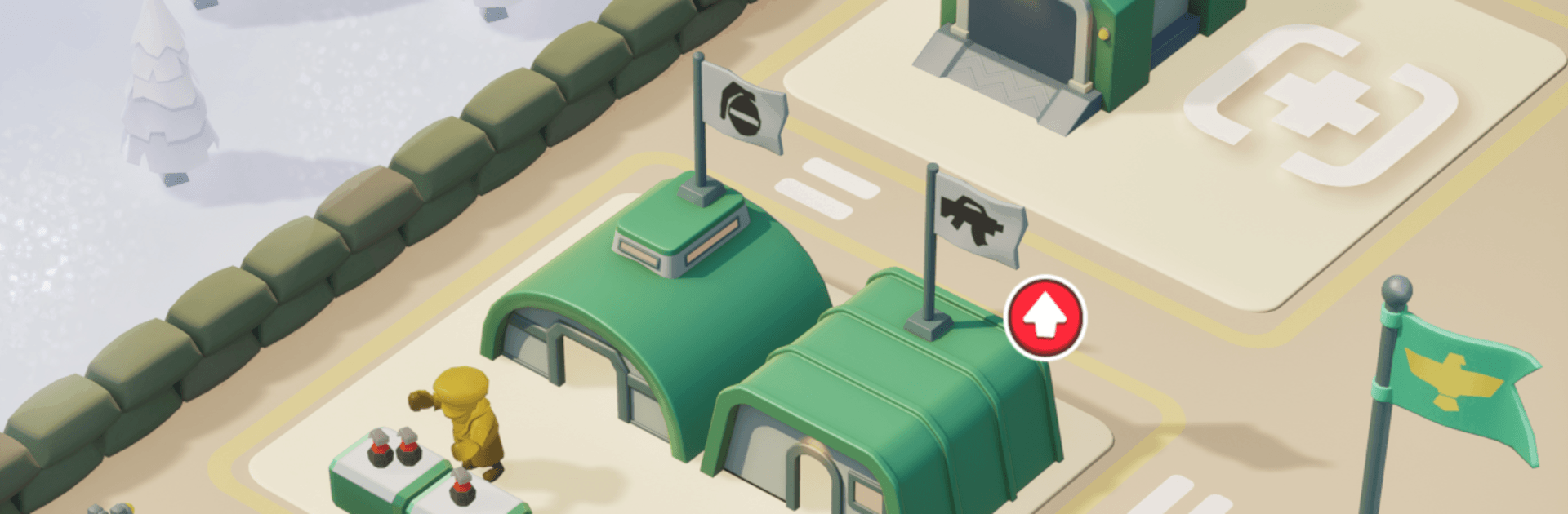
Top General is a Strategy game about running a forward base right on the front lines. You’re laying down buildings, gearing up squads, keeping supplies flowing, and pushing back anyone bold enough to challenge your turf. It’s easygoing when you want it to be, but there’s plenty to tweak if you like optimizing layouts and upgrades.

Game Features

  • Frontline base building: Set up and expand a living, breathing military base—barracks, supply spots, and other key facilities that keep your operation moving.
  • Smart resource play: Earn cash from successful missions and base output, then decide where it matters most—upgrades, new structures, or stronger firepower.
  • Equip and organize squads: Arm your soldiers, fine-tune their loadouts, and send the right team to the right job. Small decisions stack up to big wins.
  • Offense and defense that click: Fortify your perimeter, time your pushes, and use support to break stalemates. It’s all about reading the field and acting at the right moment.
  • Support that matters: Keep units supplied and backed up so they can hold the line longer and hit harder when it counts.
  • Easygoing progression: Enjoy a relaxed pace with satisfying upgrades that feel good whether you’ve got five minutes or an hour.
  • Grow an empire: Start with a scrappy outpost and watch it evolve into a full-on military powerhouse as you unlock more space and options.
  • PC-friendly option: Prefer a bigger screen and mouse control? Play on BlueStacks for a smooth, comfortable setup without changing how the game feels.

Ready to top the leaderboard? We bet you do. Let precise controls and sharp visuals optimized on BlueStacks lead you to victory.


Game Features

Enhancements

  • Macros
  • Multi Instance
  • Multi Instance Sync
  • Eco Mode
  • Enhancements
Macros

Macros

Skip the boring parts of a game. Play Top General with Macros and get the edge. Simply record a sequence of commands and execute them at any moment.
Multi Instance

Multi Instance

Why limit to one game on your phone when you can play many on your PC? Open multiple instances of Top General at once with Multi-Instance. Leverage the power of different accounts by doing more.
Multi Instance Sync

Multi Instance Sync

Get the best out of Top General with Multi-Instance Sync. Play the game from different accounts and build your own empire. Use Multi-instance sync to repeat the action in the main BlueStacks instance on all other instances.
Eco Mode

Eco Mode

Find the rarest heroes by making multiple summons in Top General. And while you are at it, reduce your PC’s resource consumption with the Eco Mode. Farm efficiently. Get the best results.
Read More

How to Download and Play Top General on PC or Mac

  • Download and install BlueStacks on your PC or Mac

  • Complete Google sign-in to access the Play Store, or do it later

  • Look for Top General in the search bar at the top right corner

  • Click to install Top General from the search results

  • Complete Google sign-in (if you skipped step 2) to install Top General

  • Click the Top General icon on the home screen to start playing

video
Watch Video

Minimum System Requirements

With BlueStacks 5, you can get started on a PC that fulfills the following requirements.

  • Operating System

    Microsoft Windows 7 or above, macOS 11 (Big Sur) or above

  • Processor

    Intel, AMD or Apple Silicon Processor

  • RAM

    at least 4GB

  • HDD

    10GB Free Disk Space

Note:

* You must be an Administrator on your PC. Up to date graphics drivers from Microsoft or the chipset vendor.

Top General - FAQs

  • How to play Top General on Windows PC & Mac?

    Play Top General on your PC or Mac by following these simple steps.

    • Click on 'Play Top General on PC’ to download BlueStacks
    • Install it and log-in to Google Play Store
    • Launch and play the game.
  • Why is BlueStacks the fastest and safest platform to play games on PC?

    BlueStacks respects your privacy and is always safe and secure to use. It does not carry any malware, spyware, or any sort of additional software that could harm your PC.

    It is engineered to optimize speed and performance for a seamless gaming experience.

  • What are Top General PC requirements?

    Minimum requirement to run Top General on your PC

    • OS: Microsoft Windows 7 or above MacOS 11 (Big Sur) or above
    • Processor: Intel, AMD or Apple Silicon Processor
    • RAM: Your PC must have at least 4GB of RAM. (Note that having 4GB or more disk space is not a substitute for RAM)
    • HDD: 10GB Free Disk Space.
    • You must be an Administrator on your PC.