
JARVIS GPS Monitor
JARVIS GPS Monitor

JARVIS GPS Monitor

Tools

| Phardera Lab

Play on PC with BlueStacks or from our cloud

  • Overview
  • How to Download

Page Modified On: January 06, 2026

Run JARVIS GPS Monitor on PC or Mac

Let BlueStacks turn your PC, Mac, or laptop into the perfect home for JARVIS GPS Monitor, a fun Tools app from Phardera Lab.

About the App

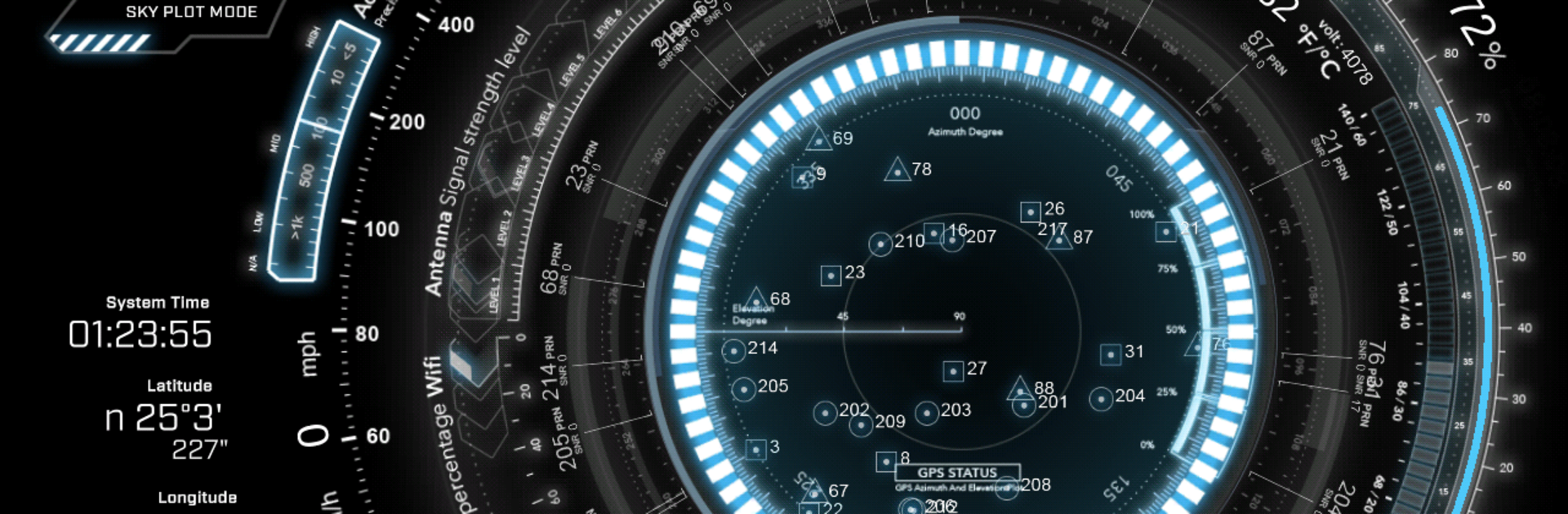
JARVIS GPS Monitor turns your phone into a slick, sci‑fi dashboard for your everyday travels. It’s built to show what’s really going on behind your location fix—satellites, signals, speed, battery health, and more—in a clean, animated view that’s easy on the eyes. Created by Phardera Lab in the Tools genre, it mixes useful diagnostics with a futuristic look that’s surprisingly fun to use.

App Features

  • Sci‑fi dashboard: Futuristic gauges and smooth animations bring your GPS data to life, with an immersive mode and multiple Earth styles to match your vibe.
  • GPS and satellites: See real‑time fix quality and which constellations you’re using, including BEIDOU names. Jump into an orbital view to watch satellite trajectories as they pass overhead.
  • Route Plot Mode: Log and visualize your path on a detailed map. Roads, borders, railways, tunnels, rivers, lakes, and coastlines render clearly so your route actually makes sense at a glance.
  • Speed and time: A crisp speed meter and digital clock give you quick info without clutter.
  • Battery insights: Track temperature (Celsius or Fahrenheit), voltage, and remaining capacity with smooth, readable transitions.
  • Signal strength: Live meters for Wi‑Fi and cellular/antenna strength, plus base‑station readouts on supported devices, help you spot weak spots fast.
  • HUD mirror mode: Flip the display for a windshield reflection at night—great for a simple heads‑up setup.
  • Performance tweaks: Fast location updates (as frequent as every second) and an optimized rendering engine keep everything responsive and fluid.
  • Flexible setup: Low‑profile system UI options and theme choices work well on phones and tablets—and if you want a bigger canvas, you can run it on your desktop with BlueStacks.

Big screen. Bigger performance. Use BlueStacks on your PC or Mac to run your favorite apps.

How to Download and Run JARVIS GPS Monitor on PC or Mac

  • Download and install BlueStacks on your PC or Mac

  • Complete Google sign-in to access the Play Store, or do it later

  • Look for JARVIS GPS Monitor in the search bar at the top right corner

  • Click to install JARVIS GPS Monitor from the search results

  • Complete Google sign-in (if you skipped step 2) to install JARVIS GPS Monitor

  • Click the JARVIS GPS Monitor icon on the home screen to start playing

video
Watch Video

Minimum System Requirements

With BlueStacks 5, you can get started on a PC that fulfills the following requirements.

  • Operating System

    Microsoft Windows 7 or above, macOS 11 (Big Sur) or above

  • Processor

    Intel, AMD or Apple Silicon Processor

  • RAM

    at least 4GB

  • HDD

    10GB Free Disk Space

Note:

* You must be an Administrator on your PC. Up to date graphics drivers from Microsoft or the chipset vendor.

JARVIS GPS Monitor - FAQs

  • How to Run JARVIS GPS Monitor on Windows PC & Mac?

    Run JARVIS GPS Monitor on your PC or Mac by following these simple steps.

    • Click on ‘Download JARVIS GPS Monitor on PC’ to download BlueStacks
    • Install it and log-in to Google Play Store
    • Launch and run the app.
  • Why is BlueStacks the fastest and safest platform to play games on PC?

    BlueStacks respects your privacy and is always safe and secure to use. It does not carry any malware, spyware, or any sort of additional software that could harm your PC.

    It is engineered to optimize speed and performance for a seamless gaming experience.

  • What are JARVIS GPS Monitor PC requirements?

    Minimum requirement to run JARVIS GPS Monitor on your PC

    • OS: Microsoft Windows 7 and above:
    • Processor: Intel or AMD Processor:
    • RAM: Your PC must have at least 2GB of RAM. (Note that having 2GB or more disk space is not a substitute for RAM):
    • HDD: 5GB Free Disk Space.
    • You must be an Administrator on your PC.




