
Servers Ultimate Pack F

Servers Ultimate Pack F

Tools

| Ice Cold Apps

Play on PC with BlueStacks or from our cloud

  • Overview
  • How to Download

Page Modified On: January 06, 2026

Run Servers Ultimate Pack F on PC or Mac

Why limit yourself to your small screen on the phone? Run Servers Ultimate Pack F, an app by Ice Cold Apps, best experienced on your PC or Mac with BlueStacks, the world’s #1 Android emulator.

About the App

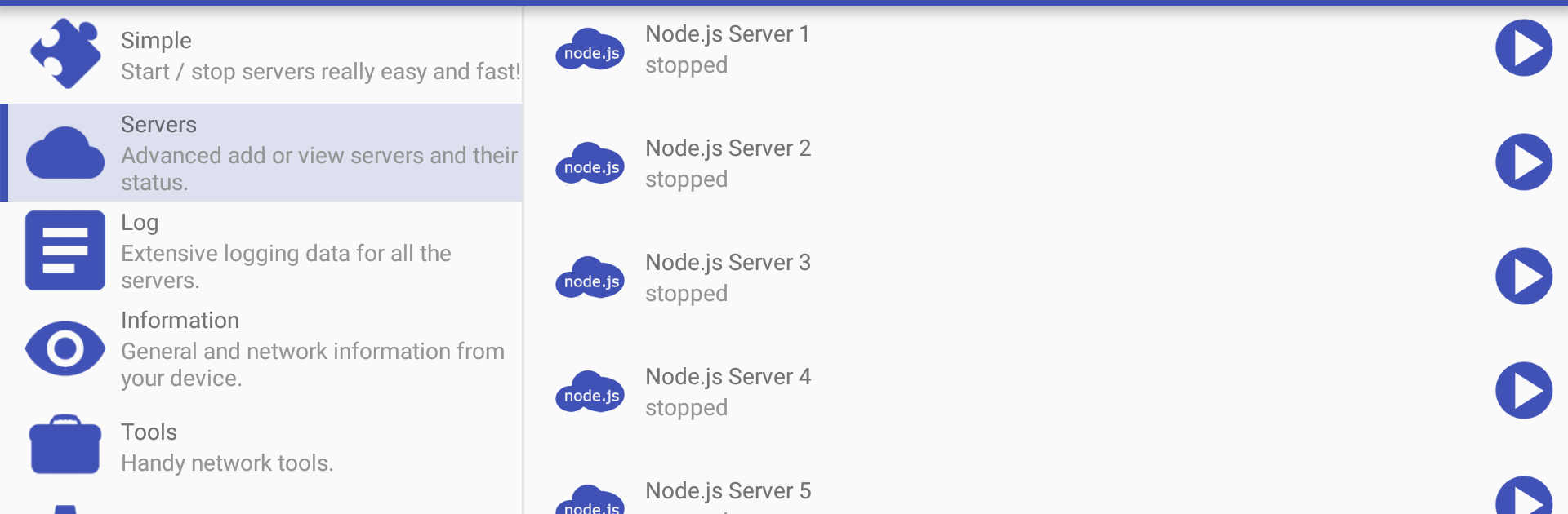
Servers Ultimate Pack F is a small add-on from Ice Cold Apps that unlocks Node.js server support inside the Servers Ultimate app. If you already run services with Servers Ultimate, this pack lets you spin up a Node.js server and manage it alongside the rest. It’s a focused Tools add-on: install it, and a new Node.js option appears right where you expect it.

App Features

  • Node.js Server Support: Adds a dedicated Node.js server type to Servers Ultimate so you can host endpoints, test services, or run scripts right on your device.
  • Seamless Integration: Works as an add-on for Servers Ultimate—install that first, then control your Node.js server using the same familiar interface.
  • Simple Controls: Start and stop the server, adjust ports, and point to the files or directories your project needs without extra fuss.
  • Network Access: Uses the internet permission to accept connections and handle traffic, whether you’re testing locally or exposing a service on your network.
  • File Access Ready: Storage permission is used to read and write the files your server serves or depends on—configs, logs, or project assets.
  • Optional Alerts: Prefer a heads-up when a rule triggers? Enable vibration or SMS notifications; these use the vibration and send-SMS permissions only if you turn them on.
  • Desktop-Friendly: Want a bigger screen while you work? You can run Servers Ultimate with this pack on BlueStacks and manage your Node.js server from your computer.

BlueStacks gives you the much-needed freedom to experience your favorite apps on a bigger screen. Get it now.


How to Download and Run Servers Ultimate Pack F on PC or Mac

  • Download and install BlueStacks on your PC or Mac

  • Complete Google sign-in to access the Play Store, or do it later

  • Look for Servers Ultimate Pack F in the search bar at the top right corner

  • Click to install Servers Ultimate Pack F from the search results

  • Complete Google sign-in (if you skipped step 2) to install Servers Ultimate Pack F

  • Click the Servers Ultimate Pack F icon on the home screen to start playing

video
Watch Video

Minimum System Requirements

With BlueStacks 5, you can get started on a PC that fulfills the following requirements.

  • Operating System

    Microsoft Windows 7 or above, macOS 11 (Big Sur) or above

  • Processor

    Intel, AMD or Apple Silicon Processor

  • RAM

    at least 4GB

  • HDD

    10GB Free Disk Space

Note:

* You must be an Administrator on your PC. Up to date graphics drivers from Microsoft or the chipset vendor.

Servers Ultimate Pack F - FAQs

  • How to Run Servers Ultimate Pack F on Windows PC & Mac?

    Run Servers Ultimate Pack F on your PC or Mac by following these simple steps.

    • Click on ‘Download Servers Ultimate Pack F on PC’ to download BlueStacks
    • Install it and log-in to Google Play Store
    • Launch and run the app.
  • Why is BlueStacks the fastest and safest platform to play games on PC?

    BlueStacks respects your privacy and is always safe and secure to use. It does not carry any malware, spyware, or any sort of additional software that could harm your PC.

    It is engineered to optimize speed and performance for a seamless gaming experience.

  • What are Servers Ultimate Pack F PC requirements?

    Minimum requirement to run Servers Ultimate Pack F on your PC

    • OS: Microsoft Windows 7 and above:
    • Processor: Intel or AMD Processor:
    • RAM: Your PC must have at least 2GB of RAM. (Note that having 2GB or more disk space is not a substitute for RAM):
    • HDD: 5GB Free Disk Space.
    • You must be an Administrator on your PC.



