How to Install and Play Dragon Traveler on PC with BlueStacks


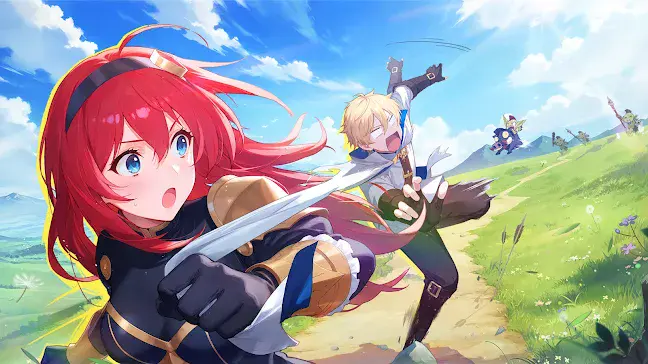
Dragon Traveler is a funny idle role-playing game that mixes fantasy, comedy, and fast story moments. The game starts with a wild princess breaking into a dragon’s cave, only to find that the “fearsome” dragon is lazy and broke.
From there, the story turns into short episodes filled with jokes, playful arguments, and unexpected characters. Each story chapter is very short, usually just a few minutes long. This makes the game easy to play during breaks or short free time.
You collect heroes, build a team, and let battles run mostly on their own while you enjoy the humor and story scenes. There is also a light romance system where tapping characters raises affection and unlocks extra scenes. The game focuses on idle progress. Even when you are not playing, your team keeps earning gold and diamonds.
How to Install Dragon Traveler on PC
- Visit the game’s page and press the “Play Dragon Traveler on PC” button.
- Find the downloaded file in your browser’s download list and open it.
- Set up BlueStacks and let it launch on your PC or Mac.
- Log in with your Google account, install the game from the Play Store, and jump in.
How to Install Dragon Traveler on Mac with BlueStacks Air
- Get BlueStacks Air: Open the game’s page and click the “Play Dragon Traveler on Mac” button to download the installer.
- Install the App: Double-click the BlueStacksInstaller.pkg file and follow the setup steps.
- Open and Sign In: Launch BlueStacks Air from Launchpad or Applications and sign in with Google.
- Install the Game: Search for Dragon Traveler in the Play Store and install it.
- Start Playing: Open the game and begin your adventure.
Already Using BlueStacks?
- Go to the game’s page and click the “Dragon Traveler on PC” button.
- Open BlueStacks on your computer.
- Download the game from the BlueStacks Store or Google Play Store.
- Launch the game and play.
Minimum System Requirements
Dragon Traveler runs smoothly on most computers that meet these basic needs:
- OS: Windows 7 or newer, macOS 11 (Big Sur) or newer
- Processor: Intel, AMD, or Apple Silicon (M1–M4)
- RAM: At least 4GB
- Storage: 10GB of free space
- Permissions: Administrator access
- Graphics: Updated drivers from Microsoft or your chip maker
Dragon Traveler is great for players who enjoy humor, anime-style characters, and games that do not need constant attention. It works well for solo play and is easy to keep up with thanks to AFK rewards. Friends can compare teams, characters, and progress, even if everyone plays at different times.
Playing Dragon Traveler on PC or Mac with BlueStacks gives you clearer visuals, easier menu control, and faster clicking through story scenes. Keyboard and mouse support also make managing your team simpler, all while enjoying the game on a larger screen.