How to Install and Play Game of Heroes Three Kingdoms on PC with BlueStacks

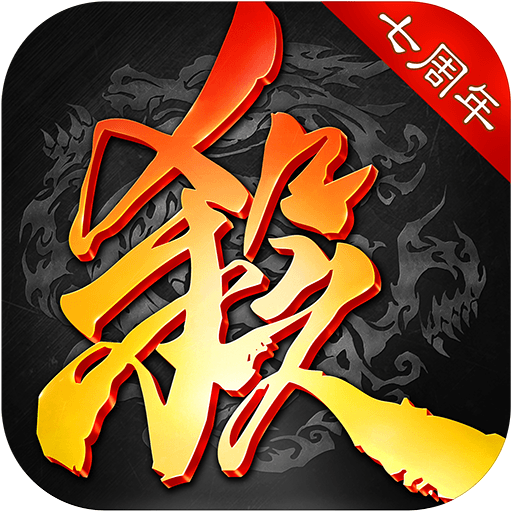
Game of Heroes: Three Kingdoms is a card game inspired by the famous Three Kingdoms era. You collect cards, choose legendary characters, and use smart timing to win battles. Each hero has special skills, so every match feels different and keeps you thinkaing ahead.
You can also recruit powerful warlords, unlock character skins, and take part in special events that reward smart play and teamwork. The game offers several ways to play. You can jump into ranked matches, team up with others in 2v2 battles, or enjoy casual modes when you just want to relax.
How to Install Game of Heroes: Three Kingdoms on PC
- Visit the game’s page and click the “Play Game of Heroes: Three Kingdoms on PC” button.
- Find the downloaded file in your browser and open it.
- Install BlueStacks and start it on your PC or Mac.
- Log in to the Google Play Store, install the game, and jump into your first match.
How to Install Game of Heroes: Three Kingdoms on Mac with BlueStacks Air
- Download BlueStacks Air: Open the game’s page and select the “Play Game of Heroes: Three Kingdoms on Mac” button to get the installer.
- Install BlueStacks Air: Double-click the BlueStacksInstaller.pkg file and follow the setup steps on your screen.
- Launch and Sign In: Open BlueStacks Air from Launchpad or Applications and sign in with your Google account.
- Install the Game: Search for Game of Heroes: Three Kingdoms in the Play Store and install it.
- Start Playing: Open the game and begin playing right away.
Already Using BlueStacks? Start Faster
- Go to the game’s page and click the “Game of Heroes: Three Kingdoms on PC” button.
- Open BlueStacks on your PC or Mac.
- Install Game of Heroes: Three Kingdoms from the BlueStacks Store or Google Play Store.
- Launch the game and start playing.
Minimum System Requirements
BlueStacks runs smoothly on most computers and does not need high-end hardware. Here is what your system needs:
- OS: Windows 7 or newer, macOS 11 (Big Sur) or newer
- Processor: Intel, AMD, or Apple Silicon processor (M1–M4)
- RAM: At least 4GB memory
- Storage: 10GB of free disk space
- Permissions: Administrator access on your computer
- Graphics: Updated drivers from Microsoft or your chipset provider
Game of Heroes: Three Kingdoms is a great choice for players who like thinking ahead and working as a team. You can play alone in 1v1 matches or team up with friends in ranked battles. The game also includes guilds, special events, and boss fights where teamwork really matters. Skins, weekly bonuses, and character upgrades give you more reasons to keep playing and improving over time.
Also, playing Game of Heroes: Three Kingdoms on PC or Mac with BlueStacks makes everything feel easier. A bigger screen helps you see cards and effects clearly. Keyboard and mouse controls feel faster and more comfortable than touch controls. This setup is perfect for long sessions and smoother gameplay without phone limits.