
Bravepouch!
Bravepouch!

Bravepouch!

Action

| Anvilborn Studios

Play on PC with BlueStacks or from our cloud

  • Overview
  • Game Features
  • How to Play

Page Modified On: July 14, 2026

Play Bravepouch! on PC or Mac

Explore a whole new adventure with Bravepouch!, a Action game created by Anvilborn Studios. Experience great gameplay with BlueStacks, the most popular gaming platform to play Android games on your PC or Mac.

About the Game

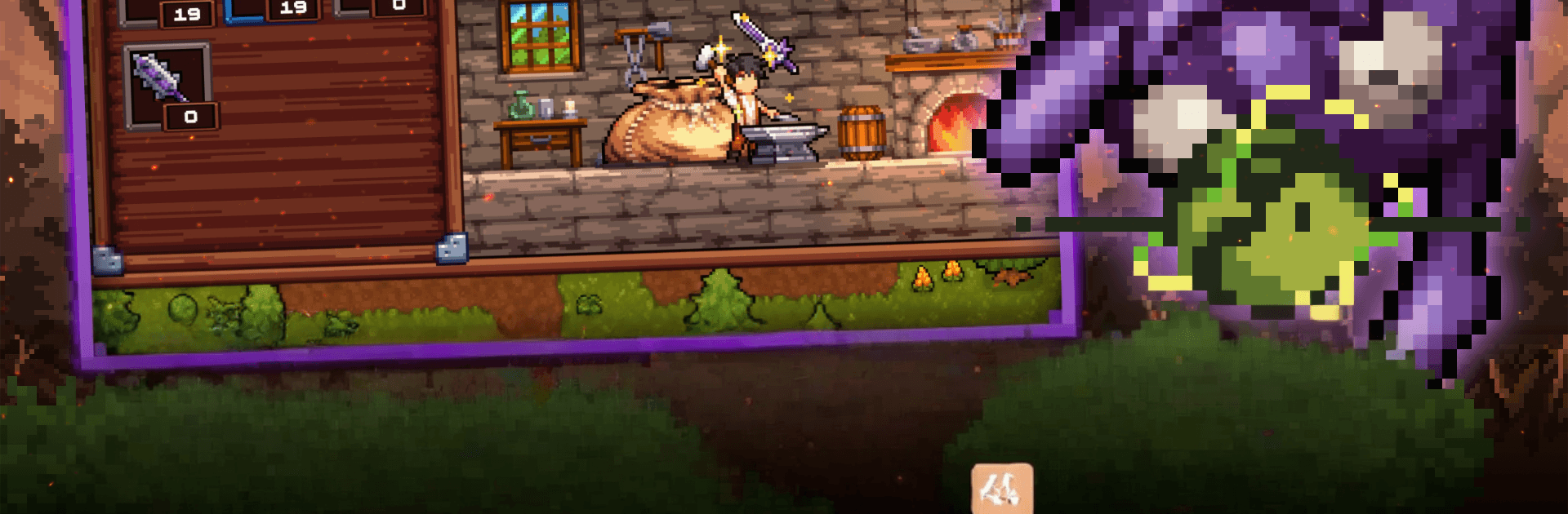
The village hero’s missing, the monsters aren’t, and someone’s got to hold the line. In Bravepouch!, an Action game with a cheeky streak, you step in with a bottomless “Infinity Pouch,” whipping up gear and potions before hurling them straight into trouble. It’s easy to learn, surprisingly deep when you start tinkering, and full of little moments—like hanging out at the inn—between frantic battles.

Game Features

  • Pattern-smart bosses: Every big foe has its own rhythm and tricks, from nasty status effects to weird abilities. Learn their moves, read the tells, and turn the tables.
  • Real-time brawls: Fight in fast, reactive combat where timing matters. Dodge at the last second, pop a skill, swap tools mid-fight—play it safe or go all-in.
  • Crafting that’s hands-on: Prep for each run with quick, snappy minigames that forge weapons, brew potions, and sharpen your odds before you step outside.
  • The Infinity Pouch: Stock up and sling it all—bombs, blades, remedies, you name it. Chain throws, mix effects, and keep the pressure on.
  • Weapons with purpose: Each option has a role and unique abilities. Master a favorite or build a toolkit for any curveball the horde throws at you.
  • Rebuild the village: Defend Hillcross, restore shops, and unlock helpful upgrades. Then kick back at the inn, swap stories, and plan the next push.
  • Accessible, but not easy: Newcomers can jump right in, while tinkerers can chase synergies and squeeze out every advantage.
  • Early Access peek: Earn new outfits as visual progression, chase achievements, and expect more bosses and mechanics as development continues.
  • PC-friendly note: Prefer playing on a larger screen? Bravepouch! runs smoothly on BlueStacks with comfy keyboard-and-mouse control.

Start your journey now. Download the game on BlueStacks, invite your friends, and march on a new adventure.


Game Features

Enhancements

  • Macros
  • Multi Instance
  • Multi Instance Sync
  • Eco Mode
  • Enhancements
Macros

Macros

Skip the boring parts of a game. Play Bravepouch! with Macros and get the edge. Simply record a sequence of commands and execute them at any moment.
Multi Instance

Multi Instance

Why limit to one game on your phone when you can play many on your PC? Open multiple instances of Bravepouch! at once with Multi-Instance. Leverage the power of different accounts by doing more.
Multi Instance Sync

Multi Instance Sync

Get the best out of Bravepouch! with Multi-Instance Sync. Play the game from different accounts and build your own empire. Use Multi-instance sync to repeat the action in the main BlueStacks instance on all other instances.
Eco Mode

Eco Mode

Find the rarest heroes by making multiple summons in Bravepouch!. And while you are at it, reduce your PC’s resource consumption with the Eco Mode. Farm efficiently. Get the best results.
Read More

How to Download and Play Bravepouch! on PC or Mac

  • Download and install BlueStacks on your PC or Mac

  • Complete Google sign-in to access the Play Store, or do it later

  • Look for Bravepouch! in the search bar at the top right corner

  • Click to install Bravepouch! from the search results

  • Complete Google sign-in (if you skipped step 2) to install Bravepouch!

  • Click the Bravepouch! icon on the home screen to start playing

video
Watch Video

Minimum System Requirements

With BlueStacks 5, you can get started on a PC that fulfills the following requirements.

  • Operating System

    Microsoft Windows 7 or above, macOS 11 (Big Sur) or above

  • Processor

    Intel, AMD or Apple Silicon Processor

  • RAM

    at least 4GB

  • HDD

    10GB Free Disk Space

Note:

* You must be an Administrator on your PC. Up to date graphics drivers from Microsoft or the chipset vendor.

Bravepouch! - FAQs

  • How to play Bravepouch! on Windows PC & Mac?

    Play Bravepouch! on your PC or Mac by following these simple steps.

    • Click on 'Play Bravepouch! on PC’ to download BlueStacks
    • Install it and log-in to Google Play Store
    • Launch and play the game.
  • Why is BlueStacks the fastest and safest platform to play games on PC?

    BlueStacks respects your privacy and is always safe and secure to use. It does not carry any malware, spyware, or any sort of additional software that could harm your PC.

    It is engineered to optimize speed and performance for a seamless gaming experience.

  • What are Bravepouch! PC requirements?

    Minimum requirement to run Bravepouch! on your PC

    • OS: Microsoft Windows 7 or above MacOS 11 (Big Sur) or above
    • Processor: Intel, AMD or Apple Silicon Processor
    • RAM: Your PC must have at least 4GB of RAM. (Note that having 4GB or more disk space is not a substitute for RAM)
    • HDD: 10GB Free Disk Space.
    • You must be an Administrator on your PC.







