Call Of Sniper Final War

Call Of Sniper Final War

Action

| Doing Studio

Play on PC with BlueStacks or from our cloud

  • Overview
  • Game Features
  • How to Play

Page Modified On: May 05, 2026

Play Call Of Sniper Final War on PC or Mac

Join millions to experience Call Of Sniper Final War, an exciting Action game from Doing Studio. With BlueStacks App Player, you are always a step ahead of your opponent, ready to outplay them with faster gameplay and better control with the mouse and keyboard on your PC or Mac.

About the Game

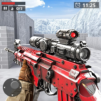
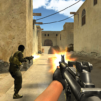
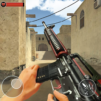
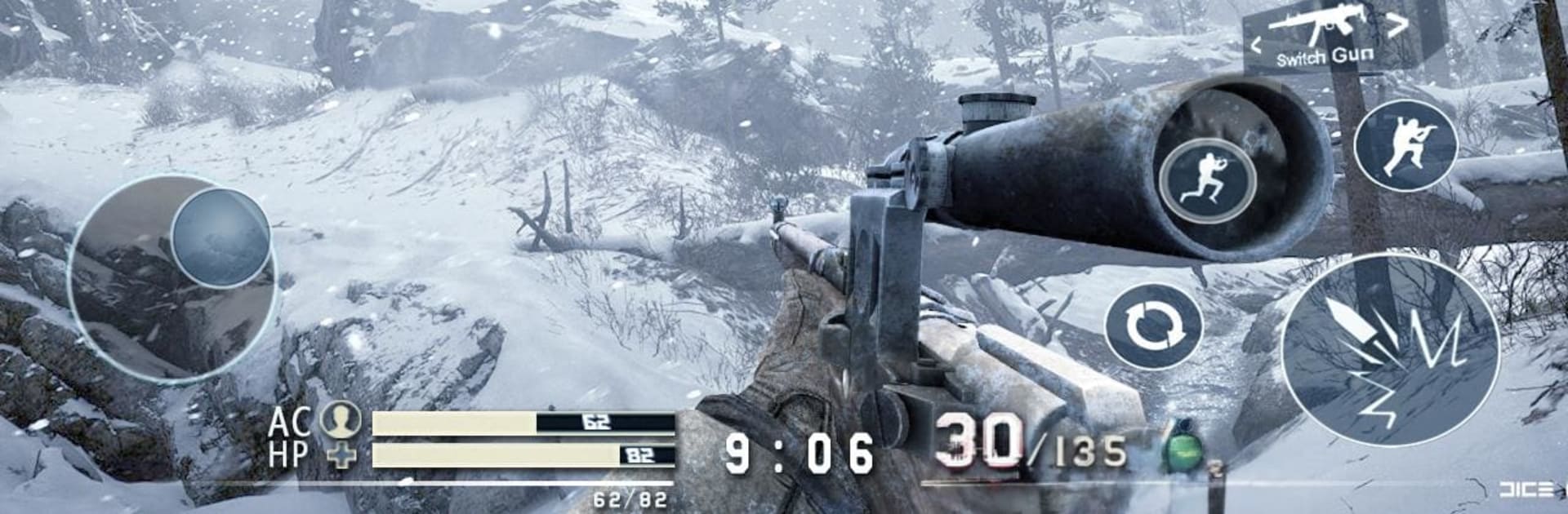
Call Of Sniper Final War puts you behind enemy lines as the squad’s quiet professional—the one shot that changes everything. It’s tense, methodical, and surprisingly personal: you’ll stalk ridgelines, pick your angles, and choose when to stay invisible or when to pull the trigger. This Action game from Doing Studio blends stealthy patience with hard-hitting firefights, and it feels great on mobile—or on PC with BlueStacks if you prefer mouse-and-keyboard control.

Game Features

  • Rugged Mountains: Trek across steep cliffs, dense woods, and tight passes where every rock and tree can be cover—or a trap.
  • Smart Navigation: Use the mini-map to plan your route, track patrol paths, and keep from getting turned around in the high country.
  • Evolving Conditions: Changing light and shifting weather affect visibility, sound, and how you approach each encounter.
  • Mission Curve: A set of escalating operations builds the pressure, then throws a curveball in the finale.
  • Precision Arsenal: WAP, Try42, M200, M4, AK47, MP5, Barrett—switch from long-range precision to close-quarters power on the fly.
  • Realistic Audio: Crisp reports, cracking echoes, and subtle footsteps make sound a tactical clue, not just background noise.
  • Punchy Combat: Snappy scopes, satisfying recoil, and impactful hits give every shot real weight.
  • Stealth or Shock: Thread the needle with quiet takedowns, or go loud when things get messy—the approach is up to you.

Slay your opponents with your epic moves. Play it your way on BlueStacks and dominate the battlefield.


Game Features

Enhancements

  • Macros
  • Multi Instance
  • Multi Instance Sync
  • Eco Mode
  • Enhancements
Macros

Macros

Skip the boring parts of a game. Play Call Of Sniper Final War with Macros and get the edge. Simply record a sequence of commands and execute them at any moment.
Multi Instance

Multi Instance

Why limit to one game on your phone when you can play many on your PC? Open multiple instances of Call Of Sniper Final War at once with Multi-Instance. Leverage the power of different accounts by doing more.
Multi Instance Sync

Multi Instance Sync

Get the best out of Call Of Sniper Final War with Multi-Instance Sync. Play the game from different accounts and build your own empire. Use Multi-instance sync to repeat the action in the main BlueStacks instance on all other instances.
Eco Mode

Eco Mode

Find the rarest heroes by making multiple summons in Call Of Sniper Final War. And while you are at it, reduce your PC’s resource consumption with the Eco Mode. Farm efficiently. Get the best results.
Read More

How to Download and Play Call Of Sniper Final War on PC or Mac

  • Download and install BlueStacks on your PC or Mac

  • Complete Google sign-in to access the Play Store, or do it later

  • Look for Call Of Sniper Final War in the search bar at the top right corner

  • Click to install Call Of Sniper Final War from the search results

  • Complete Google sign-in (if you skipped step 2) to install Call Of Sniper Final War

  • Click the Call Of Sniper Final War icon on the home screen to start playing

video
Watch Video

Minimum System Requirements

With BlueStacks 5, you can get started on a PC that fulfills the following requirements.

  • Operating System

    Microsoft Windows 7 or above, macOS 11 (Big Sur) or above

  • Processor

    Intel, AMD or Apple Silicon Processor

  • RAM

    at least 4GB

  • HDD

    10GB Free Disk Space

Note:

* You must be an Administrator on your PC. Up to date graphics drivers from Microsoft or the chipset vendor.

Call Of Sniper Final War - FAQs

  • How to play Call Of Sniper Final War on Windows PC & Mac?

    Play Call Of Sniper Final War on your PC or Mac by following these simple steps.

    • Click on 'Play Call Of Sniper Final War on PC’ to download BlueStacks
    • Install it and log-in to Google Play Store
    • Launch and play the game.
  • Why is BlueStacks the fastest and safest platform to play games on PC?

    BlueStacks respects your privacy and is always safe and secure to use. It does not carry any malware, spyware, or any sort of additional software that could harm your PC.

    It is engineered to optimize speed and performance for a seamless gaming experience.

  • What are Call Of Sniper Final War PC requirements?

    Minimum requirement to run Call Of Sniper Final War on your PC

    • OS: Microsoft Windows 7 or above MacOS 11 (Big Sur) or above
    • Processor: Intel, AMD or Apple Silicon Processor
    • RAM: Your PC must have at least 4GB of RAM. (Note that having 4GB or more disk space is not a substitute for RAM)
    • HDD: 10GB Free Disk Space.
    • You must be an Administrator on your PC.