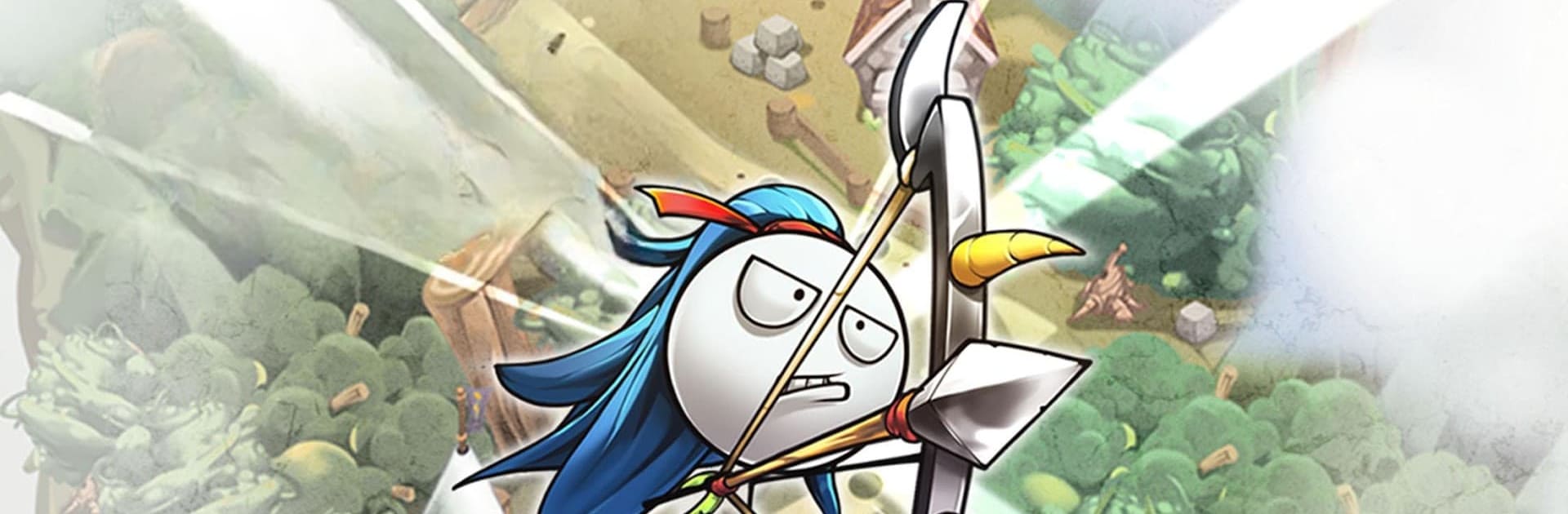
Cartoon Defense 5
Cartoon Defense 5

Cartoon Defense 5

Action

| BBAZZIGames

Play on PC with BlueStacks or from our cloud

  • Overview
  • Game Features
  • How to Play

Page Modified On: September 12, 2025

Play Cartoon Defense 5 on PC or Mac

Explore a whole new adventure with Cartoon Defense 5, a Action game created by BBAZZIGames. Experience great gameplay with BlueStacks, the most popular gaming platform to play Android games on your PC or Mac.

About the Game

Cartoon Defense 5 from BBAZZIGames picks up after a victory that went a little too far. Your hero slayed a dragon, took the crown, partied like a legend—and accidentally gave an ancient threat time to stir. Now it’s an all-out Action defense showdown: build crafty towers, tune up your champion, and push back relentless waves before the old one fully wakes.

Game Features

  • Fierce Defense Battles: Hold the line against swarming enemies with snappier, more reactive combat than previous entries.
  • Build-Your-Own Towers: Mix and match parts to create quirky, powerful towers that fit your style rather than a one-size build.
  • Customizable Hero: Unlock and equip costumes that change how you play, from survivability tweaks to attack-focused perks.
  • Deeper Upgrades: Invest in a beefed-up progression system that lets your gear, towers, and skills grow in meaningful ways.
  • Region Mid-Bosses: Every area brings its own mid-boss with new patterns to learn and weaknesses to exploit.
  • Episode 2 Campaign: Take the fight across new territory with 9 regions and 90 added stages that push your strategy further.
  • Fresh Foes: Face 30 new enemy types and nasty mid-bosses designed to test both your builds and your reflexes.
  • Camp Mini-Games: Kick back between fights with quick mini-games at your camp to snag extra goodies.
  • Single-Player Focus: Play at your own pace with data saved on your device—simple, straightforward, and offline-friendly.
  • BlueStacks Option: Want a bigger view of the chaos? You can play Cartoon Defense 5 on BlueStacks for smooth PC sessions.

Slay your opponents with your epic moves. Play it your way on BlueStacks and dominate the battlefield.


Game Features

Enhancements

  • Macros
  • Multi Instance
  • Multi Instance Sync
  • Eco Mode
  • Enhancements
Macros

Macros

Skip the boring parts of a game. Play Cartoon Defense 5 with Macros and get the edge. Simply record a sequence of commands and execute them at any moment.
Multi Instance

Multi Instance

Why limit to one game on your phone when you can play many on your PC? Open multiple instances of Cartoon Defense 5 at once with Multi-Instance. Leverage the power of different accounts by doing more.
Multi Instance Sync

Multi Instance Sync

Get the best out of Cartoon Defense 5 with Multi-Instance Sync. Play the game from different accounts and build your own empire. Use Multi-instance sync to repeat the action in the main BlueStacks instance on all other instances.
Eco Mode

Eco Mode

Find the rarest heroes by making multiple summons in Cartoon Defense 5. And while you are at it, reduce your PC’s resource consumption with the Eco Mode. Farm efficiently. Get the best results.
Read More

How to Download and Play Cartoon Defense 5 on PC or Mac

  • Download and install BlueStacks on your PC or Mac

  • Complete Google sign-in to access the Play Store, or do it later

  • Look for Cartoon Defense 5 in the search bar at the top right corner

  • Click to install Cartoon Defense 5 from the search results

  • Complete Google sign-in (if you skipped step 2) to install Cartoon Defense 5

  • Click the Cartoon Defense 5 icon on the home screen to start playing

video
Watch Video

Minimum System Requirements

With BlueStacks 5, you can get started on a PC that fulfills the following requirements.

  • Operating System

    Microsoft Windows 7 or above, macOS 11 (Big Sur) or above

  • Processor

    Intel, AMD or Apple Silicon Processor

  • RAM

    at least 4GB

  • HDD

    10GB Free Disk Space

Note:

* You must be an Administrator on your PC. Up to date graphics drivers from Microsoft or the chipset vendor.

Cartoon Defense 5 - FAQs

  • How to play Cartoon Defense 5 on Windows PC & Mac?

    Play Cartoon Defense 5 on your PC or Mac by following these simple steps.

    • Click on 'Play Cartoon Defense 5 on PC’ to download BlueStacks
    • Install it and log-in to Google Play Store
    • Launch and play the game.
  • Why is BlueStacks the fastest and safest platform to play games on PC?

    BlueStacks respects your privacy and is always safe and secure to use. It does not carry any malware, spyware, or any sort of additional software that could harm your PC.

    It is engineered to optimize speed and performance for a seamless gaming experience.

  • What are Cartoon Defense 5 PC requirements?

    Minimum requirement to run Cartoon Defense 5 on your PC

    • OS: Microsoft Windows 7 or above MacOS 11 (Big Sur) or above
    • Processor: Intel, AMD or Apple Silicon Processor
    • RAM: Your PC must have at least 4GB of RAM. (Note that having 4GB or more disk space is not a substitute for RAM)
    • HDD: 10GB Free Disk Space.
    • You must be an Administrator on your PC.