Caveman Chuck
Caveman Chuck

Caveman Chuck

Action

| Prime Bit Games S.A.

Play on PC with BlueStacks or from our cloud

  • Overview
  • Game Features
  • How to Play

Page Modified On: April 21, 2026

Play Caveman Chuck on PC or Mac

Step into the World of Caveman Chuck, a thrilling Action game from the house of Prime Bit Games S.A.. Play this Android game on BlueStacks App Player and experience immersive gaming on PC or Mac.

About the Game

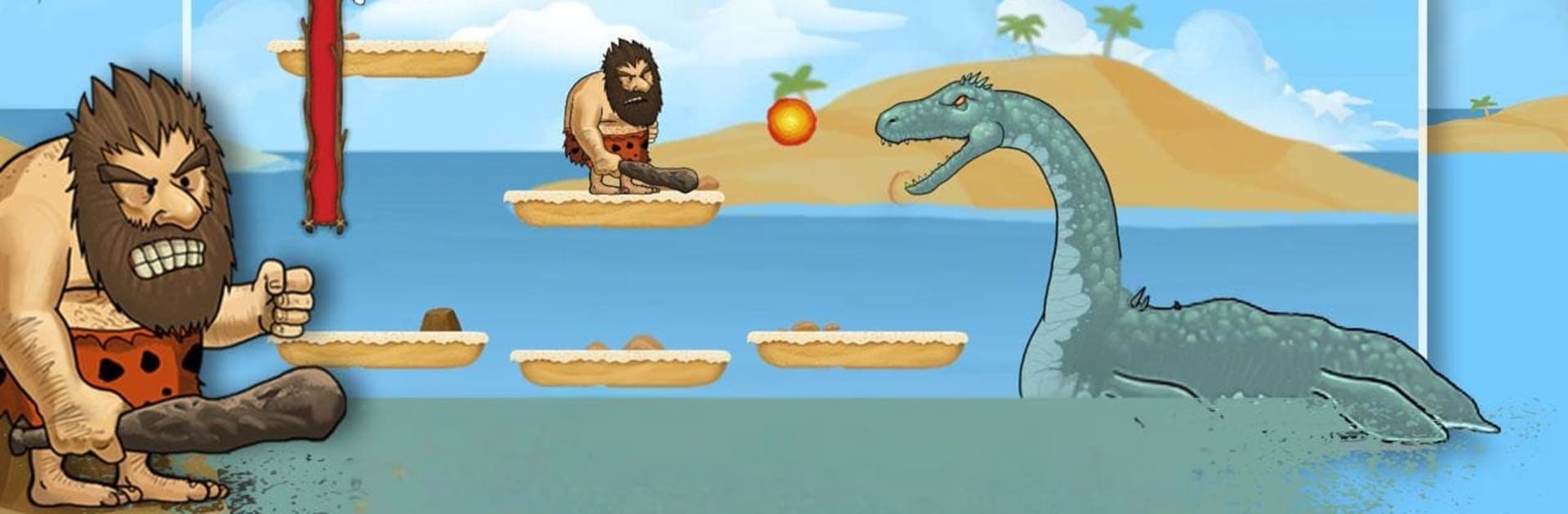
Caveman Chuck is a cheeky, side-scrolling romp where prehistoric problems meet modern slapstick. This Action platformer from Prime Bit Games S.A. puts you in the bare feet of Chuck, a club-swinging caveman whose “peaceful” cave life gets upended when a giant bird snatches his wife. He’s not thrilled at first… until hunger kicks in and he remembers who makes the best meals. Rescue mission it is.

Game Features

  • Caveman Comedy: A light, tongue-in-cheek story where hunger becomes the ultimate motivation. Chuck’s grumpy charm keeps the rescue quest fun rather than sappy.
  • Classic 2D Platforming: Run, jump, and time your swings just right. The feel is old-school and straightforward, perfect for quick sessions or longer marathons.
  • Dinosaur Smackdowns: From chompy reptiles to a certain winged troublemaker, you’ll square up against prehistoric pests that don’t exactly roll out the welcome mat.
  • Simple, Satisfying Combat: No complicated move lists—just clean hits, well-timed dodges, and that sweet thud of club-meets-dino.
  • Stone Age Vibes: Craggy cliffs, primitive traps, and crunchy sound effects sell the era without getting in your way.
  • Play on a Bigger Screen: Prefer keyboard or a larger display? Caveman Chuck also plays smoothly on BlueStacks, so you can thwack dinos with comfy controls.

Make your gaming sessions memorable with precise controls that give you an edge in close combats and visuals that pop up, bringing every character to life.


Game Features

Enhancements

  • Macros
  • Multi Instance
  • Multi Instance Sync
  • Eco Mode
  • Enhancements
Macros

Macros

Skip the boring parts of a game. Play Caveman Chuck with Macros and get the edge. Simply record a sequence of commands and execute them at any moment.
Multi Instance

Multi Instance

Why limit to one game on your phone when you can play many on your PC? Open multiple instances of Caveman Chuck at once with Multi-Instance. Leverage the power of different accounts by doing more.
Multi Instance Sync

Multi Instance Sync

Get the best out of Caveman Chuck with Multi-Instance Sync. Play the game from different accounts and build your own empire. Use Multi-instance sync to repeat the action in the main BlueStacks instance on all other instances.
Eco Mode

Eco Mode

Find the rarest heroes by making multiple summons in Caveman Chuck. And while you are at it, reduce your PC’s resource consumption with the Eco Mode. Farm efficiently. Get the best results.
Read More

How to Download and Play Caveman Chuck on PC or Mac

  • Download and install BlueStacks on your PC or Mac

  • Complete Google sign-in to access the Play Store, or do it later

  • Look for Caveman Chuck in the search bar at the top right corner

  • Click to install Caveman Chuck from the search results

  • Complete Google sign-in (if you skipped step 2) to install Caveman Chuck

  • Click the Caveman Chuck icon on the home screen to start playing

video
Watch Video

Minimum System Requirements

With BlueStacks 5, you can get started on a PC that fulfills the following requirements.

  • Operating System

    Microsoft Windows 7 or above, macOS 11 (Big Sur) or above

  • Processor

    Intel, AMD or Apple Silicon Processor

  • RAM

    at least 4GB

  • HDD

    10GB Free Disk Space

Note:

* You must be an Administrator on your PC. Up to date graphics drivers from Microsoft or the chipset vendor.

Caveman Chuck - FAQs

  • How to play Caveman Chuck on Windows PC & Mac?

    Play Caveman Chuck on your PC or Mac by following these simple steps.

    • Click on 'Play Caveman Chuck on PC’ to download BlueStacks
    • Install it and log-in to Google Play Store
    • Launch and play the game.
  • Why is BlueStacks the fastest and safest platform to play games on PC?

    BlueStacks respects your privacy and is always safe and secure to use. It does not carry any malware, spyware, or any sort of additional software that could harm your PC.

    It is engineered to optimize speed and performance for a seamless gaming experience.

  • What are Caveman Chuck PC requirements?

    Minimum requirement to run Caveman Chuck on your PC

    • OS: Microsoft Windows 7 or above MacOS 11 (Big Sur) or above
    • Processor: Intel, AMD or Apple Silicon Processor
    • RAM: Your PC must have at least 4GB of RAM. (Note that having 4GB or more disk space is not a substitute for RAM)
    • HDD: 10GB Free Disk Space.
    • You must be an Administrator on your PC.