
Chameleon Rush: Hide & Seek

Chameleon Rush: Hide & Seek

Action

| Miuga Studio

Play on PC with BlueStacks or from our cloud

  • Overview
  • Game Features
  • How to Play

Page Modified On: July 16, 2026

Play Chameleon Rush: Hide & Seek on PC or Mac

Explore a whole new adventure with Chameleon Rush: Hide & Seek, a Action game created by Miuga Studio. Experience great gameplay with BlueStacks, the most popular gaming platform to play Android games on your PC or Mac.

About the Game

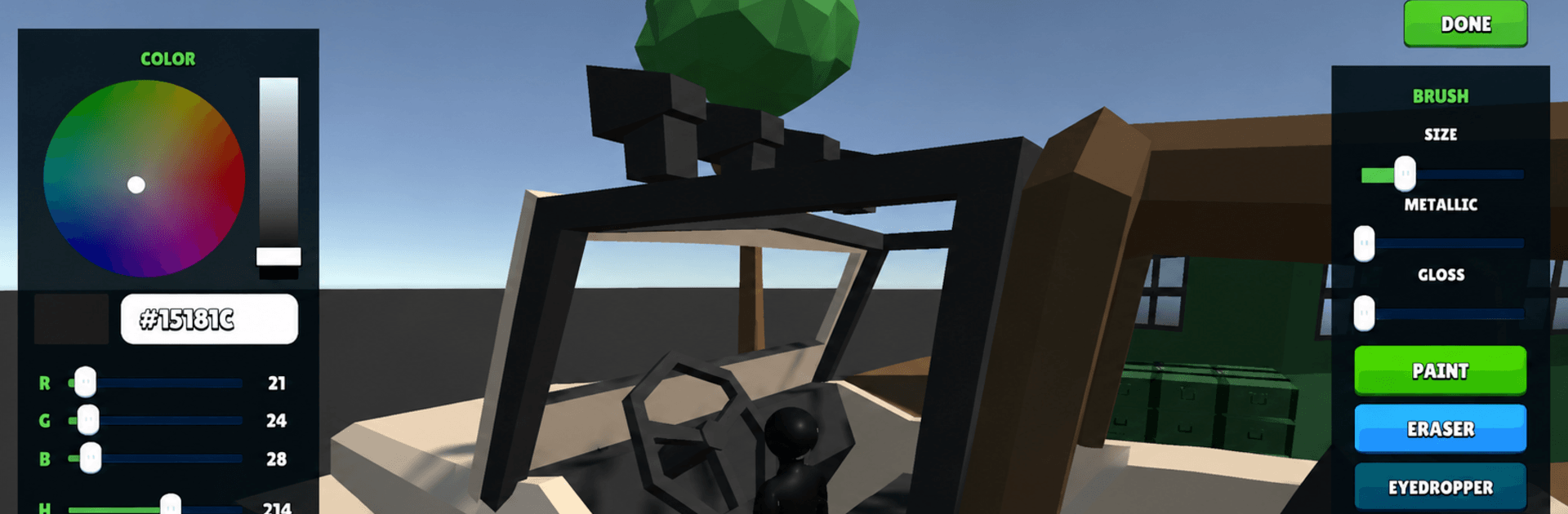
Chameleon Rush: Hide & Seek is a fast, cheeky Action game where everyone’s a chameleon trying to disappear in plain sight. Swap colors, hug the right corner, and blend into the background while a lone seeker rushes to sniff you out before the clock hits zero. It’s easy to jump in, but staying cool when the spotlight swings your way? That’s the real thrill.

Game Features

  • Sneaky Camouflage: Switch colors on the fly to match walls, floors, or cluttered props so you melt into the scene.
  • Hunter vs. Hiders: One player searches; the rest scatter and scheme. The seeker has limited time to tag everyone, so every second counts.
  • Smart Movement: Don’t just stand there—slide between cover, wait for a glance to pass, then make that tiny dash that keeps you unseen.
  • Play With Friends: Set up a group and turn it into a laugh-out-loud party night; quick rounds mean lots of rematches.
  • Tense Timers: Short, punchy matches keep the pressure high and the pace snappy, perfect for quick sessions or long hangs.
  • Maps With Personality: Busy textures, odd corners, and goofy nooks create hilarious hiding spots and clutch escapes.
  • Easy to Learn, Hard to Spot: Simple controls make it accessible, while timing your color swaps and routes separates the sneaks from the caught.
  • Looks Great on BlueStacks: Prefer a bigger view and crisp controls? Playing on BlueStacks makes every tiny tell and color shift easier to read.

Start your journey now. Download the game on BlueStacks, invite your friends, and march on a new adventure.


Game Features

Enhancements

  • Macros
  • Multi Instance
  • Multi Instance Sync
  • Eco Mode
  • Enhancements
Macros

Macros

Skip the boring parts of a game. Play Chameleon Rush: Hide & Seek with Macros and get the edge. Simply record a sequence of commands and execute them at any moment.
Multi Instance

Multi Instance

Why limit to one game on your phone when you can play many on your PC? Open multiple instances of Chameleon Rush: Hide & Seek at once with Multi-Instance. Leverage the power of different accounts by doing more.
Multi Instance Sync

Multi Instance Sync

Get the best out of Chameleon Rush: Hide & Seek with Multi-Instance Sync. Play the game from different accounts and build your own empire. Use Multi-instance sync to repeat the action in the main BlueStacks instance on all other instances.
Eco Mode

Eco Mode

Find the rarest heroes by making multiple summons in Chameleon Rush: Hide & Seek. And while you are at it, reduce your PC’s resource consumption with the Eco Mode. Farm efficiently. Get the best results.
Read More

How to Download and Play Chameleon Rush: Hide & Seek on PC or Mac

  • Download and install BlueStacks on your PC or Mac

  • Complete Google sign-in to access the Play Store, or do it later

  • Look for Chameleon Rush: Hide & Seek in the search bar at the top right corner

  • Click to install Chameleon Rush: Hide & Seek from the search results

  • Complete Google sign-in (if you skipped step 2) to install Chameleon Rush: Hide & Seek

  • Click the Chameleon Rush: Hide & Seek icon on the home screen to start playing

video
Watch Video

Minimum System Requirements

With BlueStacks 5, you can get started on a PC that fulfills the following requirements.

  • Operating System

    Microsoft Windows 7 or above, macOS 11 (Big Sur) or above

  • Processor

    Intel, AMD or Apple Silicon Processor

  • RAM

    at least 4GB

  • HDD

    10GB Free Disk Space

Note:

* You must be an Administrator on your PC. Up to date graphics drivers from Microsoft or the chipset vendor.

Chameleon Rush: Hide & Seek - FAQs

  • How to play Chameleon Rush: Hide & Seek on Windows PC & Mac?

    Play Chameleon Rush: Hide & Seek on your PC or Mac by following these simple steps.

    • Click on 'Play Chameleon Rush: Hide & Seek on PC’ to download BlueStacks
    • Install it and log-in to Google Play Store
    • Launch and play the game.
  • Why is BlueStacks the fastest and safest platform to play games on PC?

    BlueStacks respects your privacy and is always safe and secure to use. It does not carry any malware, spyware, or any sort of additional software that could harm your PC.

    It is engineered to optimize speed and performance for a seamless gaming experience.

  • What are Chameleon Rush: Hide & Seek PC requirements?

    Minimum requirement to run Chameleon Rush: Hide & Seek on your PC

    • OS: Microsoft Windows 7 or above MacOS 11 (Big Sur) or above
    • Processor: Intel, AMD or Apple Silicon Processor
    • RAM: Your PC must have at least 4GB of RAM. (Note that having 4GB or more disk space is not a substitute for RAM)
    • HDD: 10GB Free Disk Space.
    • You must be an Administrator on your PC.







