Cyberpunk Racing Game

Cyberpunk Racing Game

Action

| VishAppZone

Play on PC with BlueStacks or from our cloud

  • Overview
  • Game Features
  • How to Play

Page Modified On: December 09, 2025

Play Cyberpunk Racing Game on PC or Mac

Join millions to experience Cyberpunk Racing Game, an exciting Action game from VishAppZone. With BlueStacks App Player, you are always a step ahead of your opponent, ready to outplay them with faster gameplay and better control with the mouse and keyboard on your PC or Mac.

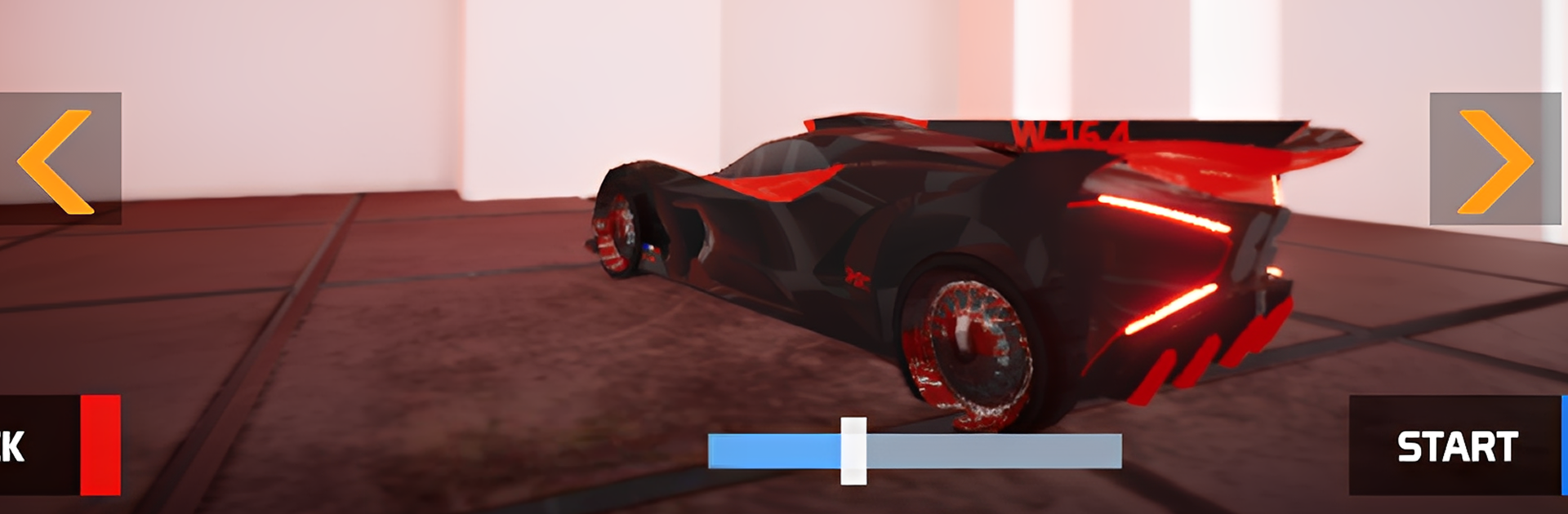
Cyberpunk Racing Game is a straight up arcade racer with a neon sci‑fi coat of paint, and it owns that lane. It throws players into short, fast races through rainy city streets and chunky industrial zones, all glowing signs, holograms, and wet asphalt reflections. The cars are not just skins either. Each futuristic ride has its own feel, so swapping vehicles actually changes cornering and boost timing. Drifting matters a lot, and landing a clean slide into a long straight with a full boost feels great, even when a barrier grabs a fender and ruins the lap. The eight tracks keep things moving, with tricky bends, tight chicanes, and enough visual noise that spotting the racing line becomes part of the fun rather than a headache.

Progress is simple and a bit old school. Do well, climb the board, earn points, unlock new tracks and some sharper cars. No fluff, just a steady reason to run one more race. The synth soundtrack punches hard without being obnoxious, and the effects help sell speed. It controls are smooth by default, but on PC with BlueStacks the keyboard mapping makes drifts more predictable and the frame pacing feels solid, so chasing ghost times is not a chore. It is not a sim, it does not pretend to be one, and that clarity is what stands out. Quick sessions, clean handling, loud style, and enough challenge to keep chasing better laps.

Start your journey now. Download the game on BlueStacks, invite your friends, and march on a new adventure.

Game Features

Enhancements

  • Macros
  • Multi Instance
  • Multi Instance Sync
  • Eco Mode
  • Enhancements
Macros

Macros

Skip the boring parts of a game. Play Cyberpunk Racing Game with Macros and get the edge. Simply record a sequence of commands and execute them at any moment.
Multi Instance

Multi Instance

Why limit to one game on your phone when you can play many on your PC? Open multiple instances of Cyberpunk Racing Game at once with Multi-Instance. Leverage the power of different accounts by doing more.
Multi Instance Sync

Multi Instance Sync

Get the best out of Cyberpunk Racing Game with Multi-Instance Sync. Play the game from different accounts and build your own empire. Use Multi-instance sync to repeat the action in the main BlueStacks instance on all other instances.
Eco Mode

Eco Mode

Find the rarest heroes by making multiple summons in Cyberpunk Racing Game. And while you are at it, reduce your PC’s resource consumption with the Eco Mode. Farm efficiently. Get the best results.
Read More

How to Download and Play Cyberpunk Racing Game on PC or Mac

  • Download and install BlueStacks on your PC or Mac

  • Complete Google sign-in to access the Play Store, or do it later

  • Look for Cyberpunk Racing Game in the search bar at the top right corner

  • Click to install Cyberpunk Racing Game from the search results

  • Complete Google sign-in (if you skipped step 2) to install Cyberpunk Racing Game

  • Click the Cyberpunk Racing Game icon on the home screen to start playing

video
Watch Video

Minimum System Requirements

With BlueStacks 5, you can get started on a PC that fulfills the following requirements.

  • Operating System

    Microsoft Windows 7 or above, macOS 11 (Big Sur) or above

  • Processor

    Intel, AMD or Apple Silicon Processor

  • RAM

    at least 4GB

  • HDD

    10GB Free Disk Space

Note:

* You must be an Administrator on your PC. Up to date graphics drivers from Microsoft or the chipset vendor.

Cyberpunk Racing Game - FAQs

  • How to play Cyberpunk Racing Game on Windows PC & Mac?

    Play Cyberpunk Racing Game on your PC or Mac by following these simple steps.

    • Click on 'Play Cyberpunk Racing Game on PC’ to download BlueStacks
    • Install it and log-in to Google Play Store
    • Launch and play the game.
  • Why is BlueStacks the fastest and safest platform to play games on PC?

    BlueStacks respects your privacy and is always safe and secure to use. It does not carry any malware, spyware, or any sort of additional software that could harm your PC.

    It is engineered to optimize speed and performance for a seamless gaming experience.

  • What are Cyberpunk Racing Game PC requirements?

    Minimum requirement to run Cyberpunk Racing Game on your PC

    • OS: Microsoft Windows 7 or above MacOS 11 (Big Sur) or above
    • Processor: Intel, AMD or Apple Silicon Processor
    • RAM: Your PC must have at least 4GB of RAM. (Note that having 4GB or more disk space is not a substitute for RAM)
    • HDD: 10GB Free Disk Space.
    • You must be an Administrator on your PC.