
Dino Monster: City Rush

Dino Monster: City Rush

Action

| NitroTech Studio

Play on PC with BlueStacks or from our cloud

  • Overview
  • Game Features
  • How to Play

Page Modified On: December 05, 2025

Play Dino Monster: City Rush on PC or Mac

Bring your A-game to Dino Monster: City Rush, the Action game sensation from NitroTech Studio. Give your gameplay the much-needed boost with precise game controls, high FPS graphics, and top-tier features on your PC or Mac with BlueStacks.

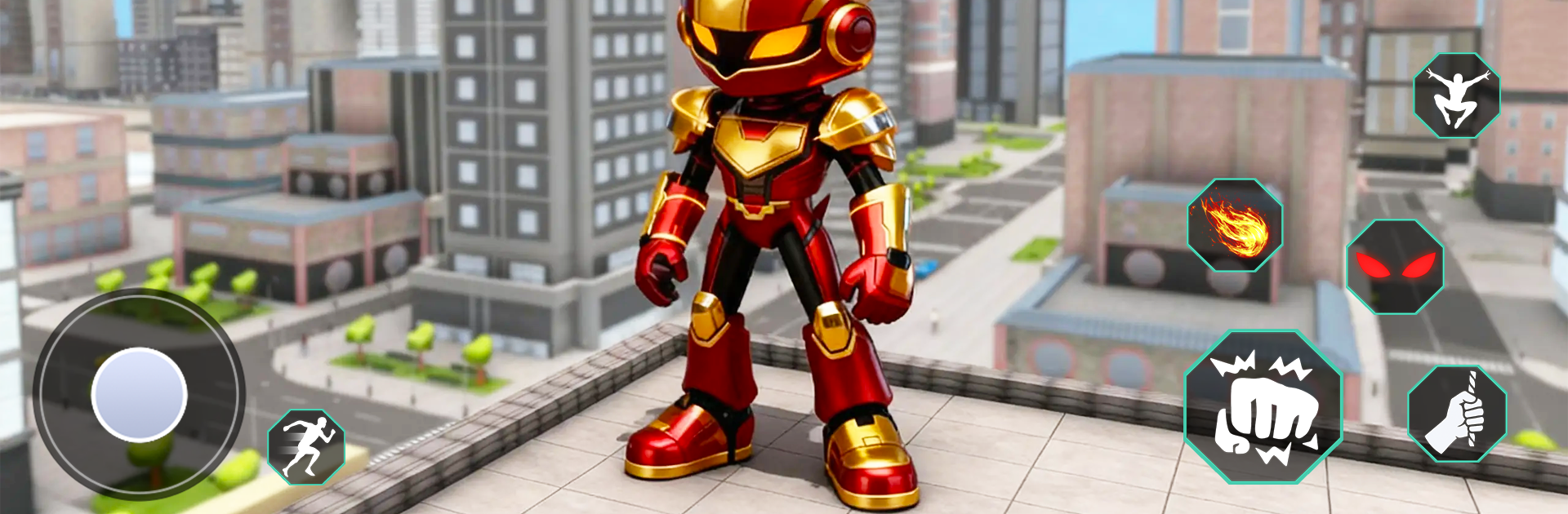
Dino Monster: City Rush plays like a fast rooftop chase where the ground almost never matters. Think wall climbing, quick air dashes, and zipping from one high point to the next while the city keeps moving underfoot. Missions bounce between catching crooks who bolt across buildings and scooping up citizens before something worse happens. What stands out is how much the game wants timing and clean routes. Players are always looking for the next ledge, a sign frame to cling to, a window frame to chain a dash, then a jump, then another dash. Miss by a little and the run stutters, hit it right and the whole sequence flows like a clean combo.

It feels surprisingly creative for a simple setup. Levels push players to experiment, since the obvious path is rarely the fastest or safest. Some stages throw narrow gaps that demand a double input with zero hesitation, others stretch out into long sprints where momentum carries the day. Enemies are less about fighting and more about pursuit, so keeping speed matters more than trading hits. On PC with BlueStacks, the camera and inputs feel steady, and mapping jump, climb, and dash to keys makes the movement click better than touchscreen swipes. The whole thing is quick, arcade-like, and a little tense, with that small oh no moment when a grab is late and the villain slips two rooftops ahead.

Get ready for a buttery smooth, high-performance gaming action only on BlueStacks.

Game Features

Enhancements

  • Macros
  • Multi Instance
  • Multi Instance Sync
  • Eco Mode
  • Enhancements
Macros

Macros

Skip the boring parts of a game. Play Dino Monster: City Rush with Macros and get the edge. Simply record a sequence of commands and execute them at any moment.
Multi Instance

Multi Instance

Why limit to one game on your phone when you can play many on your PC? Open multiple instances of Dino Monster: City Rush at once with Multi-Instance. Leverage the power of different accounts by doing more.
Multi Instance Sync

Multi Instance Sync

Get the best out of Dino Monster: City Rush with Multi-Instance Sync. Play the game from different accounts and build your own empire. Use Multi-instance sync to repeat the action in the main BlueStacks instance on all other instances.
Eco Mode

Eco Mode

Find the rarest heroes by making multiple summons in Dino Monster: City Rush. And while you are at it, reduce your PC’s resource consumption with the Eco Mode. Farm efficiently. Get the best results.
Read More

How to Download and Play Dino Monster: City Rush on PC or Mac

  • Download and install BlueStacks on your PC or Mac

  • Complete Google sign-in to access the Play Store, or do it later

  • Look for Dino Monster: City Rush in the search bar at the top right corner

  • Click to install Dino Monster: City Rush from the search results

  • Complete Google sign-in (if you skipped step 2) to install Dino Monster: City Rush

  • Click the Dino Monster: City Rush icon on the home screen to start playing

video
Watch Video

Minimum System Requirements

With BlueStacks 5, you can get started on a PC that fulfills the following requirements.

  • Operating System

    Microsoft Windows 7 or above, macOS 11 (Big Sur) or above

  • Processor

    Intel, AMD or Apple Silicon Processor

  • RAM

    at least 4GB

  • HDD

    10GB Free Disk Space

Note:

* You must be an Administrator on your PC. Up to date graphics drivers from Microsoft or the chipset vendor.

Dino Monster: City Rush - FAQs

  • How to play Dino Monster: City Rush on Windows PC & Mac?

    Play Dino Monster: City Rush on your PC or Mac by following these simple steps.

    • Click on 'Play Dino Monster: City Rush on PC’ to download BlueStacks
    • Install it and log-in to Google Play Store
    • Launch and play the game.
  • Why is BlueStacks the fastest and safest platform to play games on PC?

    BlueStacks respects your privacy and is always safe and secure to use. It does not carry any malware, spyware, or any sort of additional software that could harm your PC.

    It is engineered to optimize speed and performance for a seamless gaming experience.

  • What are Dino Monster: City Rush PC requirements?

    Minimum requirement to run Dino Monster: City Rush on your PC

    • OS: Microsoft Windows 7 or above MacOS 11 (Big Sur) or above
    • Processor: Intel, AMD or Apple Silicon Processor
    • RAM: Your PC must have at least 4GB of RAM. (Note that having 4GB or more disk space is not a substitute for RAM)
    • HDD: 10GB Free Disk Space.
    • You must be an Administrator on your PC.








