
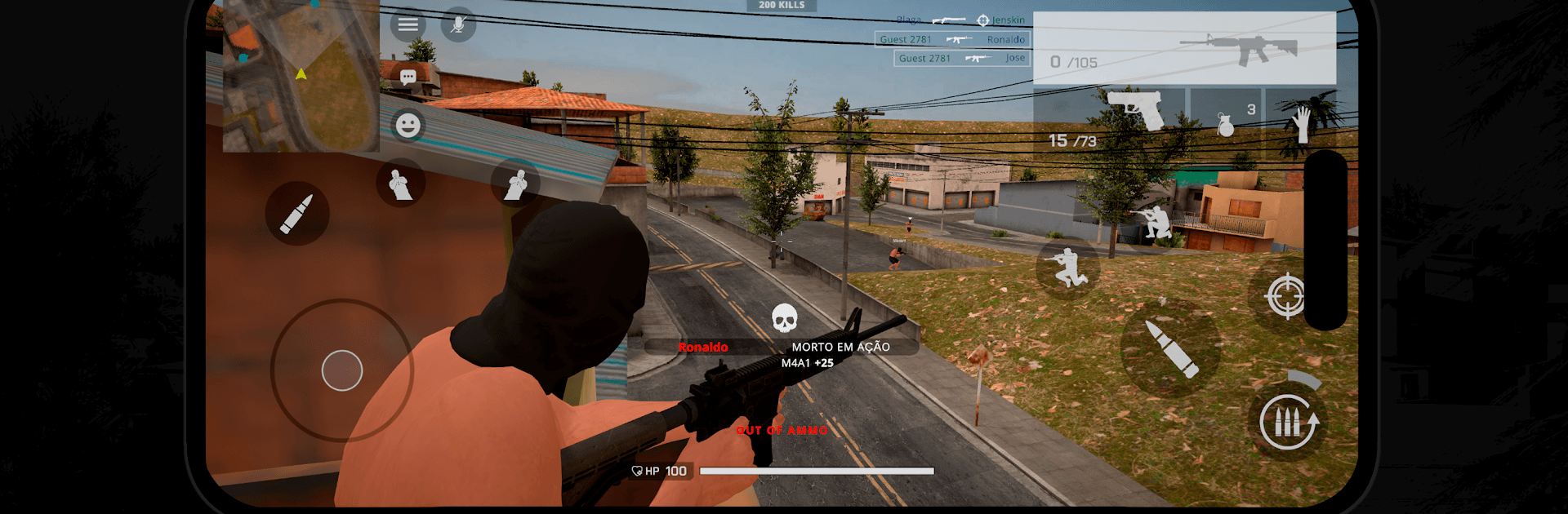
Invasão Elite
Invasão Elite

Invasão Elite

Action

| Elite Lab LTDA

Play on PC with BlueStacks or from our cloud

  • Overview
  • Game Features
  • How to Play

Page Modified On: July 14, 2026

Play Invasão Elite on PC or Mac

Bring your A-game to Invasão Elite, the Action game sensation from Elite Lab LTDA. Give your gameplay the much-needed boost with precise game controls, high FPS graphics, and top-tier features on your PC or Mac with BlueStacks.

About the Game

Invasão Elite throws you into a gritty urban battlefield where every rooftop, alley, and doorway can flip the fight. This online Action shooter blends fast reflexes with smart teamwork, letting you choose your role and push for control of the neighborhood. Expect tense skirmishes, bold flanks, and those clutch moments when a well-timed push changes everything.

Game Features

  • Urban Warfare: Battle across dense, layered maps inspired by real-life hillsides and favelas, packed with vertical routes, tight corridors, and ambush spots.
  • Vehicles That Matter: Take the air in an attack helicopter, zip through backstreets on a motorcycle, or break defenses with a heavy armored vehicle.
  • Built for Tactics: Swap between sniper rifles, SMGs, and authentic tactical gear to match your style—long-range picks, close-quarters rushes, or coordinated breaches.
  • Competitive Online Play: Jump into ranked matches, sharpen your aim, and climb the leaderboards to prove who really runs the streets.
  • Team Roles That Click: Whether you’re holding the front line or providing air support, coordinated pushes and callouts make the difference between a narrow loss and a clean sweep.
  • Smart Positioning: Use verticality to your advantage—scale rooftops, control angles, and set crossfires that keep rivals guessing.
  • Play Your Way: Prefer a bigger screen and precise aiming? Invasão Elite also feels great on PC with BlueStacks, with smooth performance and comfortable controls.

Start playing Invasão Elite on BlueStacks and get a smoother, more comfortable PC or Mac setup.

Game Features

Enhancements

  • Macros
  • Multi Instance
  • Multi Instance Sync
  • Eco Mode
  • Enhancements
Macros

Macros

Skip the boring parts of a game. Play Invasão Elite with Macros and get the edge. Simply record a sequence of commands and execute them at any moment.
Multi Instance

Multi Instance

Why limit to one game on your phone when you can play many on your PC? Open multiple instances of Invasão Elite at once with Multi-Instance. Leverage the power of different accounts by doing more.
Multi Instance Sync

Multi Instance Sync

Get the best out of Invasão Elite with Multi-Instance Sync. Play the game from different accounts and build your own empire. Use Multi-instance sync to repeat the action in the main BlueStacks instance on all other instances.
Eco Mode

Eco Mode

Find the rarest heroes by making multiple summons in Invasão Elite. And while you are at it, reduce your PC’s resource consumption with the Eco Mode. Farm efficiently. Get the best results.
Read More

How to Download and Play Invasão Elite on PC or Mac

  • Download and install BlueStacks on your PC or Mac

  • Complete Google sign-in to access the Play Store, or do it later

  • Look for Invasão Elite in the search bar at the top right corner

  • Click to install Invasão Elite from the search results

  • Complete Google sign-in (if you skipped step 2) to install Invasão Elite

  • Click the Invasão Elite icon on the home screen to start playing

video
Watch Video

Minimum System Requirements

With BlueStacks 5, you can get started on a PC that fulfills the following requirements.

  • Operating System

    Microsoft Windows 7 or above, macOS 11 (Big Sur) or above

  • Processor

    Intel, AMD or Apple Silicon Processor

  • RAM

    at least 4GB

  • HDD

    10GB Free Disk Space

Note:

* You must be an Administrator on your PC. Up to date graphics drivers from Microsoft or the chipset vendor.

Invasão Elite - FAQs

  • How to play Invasão Elite on Windows PC & Mac?

    Play Invasão Elite on your PC or Mac by following these simple steps.

    • Click on 'Play Invasão Elite on PC’ to download BlueStacks
    • Install it and log-in to Google Play Store
    • Launch and play the game.
  • Why is BlueStacks the fastest and safest platform to play games on PC?

    BlueStacks respects your privacy and is always safe and secure to use. It does not carry any malware, spyware, or any sort of additional software that could harm your PC.

    It is engineered to optimize speed and performance for a seamless gaming experience.

  • What are Invasão Elite PC requirements?

    Minimum requirement to run Invasão Elite on your PC

    • OS: Microsoft Windows 7 or above MacOS 11 (Big Sur) or above
    • Processor: Intel, AMD or Apple Silicon Processor
    • RAM: Your PC must have at least 4GB of RAM. (Note that having 4GB or more disk space is not a substitute for RAM)
    • HDD: 10GB Free Disk Space.
    • You must be an Administrator on your PC.








