Fortress W -Tank PvP Battle-

Fortress W -Tank PvP Battle-

Action

| DIVERSE Inc.

Play on PC with BlueStacks or from our cloud

  • Overview
  • Game Features
  • How to Play

Page Modified On: September 18, 2026

Play Fortress W -Tank PvP Battle- on PC or Mac

Bring your A-game to Fortress W -Tank PvP Battle-, the Action game sensation from DIVERSE Inc.. Give your gameplay the much-needed boost with precise game controls, high FPS graphics, and top-tier features on your PC or Mac with BlueStacks.

About the Game

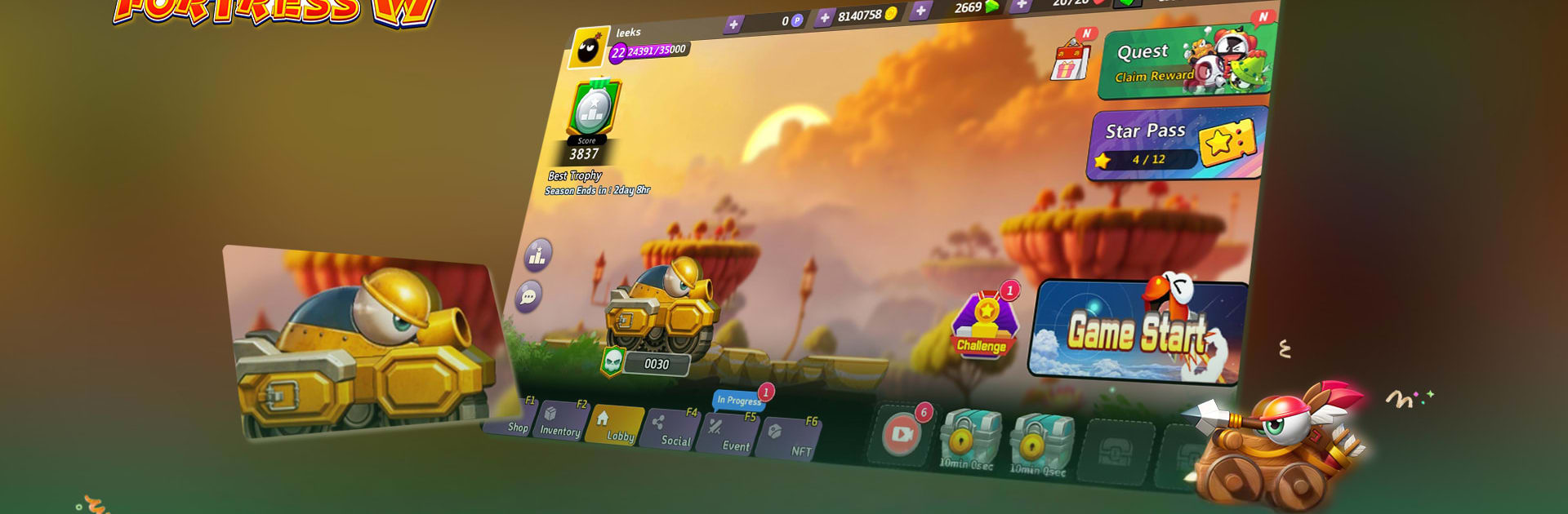
Fortress W -Tank PvP Battle- brings back that classic artillery feel and turns it into fast, real-time tank skirmishes. This Action shooter is all about lining up the perfect arc, reading the moment, and blasting opponents before they can return the favor. It plays great on its own, even better with friends—and if you’re on PC, BlueStacks makes it easy to jump in and stay sharp.

Game Features

  • 4v4 Brawl Mode: Squad up for quick, chaotic battles where teamwork, timing, and clutch shots decide everything.
  • Classic 2v2: A faithful throwback built around angle precision and power control—small mistakes matter, perfect shots win matches.
  • Real-time PvP Combat: No waiting around; aim, fire, reposition, and keep the pressure on in snappy, back-to-back exchanges.
  • 10 Unique Tanks to Unlock: Try distinct weapons and playstyles across rarities—Common (Carrot, Duke, Crossbow, Multi‑tank, Cannon), Rare (Poseidon, Catapult, Missile), Heroic (Mine Lander), Legendary (Ion Attacker).
  • Compact and Smooth: Light on storage and tuned for responsive performance, so action stays fluid when the arena gets busy.
  • Progress You Can Keep: Create a Creta account to save your data and continue right where you left off.
  • Friends or Solo, Your Call: Queue up alone or roll with a crew—communication and smart combos go a long way.
  • Multi‑Language Support: Play in English, Korean, Arabic, or Hindi, with more languages planned.

Start your journey now. Download the game on BlueStacks, invite your friends, and march on a new adventure.


Game Features

Enhancements

  • Macros
  • Multi Instance
  • Multi Instance Sync
  • Eco Mode
  • Enhancements
Macros

Macros

Skip the boring parts of a game. Play Fortress W -Tank PvP Battle- with Macros and get the edge. Simply record a sequence of commands and execute them at any moment.
Multi Instance

Multi Instance

Why limit to one game on your phone when you can play many on your PC? Open multiple instances of Fortress W -Tank PvP Battle- at once with Multi-Instance. Leverage the power of different accounts by doing more.
Multi Instance Sync

Multi Instance Sync

Get the best out of Fortress W -Tank PvP Battle- with Multi-Instance Sync. Play the game from different accounts and build your own empire. Use Multi-instance sync to repeat the action in the main BlueStacks instance on all other instances.
Eco Mode

Eco Mode

Find the rarest heroes by making multiple summons in Fortress W -Tank PvP Battle-. And while you are at it, reduce your PC’s resource consumption with the Eco Mode. Farm efficiently. Get the best results.
Read More

How to Download and Play Fortress W -Tank PvP Battle- on PC or Mac

  • Download and install BlueStacks on your PC or Mac

  • Complete Google sign-in to access the Play Store, or do it later

  • Look for Fortress W -Tank PvP Battle- in the search bar at the top right corner

  • Click to install Fortress W -Tank PvP Battle- from the search results

  • Complete Google sign-in (if you skipped step 2) to install Fortress W -Tank PvP Battle-

  • Click the Fortress W -Tank PvP Battle- icon on the home screen to start playing

video
Watch Video

Minimum System Requirements

With BlueStacks 5, you can get started on a PC that fulfills the following requirements.

  • Operating System

    Microsoft Windows 7 or above, macOS 11 (Big Sur) or above

  • Processor

    Intel, AMD or Apple Silicon Processor

  • RAM

    at least 4GB

  • HDD

    10GB Free Disk Space

Note:

* You must be an Administrator on your PC. Up to date graphics drivers from Microsoft or the chipset vendor.

Fortress W -Tank PvP Battle- - FAQs

  • How to play Fortress W -Tank PvP Battle- on Windows PC & Mac?

    Play Fortress W -Tank PvP Battle- on your PC or Mac by following these simple steps.

    • Click on 'Play Fortress W -Tank PvP Battle- on PC’ to download BlueStacks
    • Install it and log-in to Google Play Store
    • Launch and play the game.
  • Why is BlueStacks the fastest and safest platform to play games on PC?

    BlueStacks respects your privacy and is always safe and secure to use. It does not carry any malware, spyware, or any sort of additional software that could harm your PC.

    It is engineered to optimize speed and performance for a seamless gaming experience.

  • What are Fortress W -Tank PvP Battle- PC requirements?

    Minimum requirement to run Fortress W -Tank PvP Battle- on your PC

    • OS: Microsoft Windows 7 or above MacOS 11 (Big Sur) or above
    • Processor: Intel, AMD or Apple Silicon Processor
    • RAM: Your PC must have at least 4GB of RAM. (Note that having 4GB or more disk space is not a substitute for RAM)
    • HDD: 10GB Free Disk Space.
    • You must be an Administrator on your PC.