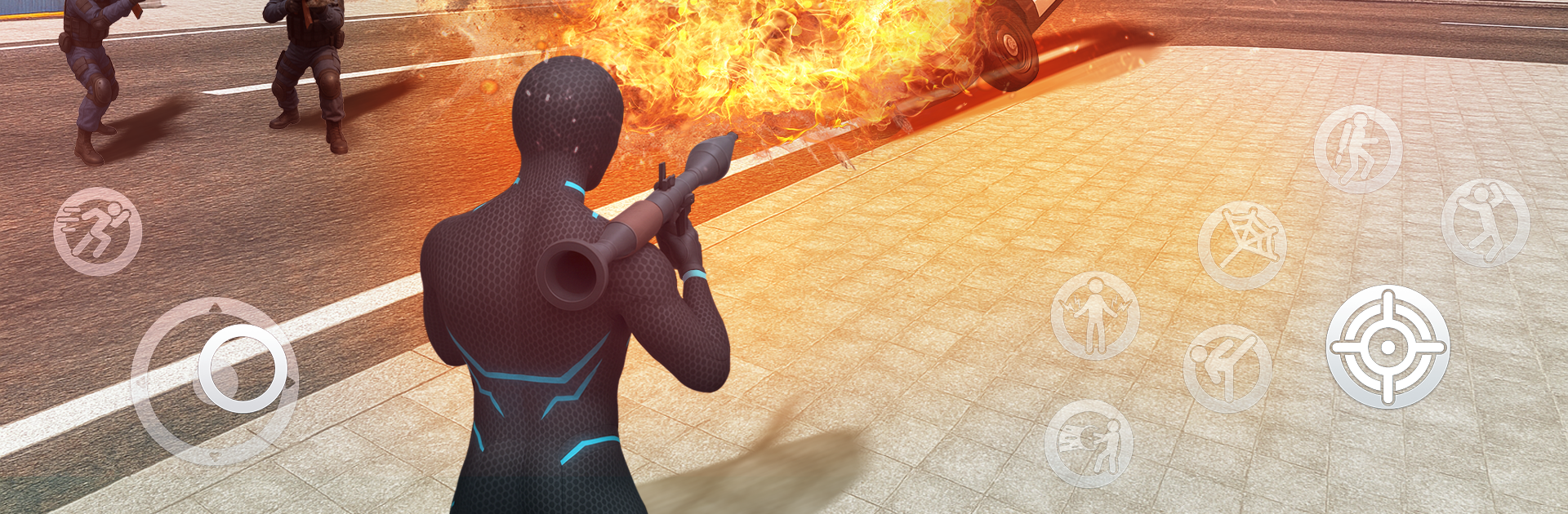
Gangster Mayhem: Final stand

Gangster Mayhem: Final stand

Action

| Amobear Game Publishing

Play on PC with BlueStacks or from our cloud

  • Overview
  • Game Features
  • How to Play

Page Modified On: November 10, 2025

Play Gangster Mayhem: Final stand on PC or Mac

Step into the World of Gangster Mayhem: Final stand, a thrilling Action game from the house of Amobear Game Publishing. Play this Android game on BlueStacks App Player and experience immersive gaming on PC or Mac.

About the Game

Gangster Mayhem: Final stand throws street crime and a monster outbreak into one wild mash-up. You’re a hustler trying to survive a collapsing city while rival gangs and nightmare creatures crash the party. It’s fast, messy, and packed with the kind of Action chaos Amobear Game Publishing does so well.

Game Features

  • Open-city meltdown: Roam a sprawling urban map at your own pace. Skirt alleys, storm main roads, and poke into sectors the brave (or foolish) still visit.
  • Wheels on demand: Jack anything with an engine—sleek sports cars, heavy trucks, even armored rides—and tear out in burn-rubber escapes or smashy, no-brakes pursuits.
  • Two-front throwdowns: Street crews won’t back down, and neither will the monsters. Expect gunfights, brutal brawls, and boss encounters that punish bad timing.
  • Missions that matter: Story jobs pay big and push the plot forward. Finish objectives to nab crates stuffed with cash, gear, and upgrade materials.
  • Evolving arsenal: Start with basics like pistols and shotguns, then unlock exotic, sci‑fi hardware that hits harder and looks meaner. Tweak your loadout and tune your build to fit your style.
  • From thug to unexpected hero: Climb from small-time to city-saving. Sharpen skills, boost stats, and prep for that last, ugly showdown.
  • Clean controls on PC: Prefer a keyboard and mouse for aim-heavy firefights? It plays great on BlueStacks without getting in the way of the chaos.

Start your journey now. Download the game on BlueStacks, invite your friends, and march on a new adventure.


Game Features

Enhancements

  • Macros
  • Multi Instance
  • Multi Instance Sync
  • Eco Mode
  • Enhancements
Macros

Macros

Skip the boring parts of a game. Play Gangster Mayhem: Final stand with Macros and get the edge. Simply record a sequence of commands and execute them at any moment.
Multi Instance

Multi Instance

Why limit to one game on your phone when you can play many on your PC? Open multiple instances of Gangster Mayhem: Final stand at once with Multi-Instance. Leverage the power of different accounts by doing more.
Multi Instance Sync

Multi Instance Sync

Get the best out of Gangster Mayhem: Final stand with Multi-Instance Sync. Play the game from different accounts and build your own empire. Use Multi-instance sync to repeat the action in the main BlueStacks instance on all other instances.
Eco Mode

Eco Mode

Find the rarest heroes by making multiple summons in Gangster Mayhem: Final stand. And while you are at it, reduce your PC’s resource consumption with the Eco Mode. Farm efficiently. Get the best results.
Read More

How to Download and Play Gangster Mayhem: Final stand on PC or Mac

  • Download and install BlueStacks on your PC or Mac

  • Complete Google sign-in to access the Play Store, or do it later

  • Look for Gangster Mayhem: Final stand in the search bar at the top right corner

  • Click to install Gangster Mayhem: Final stand from the search results

  • Complete Google sign-in (if you skipped step 2) to install Gangster Mayhem: Final stand

  • Click the Gangster Mayhem: Final stand icon on the home screen to start playing

video
Watch Video

Minimum System Requirements

With BlueStacks 5, you can get started on a PC that fulfills the following requirements.

  • Operating System

    Microsoft Windows 7 or above, macOS 11 (Big Sur) or above

  • Processor

    Intel, AMD or Apple Silicon Processor

  • RAM

    at least 4GB

  • HDD

    10GB Free Disk Space

Note:

* You must be an Administrator on your PC. Up to date graphics drivers from Microsoft or the chipset vendor.

Gangster Mayhem: Final stand - FAQs

  • How to play Gangster Mayhem: Final stand on Windows PC & Mac?

    Play Gangster Mayhem: Final stand on your PC or Mac by following these simple steps.

    • Click on 'Play Gangster Mayhem: Final stand on PC’ to download BlueStacks
    • Install it and log-in to Google Play Store
    • Launch and play the game.
  • Why is BlueStacks the fastest and safest platform to play games on PC?

    BlueStacks respects your privacy and is always safe and secure to use. It does not carry any malware, spyware, or any sort of additional software that could harm your PC.

    It is engineered to optimize speed and performance for a seamless gaming experience.

  • What are Gangster Mayhem: Final stand PC requirements?

    Minimum requirement to run Gangster Mayhem: Final stand on your PC

    • OS: Microsoft Windows 7 or above MacOS 11 (Big Sur) or above
    • Processor: Intel, AMD or Apple Silicon Processor
    • RAM: Your PC must have at least 4GB of RAM. (Note that having 4GB or more disk space is not a substitute for RAM)
    • HDD: 10GB Free Disk Space.
    • You must be an Administrator on your PC.