
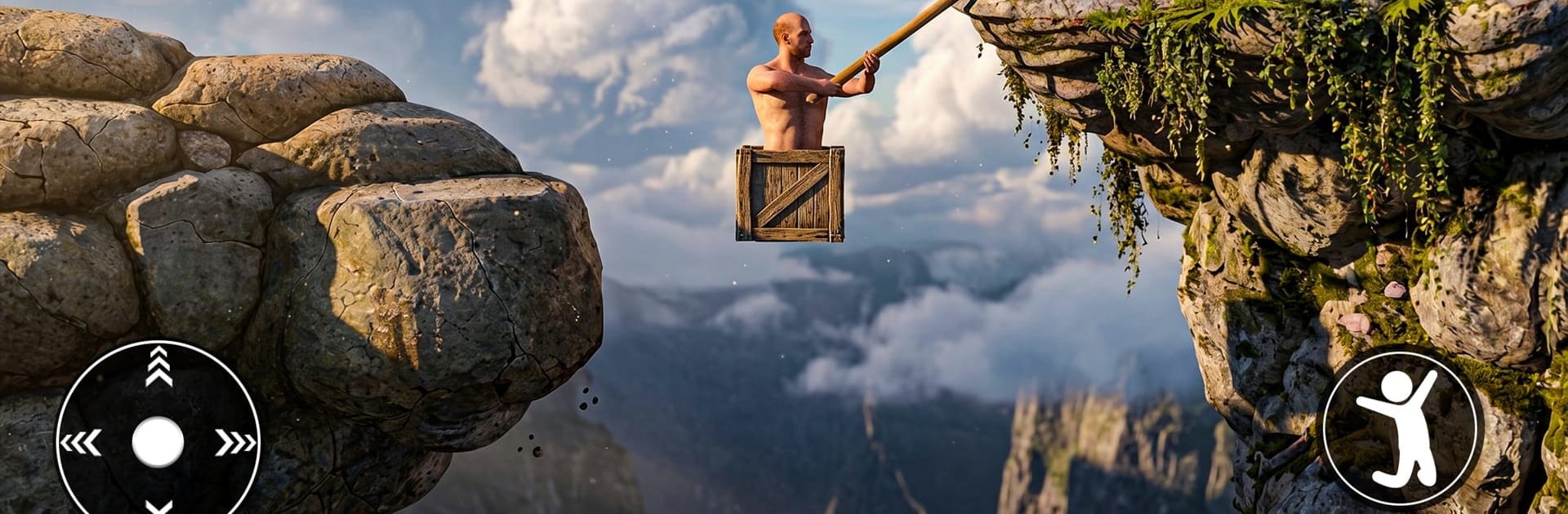
Getting Climb Over It

Getting Climb Over It

Action

| Clossals Solutions

Play on PC with BlueStacks or from our cloud

  • Overview
  • Game Features
  • How to Play

Page Modified On: May 25, 2026

Play Getting Climb Over It on PC or Mac

Step into the World of Getting Climb Over It, a thrilling Action game from the house of Clossals Solutions. Play this Android game on BlueStacks App Player and experience immersive gaming on PC or Mac.

About the Game

Getting Climb Over It is a tough-as-nails Action game about hauling yourself up impossible heights with nothing but a hammer and your own stubborn will. It’s all about feel: swing, catch, and inch forward while the ground threatens to swallow your progress at every slip. Expect a raw, skill-first challenge where patience pays off and every hard-won ledge feels like a small victory. Playing on BlueStacks adds crisp, precise controls that make those tiny corrections feel extra satisfying.

Game Features

  • Hammer-only movement: No jumps, no ropes—just a hammer. Master swinging, bracing, and subtle pivots to claw your way upward.
  • Physics that matter: Momentum is your best friend and worst enemy. A smooth arc sends you soaring; a rushed flick can send you packing.
  • Precision under pressure: Tight ledges, awkward angles, and narrow paths demand steady hands and cool nerves.
  • Simple controls, deep mastery: The basics click quickly, but true control takes time. You’ll feel the difference as your timing and touch improve.
  • Tough but fair setbacks: One mistake can wipe a chunk of progress, yet every fall teaches you a better line or a smarter swing.
  • Clean, focused presentation: No clutter, no noise—just you, the terrain, and that stubborn climb.
  • Quick attempts or long pushes: Sneak in a few tries or settle in for a marathon session chasing that next landmark.

Start playing Getting Climb Over It on BlueStacks and get a smoother, more comfortable PC or Mac setup.


Game Features

Enhancements

  • Macros
  • Multi Instance
  • Multi Instance Sync
  • Eco Mode
  • Enhancements
Macros

Macros

Skip the boring parts of a game. Play Getting Climb Over It with Macros and get the edge. Simply record a sequence of commands and execute them at any moment.
Multi Instance

Multi Instance

Why limit to one game on your phone when you can play many on your PC? Open multiple instances of Getting Climb Over It at once with Multi-Instance. Leverage the power of different accounts by doing more.
Multi Instance Sync

Multi Instance Sync

Get the best out of Getting Climb Over It with Multi-Instance Sync. Play the game from different accounts and build your own empire. Use Multi-instance sync to repeat the action in the main BlueStacks instance on all other instances.
Eco Mode

Eco Mode

Find the rarest heroes by making multiple summons in Getting Climb Over It. And while you are at it, reduce your PC’s resource consumption with the Eco Mode. Farm efficiently. Get the best results.
Read More

How to Download and Play Getting Climb Over It on PC or Mac

  • Download and install BlueStacks on your PC or Mac

  • Complete Google sign-in to access the Play Store, or do it later

  • Look for Getting Climb Over It in the search bar at the top right corner

  • Click to install Getting Climb Over It from the search results

  • Complete Google sign-in (if you skipped step 2) to install Getting Climb Over It

  • Click the Getting Climb Over It icon on the home screen to start playing

video
Watch Video

Minimum System Requirements

With BlueStacks 5, you can get started on a PC that fulfills the following requirements.

  • Operating System

    Microsoft Windows 7 or above, macOS 11 (Big Sur) or above

  • Processor

    Intel, AMD or Apple Silicon Processor

  • RAM

    at least 4GB

  • HDD

    10GB Free Disk Space

Note:

* You must be an Administrator on your PC. Up to date graphics drivers from Microsoft or the chipset vendor.

Getting Climb Over It - FAQs

  • How to play Getting Climb Over It on Windows PC & Mac?

    Play Getting Climb Over It on your PC or Mac by following these simple steps.

    • Click on 'Play Getting Climb Over It on PC’ to download BlueStacks
    • Install it and log-in to Google Play Store
    • Launch and play the game.
  • Why is BlueStacks the fastest and safest platform to play games on PC?

    BlueStacks respects your privacy and is always safe and secure to use. It does not carry any malware, spyware, or any sort of additional software that could harm your PC.

    It is engineered to optimize speed and performance for a seamless gaming experience.

  • What are Getting Climb Over It PC requirements?

    Minimum requirement to run Getting Climb Over It on your PC

    • OS: Microsoft Windows 7 or above MacOS 11 (Big Sur) or above
    • Processor: Intel, AMD or Apple Silicon Processor
    • RAM: Your PC must have at least 4GB of RAM. (Note that having 4GB or more disk space is not a substitute for RAM)
    • HDD: 10GB Free Disk Space.
    • You must be an Administrator on your PC.







