Go Ape Ship!
Go Ape Ship!

Go Ape Ship!

Action

| Sound Games Inc

Play on PC with BlueStacks or from our cloud

  • Overview
  • Game Features
  • How to Play

Page Modified On: April 07, 2026

Play Go Ape Ship! on PC or Mac

Bring your A-game to Go Ape Ship!, the Action game sensation from Sound Games Inc. Give your gameplay the much-needed boost with precise game controls, high FPS graphics, and top-tier features on your PC or Mac with BlueStacks.

About the Game

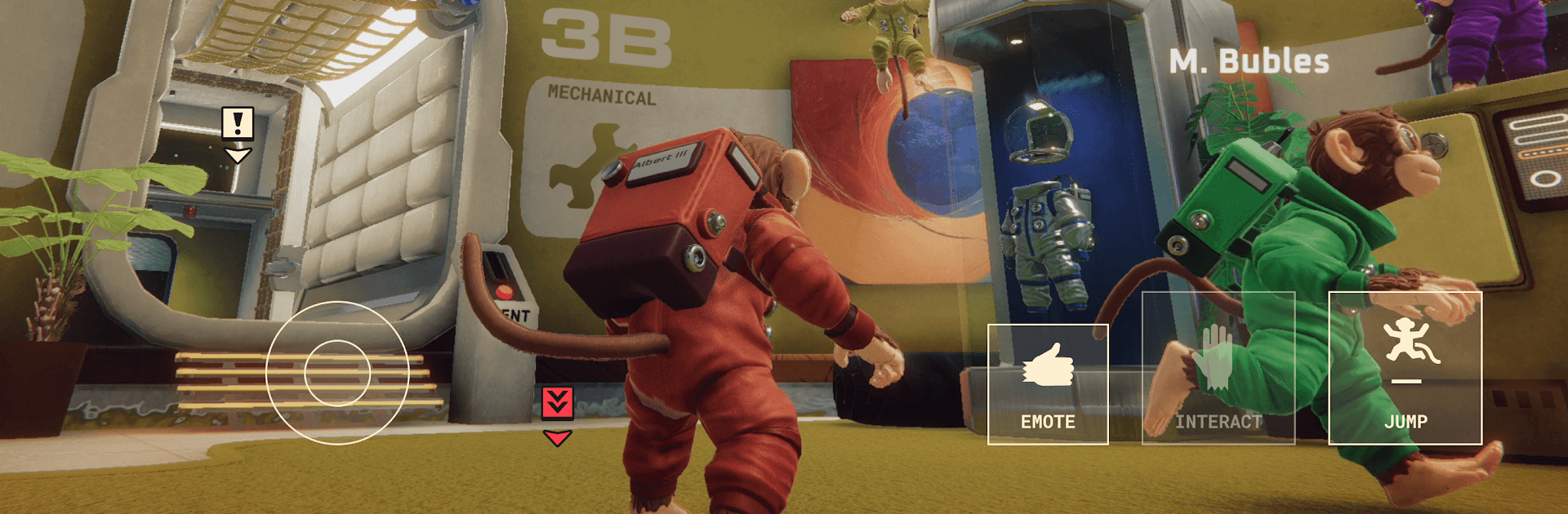
Go Ape Ship! from Sound Games Inc is a fast, funny Action game where a crew of Astrochimps tries to keep a misbehaving spaceship in one piece. Expect frantic teamwork, quick swaps between stations, and a steady stream of “uh-oh” moments that turn into high-fives when you pull it off. Fly solo or with friends and see how long your banana-fueled bravery can carry you across the stars.

Game Features

  • Chaotic co-op for 1–8 players: Rally a crew or go it alone. Everyone pitches in to steer, fix, fuel, and save the day when things inevitably catch fire.
  • 40+ bite-size jobs: Juggle a growing set of mini challenges—repair panels, route power, stamp out emergencies, and keep your Astrochimps in working shape.
  • A ship that keeps on giving: Discover, unlock, and upgrade eight distinct rooms, each adding new tricks and responsibilities to your flight plan.
  • Difficulty your way: Pick from six settings, from chill to “who authorized this?” There’s also an endless mode if you want to see how far your crew can really push it.
  • Emergencies everywhere: React fast to glitches, hazards, and surprise disasters that test your coordination and timing.
  • Try before you buy: Start playing for free, then unlock the full experience with a single in-app purchase when you’re ready to commit.
  • PC-friendly with BlueStacks: Prefer a keyboard-and-mouse vibe? Playing on BlueStacks feels snappy and accurate without changing the spirit of the game.

Make your gaming sessions memorable with precise controls that give you an edge in close combats and visuals that pop up, bringing every character to life.


Game Features

Enhancements

  • Macros
  • Multi Instance
  • Multi Instance Sync
  • Eco Mode
  • Enhancements
Macros

Macros

Skip the boring parts of a game. Play Go Ape Ship! with Macros and get the edge. Simply record a sequence of commands and execute them at any moment.
Multi Instance

Multi Instance

Why limit to one game on your phone when you can play many on your PC? Open multiple instances of Go Ape Ship! at once with Multi-Instance. Leverage the power of different accounts by doing more.
Multi Instance Sync

Multi Instance Sync

Get the best out of Go Ape Ship! with Multi-Instance Sync. Play the game from different accounts and build your own empire. Use Multi-instance sync to repeat the action in the main BlueStacks instance on all other instances.
Eco Mode

Eco Mode

Find the rarest heroes by making multiple summons in Go Ape Ship!. And while you are at it, reduce your PC’s resource consumption with the Eco Mode. Farm efficiently. Get the best results.
Read More

How to Download and Play Go Ape Ship! on PC or Mac

  • Download and install BlueStacks on your PC or Mac

  • Complete Google sign-in to access the Play Store, or do it later

  • Look for Go Ape Ship! in the search bar at the top right corner

  • Click to install Go Ape Ship! from the search results

  • Complete Google sign-in (if you skipped step 2) to install Go Ape Ship!

  • Click the Go Ape Ship! icon on the home screen to start playing

video
Watch Video

Minimum System Requirements

With BlueStacks 5, you can get started on a PC that fulfills the following requirements.

  • Operating System

    Microsoft Windows 7 or above, macOS 11 (Big Sur) or above

  • Processor

    Intel, AMD or Apple Silicon Processor

  • RAM

    at least 4GB

  • HDD

    10GB Free Disk Space

Note:

* You must be an Administrator on your PC. Up to date graphics drivers from Microsoft or the chipset vendor.

Go Ape Ship! - FAQs

  • How to play Go Ape Ship! on Windows PC & Mac?

    Play Go Ape Ship! on your PC or Mac by following these simple steps.

    • Click on 'Play Go Ape Ship! on PC’ to download BlueStacks
    • Install it and log-in to Google Play Store
    • Launch and play the game.
  • Why is BlueStacks the fastest and safest platform to play games on PC?

    BlueStacks respects your privacy and is always safe and secure to use. It does not carry any malware, spyware, or any sort of additional software that could harm your PC.

    It is engineered to optimize speed and performance for a seamless gaming experience.

  • What are Go Ape Ship! PC requirements?

    Minimum requirement to run Go Ape Ship! on your PC

    • OS: Microsoft Windows 7 or above MacOS 11 (Big Sur) or above
    • Processor: Intel, AMD or Apple Silicon Processor
    • RAM: Your PC must have at least 4GB of RAM. (Note that having 4GB or more disk space is not a substitute for RAM)
    • HDD: 10GB Free Disk Space.
    • You must be an Administrator on your PC.