Goofy Alien: Punchout Game

Goofy Alien: Punchout Game

Action

| Amobear VN Game Global

Play on PC with BlueStacks or from our cloud

  • Overview
  • Game Features
  • How to Play

Page Modified On: September 18, 2026

Play Goofy Alien: Punchout Game on PC or Mac

Play Goofy Alien: Punchout Game by Amobear VN Game Global on PC or Mac with BlueStacks. Use a bigger screen, mouse and keyboard controls, and smoother performance while you play.

About the Game

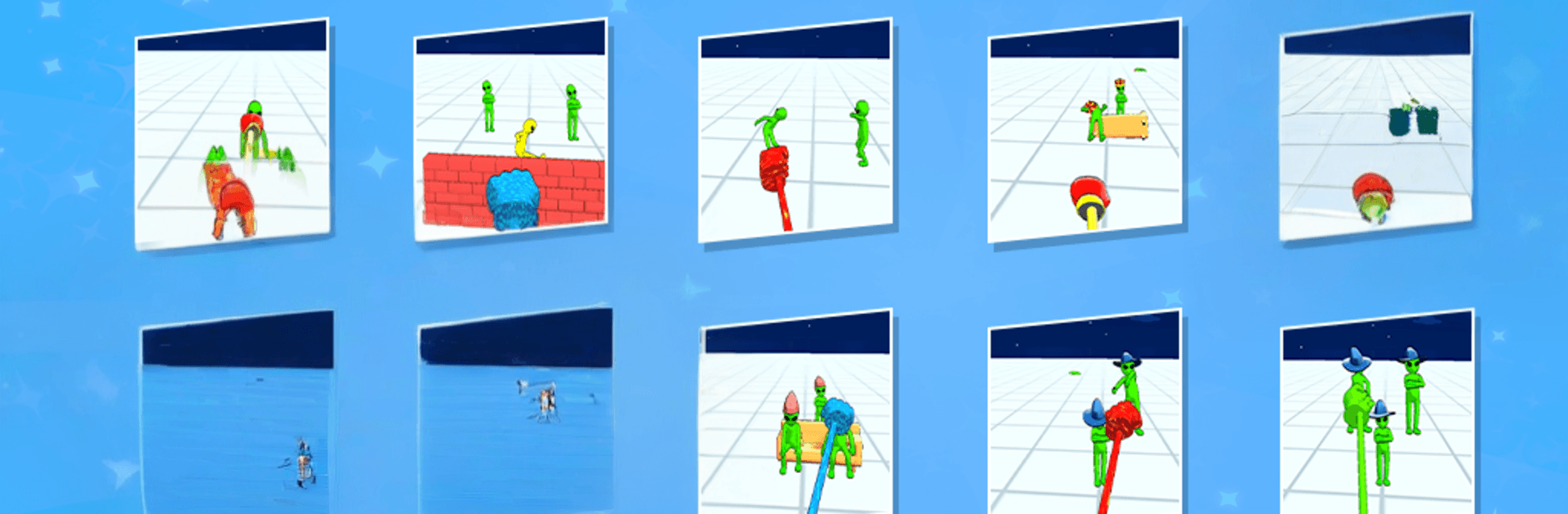
Goofy Alien: Punchout Game is a cheeky, pick-up-and-punch kind of Action experience where perfect timing turns weird little extraterrestrials into pinwheeling ragdolls. It’s all about quick rounds, loud impacts, and that “whoa, didn’t expect that” moment after each swing. Want a fast laugh or a short stress break? This one hits the spot—and it plays smoothly on BlueStacks if you prefer a bigger screen and precise inputs.

Game Features

  • Punch Timing, Not Button Mashing: Wait for the sweet spot, unleash a heavy hit, and watch the chaos unfold as aliens bounce, tumble, and skid across the arena.
  • Hilarious Ragdoll Reactions: Every smack sends characters into unpredictable physics gags—flops, flips, and awkward landings that are funny even when you miss.
  • Goofy Alien Cast: Face a parade of oddballs, each with a look and attitude that keeps every bout feeling fresh and a little absurd.
  • Simple, No-Fuss Controls: Aim, punch, repeat—no complicated combos to memorize, just clean, satisfying impact.
  • Quick, Snackable Sessions: Perfect for short breaks or winding down; jump in for a round or two and bail whenever you’ve had your fill.
  • Satisfying Hits and Feedback: Thumping sound effects, punchy visuals, and crisp impact cues make every clean strike feel great.
  • 3D Arenas with Tricks: Navigate compact stages dotted with ramps, ledges, and props that turn one well-timed punch into a highlight reel.
  • Chill Stress Relief: Light goals and forgiving pacing let you blow off steam without pressure—have fun experimenting with timing and power.

BlueStacks gives you more room to focus on the game and less time adjusting around mobile limitations.


Game Features

Enhancements

  • Macros
  • Multi Instance
  • Multi Instance Sync
  • Eco Mode
  • Enhancements
Macros

Macros

Skip the boring parts of a game. Play Goofy Alien: Punchout Game with Macros and get the edge. Simply record a sequence of commands and execute them at any moment.
Multi Instance

Multi Instance

Why limit to one game on your phone when you can play many on your PC? Open multiple instances of Goofy Alien: Punchout Game at once with Multi-Instance. Leverage the power of different accounts by doing more.
Multi Instance Sync

Multi Instance Sync

Get the best out of Goofy Alien: Punchout Game with Multi-Instance Sync. Play the game from different accounts and build your own empire. Use Multi-instance sync to repeat the action in the main BlueStacks instance on all other instances.
Eco Mode

Eco Mode

Find the rarest heroes by making multiple summons in Goofy Alien: Punchout Game. And while you are at it, reduce your PC’s resource consumption with the Eco Mode. Farm efficiently. Get the best results.
Read More

How to Download and Play Goofy Alien: Punchout Game on PC or Mac

  • Download and install BlueStacks on your PC or Mac

  • Complete Google sign-in to access the Play Store, or do it later

  • Look for Goofy Alien: Punchout Game in the search bar at the top right corner

  • Click to install Goofy Alien: Punchout Game from the search results

  • Complete Google sign-in (if you skipped step 2) to install Goofy Alien: Punchout Game

  • Click the Goofy Alien: Punchout Game icon on the home screen to start playing

video
Watch Video

Minimum System Requirements

With BlueStacks 5, you can get started on a PC that fulfills the following requirements.

  • Operating System

    Microsoft Windows 7 or above, macOS 11 (Big Sur) or above

  • Processor

    Intel, AMD or Apple Silicon Processor

  • RAM

    at least 4GB

  • HDD

    10GB Free Disk Space

Note:

* You must be an Administrator on your PC. Up to date graphics drivers from Microsoft or the chipset vendor.

Goofy Alien: Punchout Game - FAQs

  • How to play Goofy Alien: Punchout Game on Windows PC & Mac?

    Play Goofy Alien: Punchout Game on your PC or Mac by following these simple steps.

    • Click on 'Play Goofy Alien: Punchout Game on PC’ to download BlueStacks
    • Install it and log-in to Google Play Store
    • Launch and play the game.
  • Why is BlueStacks the fastest and safest platform to play games on PC?

    BlueStacks respects your privacy and is always safe and secure to use. It does not carry any malware, spyware, or any sort of additional software that could harm your PC.

    It is engineered to optimize speed and performance for a seamless gaming experience.

  • What are Goofy Alien: Punchout Game PC requirements?

    Minimum requirement to run Goofy Alien: Punchout Game on your PC

    • OS: Microsoft Windows 7 or above MacOS 11 (Big Sur) or above
    • Processor: Intel, AMD or Apple Silicon Processor
    • RAM: Your PC must have at least 4GB of RAM. (Note that having 4GB or more disk space is not a substitute for RAM)
    • HDD: 10GB Free Disk Space.
    • You must be an Administrator on your PC.