Guard Operation: Sniper&Flight

Guard Operation: Sniper&Flight

Action

| HRY Games

Play on PC with BlueStacks or from our cloud

  • Overview
  • Game Features
  • How to Play

Page Modified On: January 09, 2026

Play Guard Operation: Sniper&Flight on PC or Mac

Guard Operation: Sniper&Flight brings the Action genre to life, and throws up exciting challenges for gamers. Developed by HRY Games, this Android game is best experienced on BlueStacks, the World’s #1 app player for PC and Mac users.

About the Game

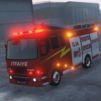
Guard Operation: Sniper&Flight drops you into VIP protection work where every second counts. This Action title from HRY Games blends convoy driving, long‑range security, and even private jet piloting into one mission-based experience. You’ll train up, earn your protection certificate, then take on high-stakes jobs that swing from calm to chaotic in a heartbeat. Prefer a bigger screen and precise controls? It plays smoothly on BlueStacks, too.

Game Features

  • Certificate Training
  • Start in the academy with a set of hands-on exams. Sharpen advanced driving techniques and practice precise target shooting to earn your police protection certificate and unlock the core missions.

  • VIP Convoy Driving

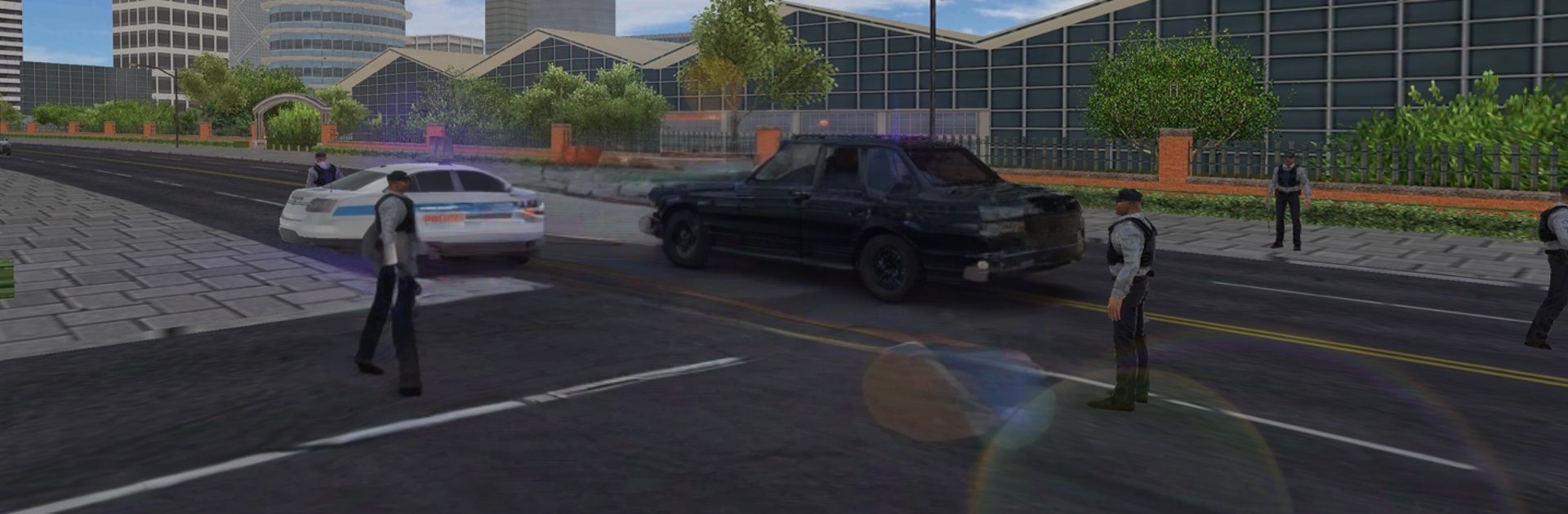
  • Escort presidents, officials, and executives through busy streets in luxury vehicles. Keep formation, avoid collisions, and don’t let your lead car stretch too far ahead—or the mission’s blown.

  • Long‑Range Protection

  • Take up a rooftop position, study intel, and identify threats at a distance. Use binoculars and sniper rifles to quietly neutralize the right targets before an assassination attempt unfolds.

  • Private Jet Pilot‑in‑Charge

  • Guide your VIPs to the airport, then climb into the cockpit. Fly the private jet and execute clean takeoffs and landings at the designated airports to seal the mission.

  • Earn and Customize

  • Complete contracts to grow your bankroll, then pick from 10 sleek rides in the garage. Add sirens, police lights, a signal jammer, and your country’s flag to build your ideal escort vehicle.

  • Realistic Feel

  • Every mode leans on grounded physics and responsive controls, keeping driving, sniping, and flying tight, readable, and satisfying.

Make your gaming sessions memorable with precise controls that give you an edge in close combats and visuals that pop up, bringing every character to life.


Game Features

Enhancements

  • Macros
  • Multi Instance
  • Multi Instance Sync
  • Eco Mode
  • Enhancements
Macros

Macros

Skip the boring parts of a game. Play Guard Operation: Sniper&Flight with Macros and get the edge. Simply record a sequence of commands and execute them at any moment.
Multi Instance

Multi Instance

Why limit to one game on your phone when you can play many on your PC? Open multiple instances of Guard Operation: Sniper&Flight at once with Multi-Instance. Leverage the power of different accounts by doing more.
Multi Instance Sync

Multi Instance Sync

Get the best out of Guard Operation: Sniper&Flight with Multi-Instance Sync. Play the game from different accounts and build your own empire. Use Multi-instance sync to repeat the action in the main BlueStacks instance on all other instances.
Eco Mode

Eco Mode

Find the rarest heroes by making multiple summons in Guard Operation: Sniper&Flight. And while you are at it, reduce your PC’s resource consumption with the Eco Mode. Farm efficiently. Get the best results.
Read More

How to Download and Play Guard Operation: Sniper&Flight on PC or Mac

  • Download and install BlueStacks on your PC or Mac

  • Complete Google sign-in to access the Play Store, or do it later

  • Look for Guard Operation: Sniper&Flight in the search bar at the top right corner

  • Click to install Guard Operation: Sniper&Flight from the search results

  • Complete Google sign-in (if you skipped step 2) to install Guard Operation: Sniper&Flight

  • Click the Guard Operation: Sniper&Flight icon on the home screen to start playing

video
Watch Video

Minimum System Requirements

With BlueStacks 5, you can get started on a PC that fulfills the following requirements.

  • Operating System

    Microsoft Windows 7 or above, macOS 11 (Big Sur) or above

  • Processor

    Intel, AMD or Apple Silicon Processor

  • RAM

    at least 4GB

  • HDD

    10GB Free Disk Space

Note:

* You must be an Administrator on your PC. Up to date graphics drivers from Microsoft or the chipset vendor.

Guard Operation: Sniper&Flight - FAQs

  • How to play Guard Operation: Sniper&Flight on Windows PC & Mac?

    Play Guard Operation: Sniper&Flight on your PC or Mac by following these simple steps.

    • Click on 'Play Guard Operation: Sniper&Flight on PC’ to download BlueStacks
    • Install it and log-in to Google Play Store
    • Launch and play the game.
  • Why is BlueStacks the fastest and safest platform to play games on PC?

    BlueStacks respects your privacy and is always safe and secure to use. It does not carry any malware, spyware, or any sort of additional software that could harm your PC.

    It is engineered to optimize speed and performance for a seamless gaming experience.

  • What are Guard Operation: Sniper&Flight PC requirements?

    Minimum requirement to run Guard Operation: Sniper&Flight on your PC

    • OS: Microsoft Windows 7 or above MacOS 11 (Big Sur) or above
    • Processor: Intel, AMD or Apple Silicon Processor
    • RAM: Your PC must have at least 4GB of RAM. (Note that having 4GB or more disk space is not a substitute for RAM)
    • HDD: 10GB Free Disk Space.
    • You must be an Administrator on your PC.