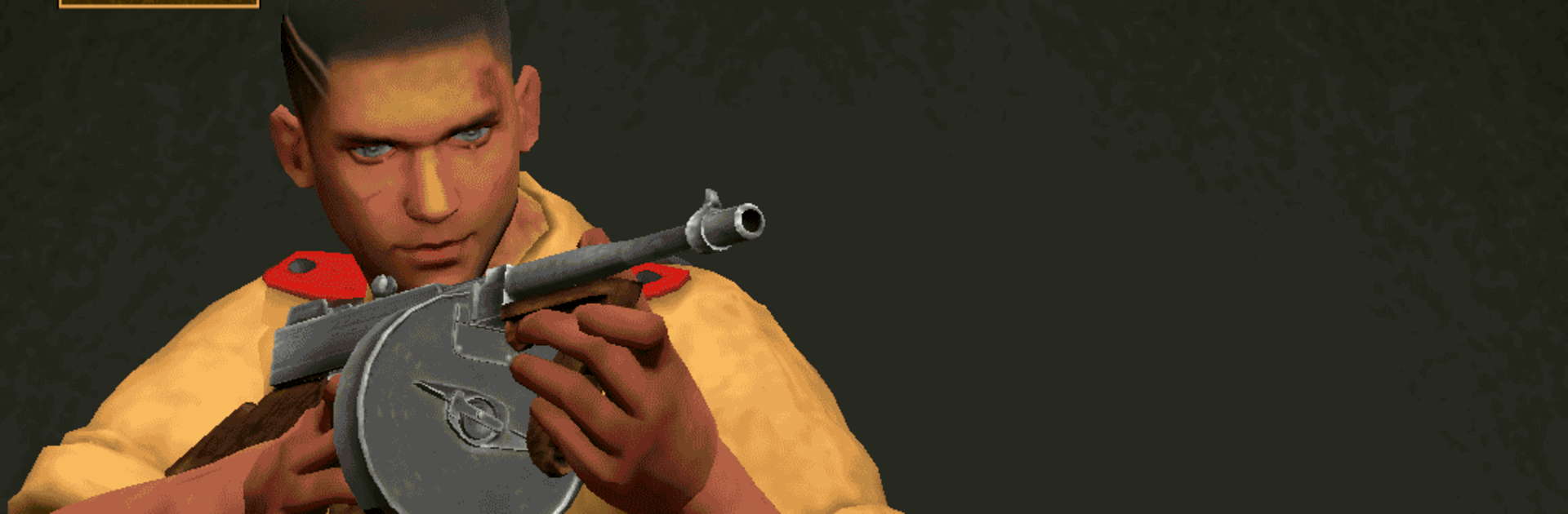
Hold Out: WW2 Shooting Game

Hold Out: WW2 Shooting Game

Action

| One Play LLC

Play on PC with BlueStacks or from our cloud

  • Overview
  • Game Features
  • How to Play

Page Modified On: June 17, 2026

Play Hold Out: WW2 Shooting Game on PC or Mac

Bring your A-game to Hold Out: WW2 Shooting Game, the Action game sensation from One Play LLC. Give your gameplay the much-needed boost with precise game controls, high FPS graphics, and top-tier features on your PC or Mac with BlueStacks.

About the Game

Hold Out: WW2 Shooting Game is an Action FPS where you don’t charge forward—you dig in and survive. You’re the lone defender at key World War II positions, juggling ammo, timing, and nerves while enemy squads try to break your line. It’s tense, tactical, and surprisingly personal. Prefer a mouse and keyboard? It also plays smoothly on BlueStacks.

Game Features

  • Defensive firefights: Hold fortified spots under mounting pressure instead of sprinting around open maps. Pick your shots, watch your angles, and make every reload count.
  • Authentic fronts: Fight across war-torn European locations—from frozen timberlines to coastal fortifications—each with tight sightlines and terrain that shape how you defend.
  • Period arsenal: Use WWII-era rifles, SMGs, machine guns, and explosives. Each weapon kicks, reloads, and handles differently, so mastering their rhythm really matters.
  • Missions that keep you guessing: Guard choke points, eliminate priority targets, call in support when things get hairy, and weather hazardous moments like incoming barrages and collapsing cover.
  • Smarter enemies: AI squads probe flanks, rush when you’re reloading, and force you to adapt on the fly. The longer you last, the tougher they get.
  • Focused viewpoint: A locked perspective keeps the action tight and readable, letting you snap between threats without losing track of the frontline.
  • Sights and sounds that hit hard: Punchy audio, gritty effects, and period details sell the chaos of battle without overdoing it.
  • Smooth controls: Mobile-friendly FPS controls feel snappy; on BlueStacks, keyboard and mouse aiming make precision defense even sharper.
  • Offline anytime: A full single-player experience you can play wherever, no connection required.

Get ready for a buttery smooth, high-performance gaming action only on BlueStacks.

Game Features

Enhancements

  • Macros
  • Multi Instance
  • Multi Instance Sync
  • Eco Mode
  • Enhancements
Macros

Macros

Skip the boring parts of a game. Play Hold Out: WW2 Shooting Game with Macros and get the edge. Simply record a sequence of commands and execute them at any moment.
Multi Instance

Multi Instance

Why limit to one game on your phone when you can play many on your PC? Open multiple instances of Hold Out: WW2 Shooting Game at once with Multi-Instance. Leverage the power of different accounts by doing more.
Multi Instance Sync

Multi Instance Sync

Get the best out of Hold Out: WW2 Shooting Game with Multi-Instance Sync. Play the game from different accounts and build your own empire. Use Multi-instance sync to repeat the action in the main BlueStacks instance on all other instances.
Eco Mode

Eco Mode

Find the rarest heroes by making multiple summons in Hold Out: WW2 Shooting Game. And while you are at it, reduce your PC’s resource consumption with the Eco Mode. Farm efficiently. Get the best results.
Read More

How to Download and Play Hold Out: WW2 Shooting Game on PC or Mac

  • Download and install BlueStacks on your PC or Mac

  • Complete Google sign-in to access the Play Store, or do it later

  • Look for Hold Out: WW2 Shooting Game in the search bar at the top right corner

  • Click to install Hold Out: WW2 Shooting Game from the search results

  • Complete Google sign-in (if you skipped step 2) to install Hold Out: WW2 Shooting Game

  • Click the Hold Out: WW2 Shooting Game icon on the home screen to start playing

video
Watch Video

Minimum System Requirements

With BlueStacks 5, you can get started on a PC that fulfills the following requirements.

  • Operating System

    Microsoft Windows 7 or above, macOS 11 (Big Sur) or above

  • Processor

    Intel, AMD or Apple Silicon Processor

  • RAM

    at least 4GB

  • HDD

    10GB Free Disk Space

Note:

* You must be an Administrator on your PC. Up to date graphics drivers from Microsoft or the chipset vendor.

Hold Out: WW2 Shooting Game - FAQs

  • How to play Hold Out: WW2 Shooting Game on Windows PC & Mac?

    Play Hold Out: WW2 Shooting Game on your PC or Mac by following these simple steps.

    • Click on 'Play Hold Out: WW2 Shooting Game on PC’ to download BlueStacks
    • Install it and log-in to Google Play Store
    • Launch and play the game.
  • Why is BlueStacks the fastest and safest platform to play games on PC?

    BlueStacks respects your privacy and is always safe and secure to use. It does not carry any malware, spyware, or any sort of additional software that could harm your PC.

    It is engineered to optimize speed and performance for a seamless gaming experience.

  • What are Hold Out: WW2 Shooting Game PC requirements?

    Minimum requirement to run Hold Out: WW2 Shooting Game on your PC

    • OS: Microsoft Windows 7 or above MacOS 11 (Big Sur) or above
    • Processor: Intel, AMD or Apple Silicon Processor
    • RAM: Your PC must have at least 4GB of RAM. (Note that having 4GB or more disk space is not a substitute for RAM)
    • HDD: 10GB Free Disk Space.
    • You must be an Administrator on your PC.