Indian Gully Gangster Sim 3D

Indian Gully Gangster Sim 3D

Action

| Akshat Softwares

Play on PC with BlueStacks or from our cloud

  • Overview
  • Game Features
  • How to Play

Page Modified On: January 09, 2026

Play Indian Gully Gangster Sim 3D on PC or Mac

Indian Gully Gangster Sim 3D brings the Action genre to life, and throws up exciting challenges for gamers. Developed by Akshat Softwares, this Android game is best experienced on BlueStacks, the World’s #1 app player for PC and Mac users.

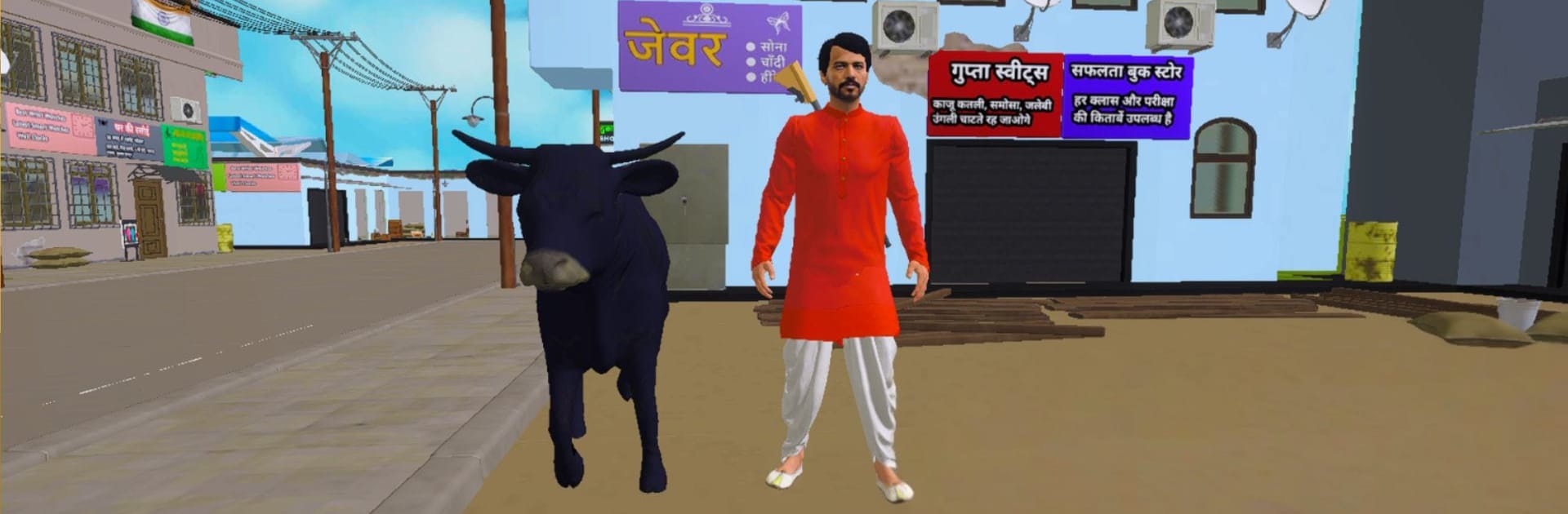
Indian Gully Gangster Sim 3D feels like a scrappy open world dropped right in the middle of an Indian city, with noisy streets, tight gullies, and signboards in Hindi everywhere. The big hook is how desi everything sounds and looks. Characters chat in that filmi Hindi style, jokes included, and the crowd actually looks local, from kurtas and sarees to regular jeans. It is not just cars either. There are e‑rickshaws, bikes, trains rolling by, plus planes and helicopters for anyone who wants to skip traffic altogether. One odd little detail stands out a lot, the potato seller yelling “Aalu Lelo” while pushing a thela. The game lets the player take the cart and sell potatoes, which is silly but weirdly fun between fights.

Moment to moment, it plays like a light crime sandbox. Punches and kicks have that movie hero snap, guns are simple and loud, and starting trouble brings the police fast. They do not just chase, they shoot, so brawling in a busy lane actually gets tense. Driving is arcadey and loose, good for quick turns through cramped corners. Flying a chopper over the rooftops is chaotic yet it works enough to make a getaway. On PC with BlueStacks, mouse aiming helps a lot with shootouts, and keyboard controls make the e‑rickshaws and bikes easier to wrangle. The bigger screen also makes those Hindi boards and tiny street details pop, which sells the setting even more.

Start your journey now. Download the game on BlueStacks, invite your friends, and march on a new adventure.


Game Features

Enhancements

  • Macros
  • Multi Instance
  • Multi Instance Sync
  • Eco Mode
  • Enhancements
Macros

Macros

Skip the boring parts of a game. Play Indian Gully Gangster Sim 3D with Macros and get the edge. Simply record a sequence of commands and execute them at any moment.
Multi Instance

Multi Instance

Why limit to one game on your phone when you can play many on your PC? Open multiple instances of Indian Gully Gangster Sim 3D at once with Multi-Instance. Leverage the power of different accounts by doing more.
Multi Instance Sync

Multi Instance Sync

Get the best out of Indian Gully Gangster Sim 3D with Multi-Instance Sync. Play the game from different accounts and build your own empire. Use Multi-instance sync to repeat the action in the main BlueStacks instance on all other instances.
Eco Mode

Eco Mode

Find the rarest heroes by making multiple summons in Indian Gully Gangster Sim 3D. And while you are at it, reduce your PC’s resource consumption with the Eco Mode. Farm efficiently. Get the best results.
Read More

How to Download and Play Indian Gully Gangster Sim 3D on PC or Mac

  • Download and install BlueStacks on your PC or Mac

  • Complete Google sign-in to access the Play Store, or do it later

  • Look for Indian Gully Gangster Sim 3D in the search bar at the top right corner

  • Click to install Indian Gully Gangster Sim 3D from the search results

  • Complete Google sign-in (if you skipped step 2) to install Indian Gully Gangster Sim 3D

  • Click the Indian Gully Gangster Sim 3D icon on the home screen to start playing

video
Watch Video

Minimum System Requirements

With BlueStacks 5, you can get started on a PC that fulfills the following requirements.

  • Operating System

    Microsoft Windows 7 or above, macOS 11 (Big Sur) or above

  • Processor

    Intel, AMD or Apple Silicon Processor

  • RAM

    at least 4GB

  • HDD

    10GB Free Disk Space

Note:

* You must be an Administrator on your PC. Up to date graphics drivers from Microsoft or the chipset vendor.

Indian Gully Gangster Sim 3D - FAQs

  • How to play Indian Gully Gangster Sim 3D on Windows PC & Mac?

    Play Indian Gully Gangster Sim 3D on your PC or Mac by following these simple steps.

    • Click on 'Play Indian Gully Gangster Sim 3D on PC’ to download BlueStacks
    • Install it and log-in to Google Play Store
    • Launch and play the game.
  • Why is BlueStacks the fastest and safest platform to play games on PC?

    BlueStacks respects your privacy and is always safe and secure to use. It does not carry any malware, spyware, or any sort of additional software that could harm your PC.

    It is engineered to optimize speed and performance for a seamless gaming experience.

  • What are Indian Gully Gangster Sim 3D PC requirements?

    Minimum requirement to run Indian Gully Gangster Sim 3D on your PC

    • OS: Microsoft Windows 7 or above MacOS 11 (Big Sur) or above
    • Processor: Intel, AMD or Apple Silicon Processor
    • RAM: Your PC must have at least 4GB of RAM. (Note that having 4GB or more disk space is not a substitute for RAM)
    • HDD: 10GB Free Disk Space.
    • You must be an Administrator on your PC.