American Sniper Mission Games

American Sniper Mission Games

Action

| Offline Games 2023 War Gun Games 2023 Games Boys

Play on PC with BlueStacks or from our cloud

  • Overview
  • Game Features
  • How to Play

Page Modified On: December 22, 2025

Play American Sniper Mission Games on PC or Mac

From the innovators and creators at Offline Games 2023 War Gun Games 2023 Games Boys, American Sniper Mission Games is another fun addition to the World of Action games. Go beyond your mobile screen and play it bigger and better on your PC or Mac. An immersive experience awaits you.

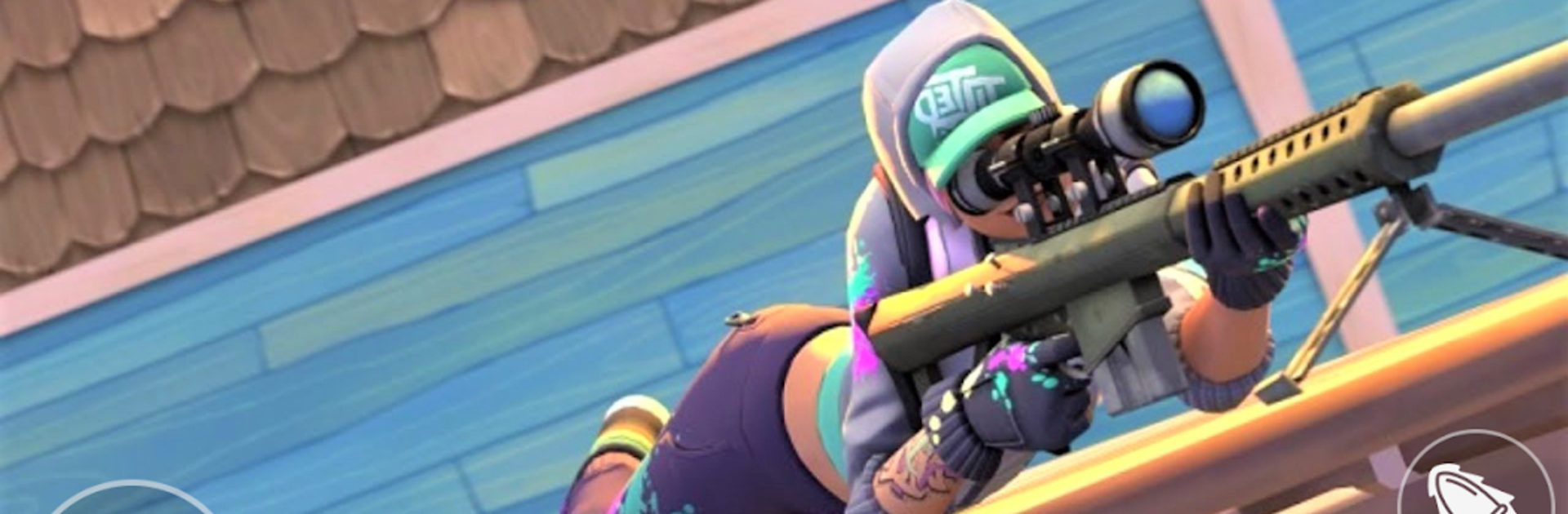
American Sniper Mission Games feels like a straight-to-the-point sniper shooter that works well when someone just wants quick missions without waiting around online. It drops the player into short scenarios with clear targets, a little GPS-style map to track where trouble is coming from, and a simple aim-shoot loop that is oddly satisfying. The slow motion bullet camera is the standout, because lining up a long shot and watching that round travel never really gets old. Missions lean on classic setups like taking out guards from a distance, covering an approach, or picking a safe angle in a dusty street or a bit of jungle. Nothing complicated to learn, and the controls make sense right away.

Guns are the main reward here. New rifles unlock, scopes feel a touch different, and upgrades nudge damage or stability so shots land cleaner. Daily rewards hand out some currency and gear, which helps keep the grind gentle. It runs fully offline, the download size is light, and the graphics get the job done with clear sights and crisp hit feedback. On PC with BlueStacks, mouse aiming makes long shots feel steadier, and the larger screen helps spot heads peeking over sandbags. The game is not trying to be a huge tactical sim, more a stack of bite-size sniping challenges with a clean rhythm: pick a rifle, check the mini map, breathe, and make the shot.

Make your gaming sessions memorable with precise controls that give you an edge in close combats and visuals that pop up, bringing every character to life.


Game Features

Enhancements

  • Macros
  • Multi Instance
  • Multi Instance Sync
  • Eco Mode
  • Enhancements
Macros

Macros

Skip the boring parts of a game. Play American Sniper Mission Games with Macros and get the edge. Simply record a sequence of commands and execute them at any moment.
Multi Instance

Multi Instance

Why limit to one game on your phone when you can play many on your PC? Open multiple instances of American Sniper Mission Games at once with Multi-Instance. Leverage the power of different accounts by doing more.
Multi Instance Sync

Multi Instance Sync

Get the best out of American Sniper Mission Games with Multi-Instance Sync. Play the game from different accounts and build your own empire. Use Multi-instance sync to repeat the action in the main BlueStacks instance on all other instances.
Eco Mode

Eco Mode

Find the rarest heroes by making multiple summons in American Sniper Mission Games. And while you are at it, reduce your PC’s resource consumption with the Eco Mode. Farm efficiently. Get the best results.
Read More

How to Download and Play American Sniper Mission Games on PC or Mac

  • Download and install BlueStacks on your PC or Mac

  • Complete Google sign-in to access the Play Store, or do it later

  • Look for American Sniper Mission Games in the search bar at the top right corner

  • Click to install American Sniper Mission Games from the search results

  • Complete Google sign-in (if you skipped step 2) to install American Sniper Mission Games

  • Click the American Sniper Mission Games icon on the home screen to start playing

video
Watch Video

Minimum System Requirements

With BlueStacks 5, you can get started on a PC that fulfills the following requirements.

  • Operating System

    Microsoft Windows 7 or above, macOS 11 (Big Sur) or above

  • Processor

    Intel, AMD or Apple Silicon Processor

  • RAM

    at least 4GB

  • HDD

    10GB Free Disk Space

Note:

* You must be an Administrator on your PC. Up to date graphics drivers from Microsoft or the chipset vendor.

American Sniper Mission Games - FAQs

  • How to play American Sniper Mission Games on Windows PC & Mac?

    Play American Sniper Mission Games on your PC or Mac by following these simple steps.

    • Click on 'Play American Sniper Mission Games on PC’ to download BlueStacks
    • Install it and log-in to Google Play Store
    • Launch and play the game.
  • Why is BlueStacks the fastest and safest platform to play games on PC?

    BlueStacks respects your privacy and is always safe and secure to use. It does not carry any malware, spyware, or any sort of additional software that could harm your PC.

    It is engineered to optimize speed and performance for a seamless gaming experience.

  • What are American Sniper Mission Games PC requirements?

    Minimum requirement to run American Sniper Mission Games on your PC

    • OS: Microsoft Windows 7 or above MacOS 11 (Big Sur) or above
    • Processor: Intel, AMD or Apple Silicon Processor
    • RAM: Your PC must have at least 4GB of RAM. (Note that having 4GB or more disk space is not a substitute for RAM)
    • HDD: 10GB Free Disk Space.
    • You must be an Administrator on your PC.